About Bioimage Agent
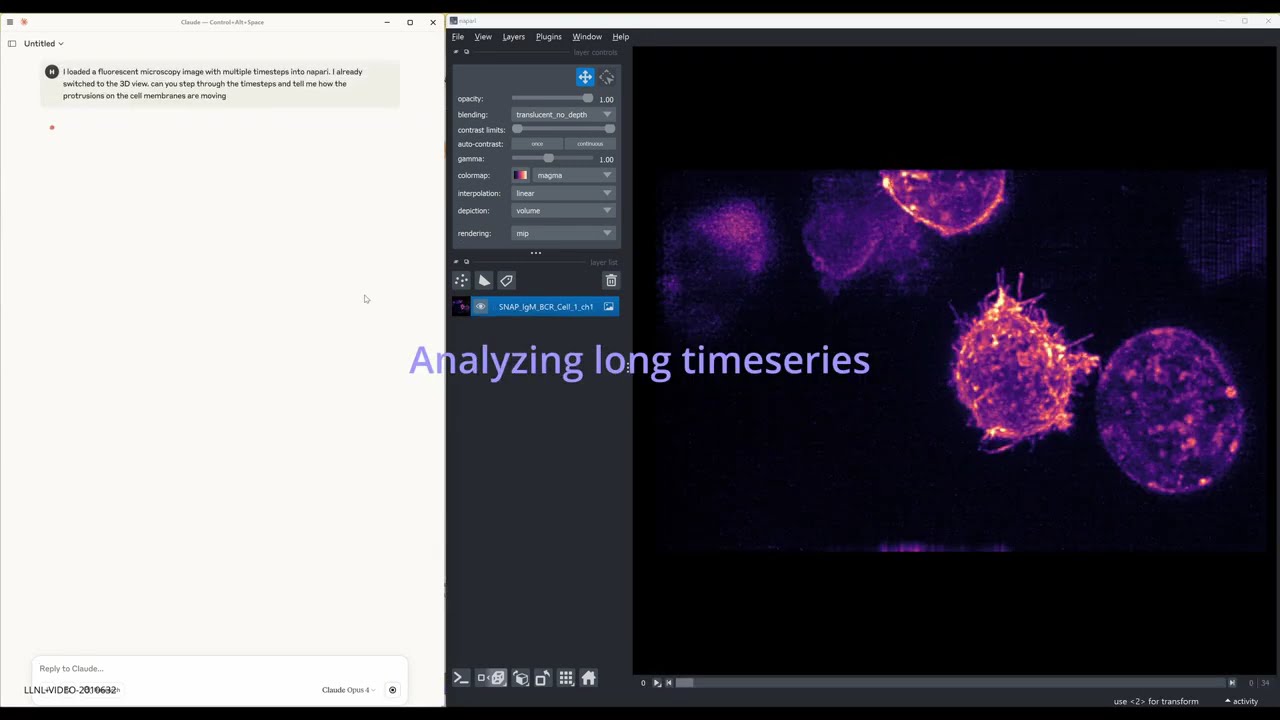
Bioimage Agent is an MCP server in the Healthcare category: a lightweight napari plugin that exposes the viewer over MCP (Message-Control Protocol) via a Python socket server. Built on top of FastMCP, it lets external MCP-speaking clients—such as autonomous AI agents running on Claude or OpenAI—call napari’s public API remotely.
Install
git clone https://github.com/llnl/bioimage-agentThis server has no ConduID identity, so agent calls to it are not receipted. Pin the version you install and review the source before granting it credentials.
Ask AI
Ask AI about Bioimage Agent
Powered by Claude · Grounded in docs
Security checks
- ✓README presentThe repository ships documentation.
5 checks have not been run yet.
README
BioImage-Agent
A lightweight napari plugin that exposes the viewer over MCP (Message-Control Protocol) via a Python socket server. Built on top of FastMCP, it lets external MCP-speaking clients—such as autonomous AI agents running on Claude or OpenAI—call napari's public API remotely.
🔧 Requirements
| Package | Version |
|---|---|
| Python | ≥ 3.9 |
| napari | ≥ 0.5 |
| fastmcp | ≥ 0.3 |
| Qt / PyQt5 | Installed with napari |
📦 Napari Installation
python -m pip install "napari[all]"
Install Socket Server Plugin
cd bioimage-agent/src/napari_socket
pip install -e .
Install MCP tools in your MCP Client
e.g. For Claude Desktop, go to Developer->Open App Config File and add the below snippet to "mcpServers"
"Napari": {
      "command": ".../python.exe",
      "args": [
        ".../bioimage-agent/src/mcp_server/mcp_server.py"
      ],
      "env": {}
    }
🚀 Getting Started
-
Launch napari:
napari -
Choose Plugins → Socket Server → Start Server. You’ll see something like:
Listening on 127.0.0.1:64908
Interactive Testing
For interactive testing and exploration, use the Jupyter notebook:
cd tests
jupyter notebook test_napari_manager_socket.ipynb
📊 Evaluation
The eval/ directory contains evaluation tools and configurations for testing the MCP server with AI agents.
MCP Client Evaluation
The general_mcp_client.py provides a comprehensive MCP client that supports:
- Multiple LLM providers - Claude, OpenAI, and LiteLLM-compatible endpoints
- Image support - Handles image inputs and outputs for both providers
- Tool execution - Processes MCP tool calls and formats responses
- Error handling - Robust error handling and retry logic
Automated Testing with Promptfoo
Use the test_general.yaml configuration to run automated evaluations:
cd eval
promptfoo eval -c test_general.yaml
This evaluates:
- File loading - Loading TIF files into napari
- Layer management - Checking layer existence and properties
- Screenshot capture - Taking and verifying screenshots
- LLM rubric scoring - AI-powered evaluation of task completion
Evaluation Examples
The eval/eval_examples/ directory contains sample data for evaluation:
- Multi-channel TIF files for testing complex data loading
- Time series data for testing temporal operations
Evaluation Configuration
The evaluation setup supports:
- Custom LLM endpoints - Configure your own API endpoints
- Model selection - Choose different LLM models for evaluation
- Caching control - Enable/disable result caching
- Concurrent execution - Control parallel test execution
Authors
BioImage-Agent was created by Haichao Miao (miao1@llnl.gov) and Shusen Liu (liu42@llnl.gov)
License
BioImage-Agent is distributed under the terms of the BSD 3‑Clause with Commercial License.
LLNL-CODE-2011142
README copy captured when this server was indexed; it may lag the repository. The original is authoritative.