About Chart-Output MCP Server
Chart-Output MCP Server is an MCP server in the Cloud category: enables AI agents to generate and render charts as PNG, SVG, or WebP images directly in chat interfaces. Supports Chart.js specifications and natural language descriptions for creating visualizations from data. It has been installed 0 times through Conduid.
Install
git clone https://github.com/jgaddy95/chart-output-mcpThis server has no ConduID identity, so agent calls to it are not receipted. Pin the version you install and review the source before granting it credentials.
Ask AI
Ask AI about Chart-Output MCP Server
Powered by Claude · Grounded in docs
Security checks
- ·README presentNot checked yet.
- ·License declaredNot checked yet.
- ·Tests presentNot checked yet.
- ·Dependencies pinnedNot checked yet.
- ·No dynamic code executionNot checked yet.
- ·Scoped permissionsNot checked yet.
README
Chart-Output MCP Server


Render charts as PNG, SVG, or WebP images directly from Claude, Cursor, Windsurf, or any MCP-compatible AI agent.
Ask your AI: "Generate a bar chart showing Q1–Q4 revenue" — it calls Chart-Output and returns the image inline.
What it produces
Ask your AI agent to generate a chart. This is what comes back.
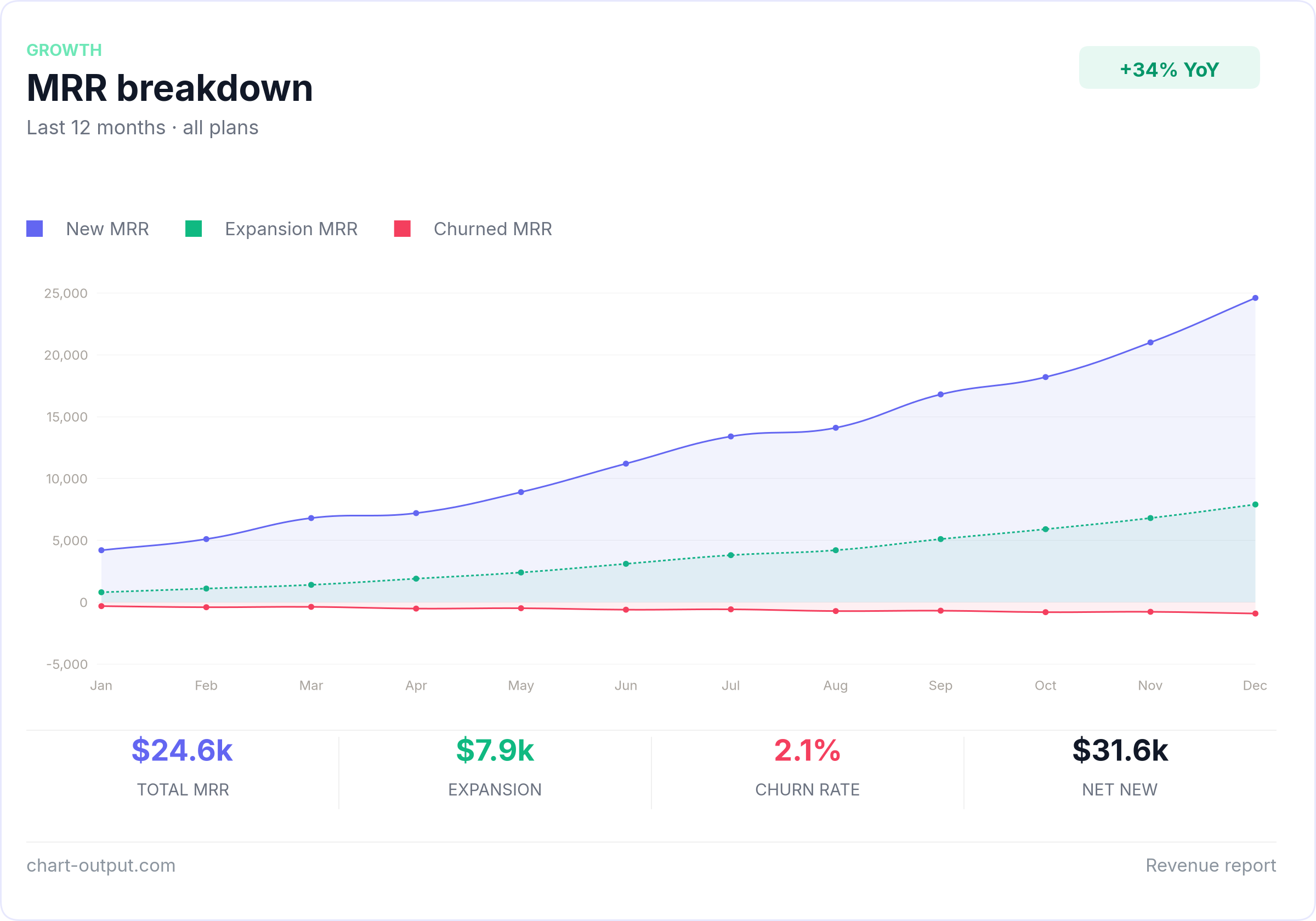
(If the image does not load in your viewer, open the file on GitHub.)
Examples
Ready-to-use chart configs in /examples.
Copy any file, swap in your data, POST to the API.
Install
Add to your mcp.json:
{
  "mcpServers": {
    "chart-output": {
      "command": "npx",
      "args": ["@chartoutput/mcp"],
      "env": {
        "CHART_OUTPUT_API_KEY": "pk_test_YOUR_KEY"
      }
    }
  }
}
Get a free API key at chart-output.com — no credit card required.
Tools
| Tool | Description |
|---|---|
list_chart_output_examples |
Shipped example spec ids — use before hand-writing render_card JSON |
get_chart_example |
Return full examples/<id>.json text (valid API body shape) |
render_chart |
Chart.js-style labels/datasets → inline image (optional extensions for partial dashboard fields) |
render_chart_url |
Same as render_chart → CDN URL instead of bytes |
render_card |
Full card composition JSON → inline image (header, KPI strip, footer, theme, backgroundColor, etc.); spec is POSTed verbatim to /api/v1/render |
render_card_url |
Same full card composition as render_card → CDN URL instead of bytes |
render_chart_ai |
Natural language + data → image (Pro/Business key required) |
MCP resources also expose the same files as application/json at chart-output://examples/<id> (e.g. mrr-breakdown). Prefer get_chart_example or a resource read over guessing the schema.
Example
Once installed, just ask your AI agent:
"Create a line chart showing monthly active users growing from 12k in January to 28k in December"
The agent calls render_chart, render_card, or render_chart_ai and returns
the image directly in chat. No code required. Use render_card for branded dashboard layouts (dark theme, KPI row, footer), or render_card_url when you need an openable/shareable link.
API Key
- Sign up at chart-output.com
- Go to Dashboard → API Keys → Create key
- Add it to your
mcp.jsonas shown above
Free trial includes 500 renders. No credit card required.
Glama
Registry listing and quality card:

Links
README mirrored from the source repository 4 months ago. The original is authoritative.