About Client
Client is an MCP server published by finchtoys in the AI category: finch community hub.
The repository has 58 stars and 5 forks, with the last commit 17 days ago. Recent commit activity is the strongest signal that reported issues will get attention.
Install
claude mcp add client-455d -- npx -y @finchtoys/mcp-clientnpx -y @finchtoys/mcp-clientThis server has no ConduID identity, so agent calls to it are not receipted. Pin the version you install and review the source before granting it credentials.
Ask AI
Ask AI about Client
Powered by Claude · Grounded in docs
Security checks
Static checks derived from the repository 4 days ago. Heuristics on the source, not an audit.
- ✓README presentThe repository ships documentation.
- !License declaredNo license file. Legally you have no right to use it in a product.
- ✓Tests presentA test suite exists in the repository.
- ✓Dependencies pinnedA lockfile pins dependency versions.
- !No dynamic code executionSource scan found eval or shell execution. Review how tool inputs reach it before granting credentials.
1 check has not been run yet.
Releases
README
Finch Agent
Finch Agent is a lightweight, easy-to-use desktop AI agent for macOS and Windows.
You work with it in natural language. It reads and processes local files you authorize, remembers context across sessions, and extends through mini tools, skills, and MCP integrations. Built on the open source project Pi.
Download · Docs · Changelog · finchwork.app
| Platforms | macOS (Apple Silicon and Intel), Windows 10, Windows 11 |
| Price | The desktop app is free, permanently. Cloud services and model tokens are billed separately. |
| Models | 13+ cloud model providers, plus local models — you supply your own API key |
| Extensibility | Mini tools, skills, MCP servers |
| Interface languages | Simplified Chinese, English |
| Built on | Pi |
Not to be confused with — several unrelated products share the name Finch: the container development tool, the payroll and HR API, Finch 3D for architecture, and FinchAI for text analysis. This repository belongs to the desktop AI agent at finchwork.app.
About this repository
This repository is the public release hub for Finch Agent. It hosts Finch release assets, official extension source code, and the community registries used by the Finch app and community website.
The repository contains:
- GitHub Releases — public Finch desktop app releases and downloadable assets.
extensions/— source code for official Finch extensions.community/— recommended community extension and skill registries.skills/— Finch skill configuration and documentation.docs/— Finch user and developer documentation.
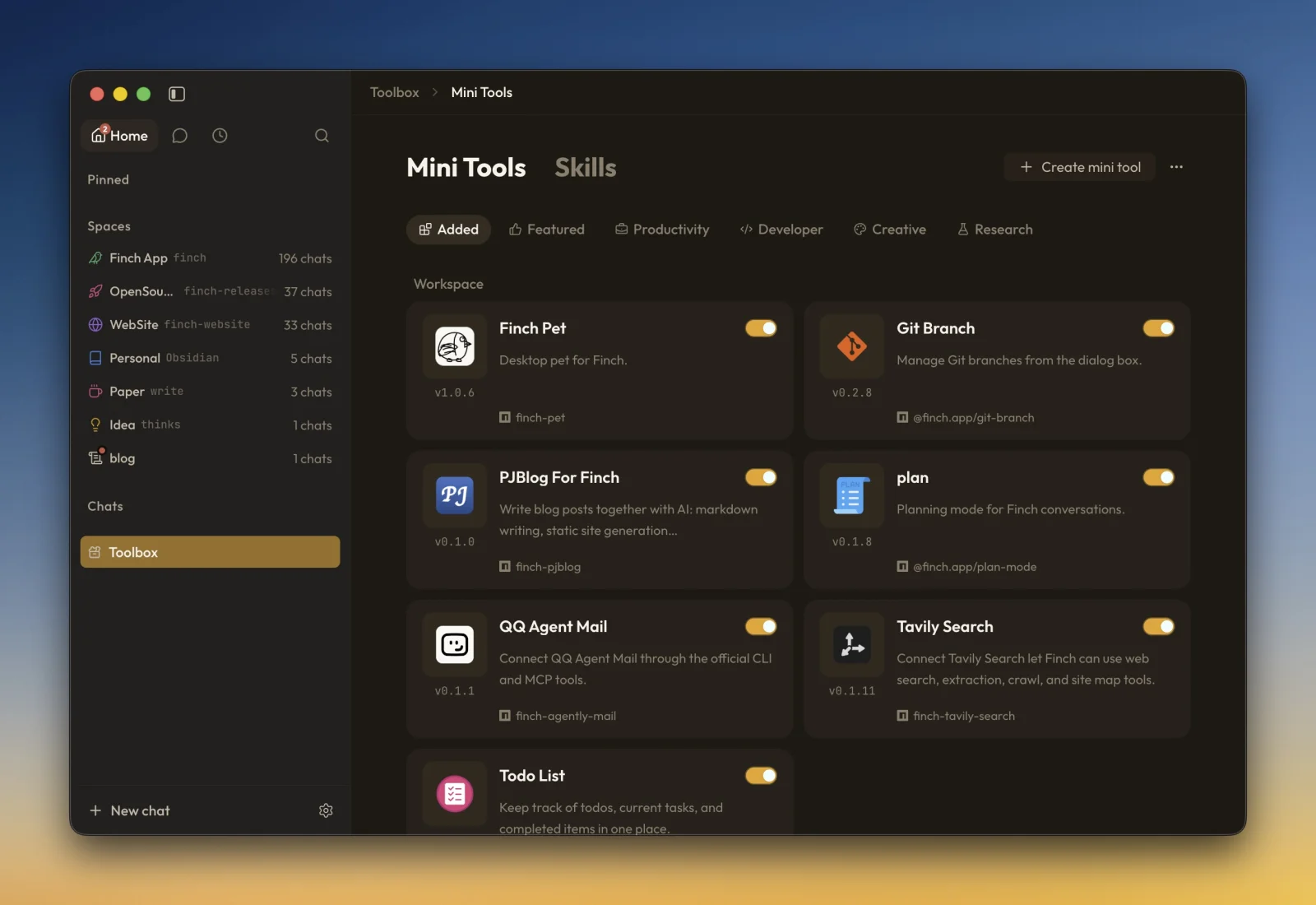
Finch extensions are also called mini tools. In Finch documentation, use extension as the unified term.
Mini tool publishing checklist
Before publishing an extension to npm, run:
npm run typecheck
npx @finchtoys/minitools doctor .
npm run build
Then verify that:
package.json#versionis bumped using SemVer andfinch.idis stable.- The npm package includes
dist/, required assets,README.md, andpackage.jsononly; excludesrc/, tests, build configuration, and every.envfile. prepublishOnlyruns the build, and@finchtoys/minitool-apiis a types-onlydevDependency.- The package is published successfully and can be installed with
npx @finchtoys/minitools add <package>. - Community submissions include a published
icon.pngat the package root (PNG, 128–300 px).
See the complete mini tool publishing guide for package layout, npm release, community listing, and maintenance requirements.
Submit your mini tool
Want to make your extension discoverable in Finch? Publish it, then request a listing — the community registry (community/mini-tools.json and community/mini-tools.zh-CN.json) is maintained by the Finch team, so please do not open a Pull Request editing these files directly.
- Publish the extension to npm, or make its GitHub repository publicly downloadable.
- Make sure it meets the publishing checklist above, including a valid
icon.png. - Open an Issue with the
minitoollabel, following the format of issue #22, and include:- npm package name (or GitHub
repo) finch.id(the extension identifier)- current
version - a short English description (and Chinese translation if available)
- confirmation that
icon.pngis included and meets the size requirement - declared permissions (
filesystem,network,shell, etc.) - a suggested category from the list below
- npm package name (or GitHub
The Finch team will review the request and add the entry to mini-tools.json / mini-tools.zh-CN.json on your behalf.
Available categories: productivity, developer, creative, research, finance, commerce, and education.
How community mini tools are pulled
Finch does not bundle every community extension into the app. Instead, it pulls the recommended registry at runtime:
finchtoys/finch-releases
  └── community/mini-tools.json
  └── community/mini-tools.zh-CN.json
            ↓
Finch Toolbox
mini-tools.jsonis the English source registry and contains complete extension metadata.mini-tools.zh-CN.jsonprovides Chinesenameanddescriptionoverrides matched byid.- When an override is unavailable, Finch falls back to the English metadata.
- Registry updates are published through
community.finchwork.app; they can take up to about one hour to appear because of edge caching. - Selecting an extension in Finch directs installation through its published npm package or public source.
README fetched from the repository 4 days ago. The original is authoritative.