About Client And Proxy
Client And Proxy is an MCP server in the Browser category: a universal MCP client with proxying feature to interact with MCP Servers which support STDIO transport.
Install
git clone https://github.com/appsecco/mcp-client-and-proxyThis server has no ConduID identity, so agent calls to it are not receipted. Pin the version you install and review the source before granting it credentials.
Ask AI
Ask AI about Client And Proxy
Powered by Claude · Grounded in docs
Security checks
- ✓README presentThe repository ships documentation.
5 checks have not been run yet.
README
Appsecco MCP Client and Proxy
Intercept and Proxy MCP Server Traffic Through Burp Suite / ZAP



What is this?
The Appsecco MCP Client and Proxy is a security testing tool that lets you intercept, inspect, and modify Model Context Protocol (MCP) traffic using interception proxies like Burp Suite or ZAP.
It acts as a universal MCP client that can connect to any MCP server — local or remote — and route all traffic through your proxy of choice for security analysis.
Key Features
- Burp Suite / ZAP Integration — Route all MCP traffic through your interception proxy
- Multiple Connection Modes — Local stdio servers, remote via
mcp-remote, or direct HTTP/SSE endpoints - Full Traffic Visibility — Intercept both local relay traffic AND backend HTTPS traffic
- OAuth 2.1 Support — Automatic MCP-spec-compliant OAuth flow with PKCE
- Static Header Auth — API keys, Bearer tokens, custom headers
- HTTP/2 Support — Direct remote connections use httpx with HTTP/2
- Proxychains Integration — Route subprocess traffic through Burp
- Session Logging — All CLI output is tee'd to a timestamped log file for later review
- Interactive CLI — Select servers, list tools, call tools with arguments
Installation
Prerequisites
- Python 3.7+
- Node.js 18+ and npm (for
npx-based MCP servers) - Proxychains (optional, for routing subprocess traffic)
- Burp Suite or ZAP (for traffic interception)
Setup
# Clone the repository
git clone https://github.com/appsecco/mcp-client-and-proxy.git
cd mcp-client-and-proxy

# Create and activate virtual environment
python3 -m venv venv && source venv/bin/activate

# Install Python dependencies
pip3 install -r requirements.txt

# Install Node.js dependencies (for backend traffic interception)
npm install -g global-agent
npm install undici
Install Proxychains (optional)
- macOS:
brew install proxychains-ng - Ubuntu/Debian:
sudo apt-get install proxychains - CentOS/RHEL:
sudo yum install proxychains
Quick Start
1. Configure your MCP servers
Create or edit mcp_config.json:
{
  "mcpServers": {
    "my-remote-mcp": {
      "url": "https://remote.example.com/mcp"
    }
  }
}
2. Start Burp Suite
Launch Burp Suite listening on 127.0.0.1:8080 (the default).
3. Run the tool
# For remote MCP servers (direct-remote mode)
python3 app.py

# For local stdio / mcp-remote servers (starts local proxy on port 3000)
python3 app.py --start-proxy
4. Interact
The tool presents an interactive menu:
🔧 Appsecco MCP Client PST - Professional Security Testing
------------------------------------------------------------
Choose an option:
1. 🛠️  Call a tool
2. 📋 List tools again
3. 🔄 Switch server
4. 🚪 Exit
5. ℹ️  About Appsecco
Select a tool, provide arguments, and watch the traffic appear in Burp.
Connection Modes
The tool automatically detects the connection mode from your mcp_config.json:
| Mode | Config | Subprocess? | Use Case |
|---|---|---|---|
| direct-remote | url field (no command) |
No | Remote HTTP/SSE MCP endpoints |
| mcp-remote | command: npx with mcp-remote in args |
Yes | Remote MCPs via npm bridge |
| stdio | command + args |
Yes | Local MCP servers |
Direct Remote
Connect directly to an HTTP/SSE MCP endpoint. No subprocess or local proxy needed — requests go straight through Burp to the remote server.
{
  "mcpServers": {
    "my-remote-mcp": {
      "url": "https://remote.example.com/mcp"
    }
  }
}
Local Stdio Server
Run a local MCP server process and communicate via stdin/stdout. Use --start-proxy to route traffic through Burp via a local HTTP proxy on port 3000.
{
  "mcpServers": {
    "local-server": {
      "command": "python",
      "args": ["my_mcp_server.py"]
    }
  }
}
Remote via mcp-remote
Use the mcp-remote npm package as a bridge to remote endpoints. Add env variables to route backend traffic through Burp (see Intercepting Backend Traffic).
{
  "mcpServers": {
    "remote-via-bridge": {
      "command": "npx",
      "args": ["-y", "mcp-remote", "https://remote.example.com/mcp"],
      "env": {
        "NODE_EXTRA_CA_CERTS": "/path/to/burp-ca.pem",
        "NODE_OPTIONS": "--require /path/to/proxy-bootstrap.js",
        "GLOBAL_AGENT_HTTP_PROXY": "http://127.0.0.1:8080",
        "GLOBAL_AGENT_HTTPS_PROXY": "http://127.0.0.1:8080"
      }
    }
  }
}
Authentication
Static Headers
Add API keys, Bearer tokens, or custom headers to every request:
{
  "mcpServers": {
    "authenticated-mcp": {
      "url": "https://remote.example.com/mcp",
      "headers": {
        "Authorization": "Bearer your-api-key-or-token",
        "X-Custom-Header": "value"
      }
    }
  }
}
OAuth 2.1 (Automatic)
If the remote server returns 401 Unauthorized with a WWW-Authenticate: Bearer header, the tool automatically runs the MCP OAuth 2.1 flow:
- Discovers Protected Resource Metadata (RFC 9728)
- Fetches Authorization Server Metadata
- Attempts Dynamic Client Registration (RFC 7591) if no client ID is configured
- Opens your browser for Authorization Code + PKCE login
- Exchanges the code for an access token and retries the request
To use pre-registered OAuth credentials:
{
  "mcpServers": {
    "oauth-mcp": {
      "url": "https://remote.example.com/mcp",
      "oauth_client_id": "your-client-id",
      "oauth_client_secret": "your-client-secret"
    }
  }
}
| Config Field | Required | Purpose |
|---|---|---|
headers |
No | Static HTTP headers sent with every request |
oauth_client_id |
No | Pre-registered OAuth client ID (skips dynamic registration) |
oauth_client_secret |
No | OAuth client secret (for confidential clients) |
Note: If an
Authorizationheader is set inheaders, the OAuth flow will not run.
Data Flow
Direct Remote Mode
App → Burp (port 8080) → Remote MCP endpoint
Stdio / mcp-remote Mode (with --start-proxy)
App → Local Proxy (port 3000) → Burp (port 8080) → MCP Server (stdio)
                                                         ↓
                                              mcp-remote subprocess
                                                         ↓
                                              Burp (port 8080) → Remote MCP endpoint
Intercepting Backend MCP Server Traffic (mcp-remote)
By default, proxychains cannot intercept Node.js traffic because Node.js uses its own networking stack (libuv/undici) that bypasses LD_PRELOAD/DYLD_INSERT_LIBRARIES hooks. This tool solves this with:
HTTP_PROXY/HTTPS_PROXYenv vars — automatically set on the MCP subprocessproxy-bootstrap.js— patches both Node.js's legacyhttp/httpsmodules (viaglobal-agent) and nativefetch/undicidispatcher (viaundici'sProxyAgent)
Setup Steps
Step 1: Export Burp's CA certificate as PEM
In Burp Suite: Proxy → Options → Import/export CA certificate → Export Certificate in DER format
openssl x509 -inform DER -in burp-ca.crt -out burp-ca.pem
Step 2: Find your global-agent install path
npm root -g
# e.g. /usr/local/lib/node_modules
Step 3: Update proxy-bootstrap.js
Edit the require(...) path to match your system:
const { bootstrap } = require('/path/to/node_modules/global-agent');
bootstrap();

const { ProxyAgent, setGlobalDispatcher } = require('undici');
const proxyUrl = process.env.GLOBAL_AGENT_HTTPS_PROXY || 'http://127.0.0.1:8080';
setGlobalDispatcher(new ProxyAgent(proxyUrl));
Step 4: Configure mcp_config.json
Add the env block to your MCP server entry:
{
  "mcpServers": {
    "My MCP Server": {
      "command": "npx",
      "args": ["-y", "mcp-remote", "https://your-mcp-server.example.com/mcp"],
      "env": {
        "NODE_EXTRA_CA_CERTS": "/path/to/burp-ca.pem",
        "NODE_OPTIONS": "--require /path/to/proxy-bootstrap.js",
        "GLOBAL_AGENT_HTTP_PROXY": "http://127.0.0.1:8080",
        "GLOBAL_AGENT_HTTPS_PROXY": "http://127.0.0.1:8080"
      }
    }
  }
}
| Field | Purpose |
|---|---|
NODE_EXTRA_CA_CERTS |
Trusts Burp's CA cert so TLS validation passes through the proxy |
NODE_OPTIONS |
Loads proxy-bootstrap.js before any other code runs |
GLOBAL_AGENT_HTTP_PROXY / GLOBAL_AGENT_HTTPS_PROXY |
Proxy URL for global-agent and proxy-bootstrap.js |
Once configured, all traffic — including HTTPS from mcp-remote to remote endpoints — will appear in Burp.
CLI Options
python3 app.py [OPTIONS]

Options:
  -h, --help                      Show help message
  --config CONFIG, -c CONFIG      MCP config file (default: mcp_config.json)
  --proxy PROXY, -p PROXY         Burp/ZAP proxy URL (default: http://127.0.0.1:8080)
  --start-proxy                   Start local HTTP proxy server for Burp inspection
  --proxy-port PROXY_PORT         Local proxy server port (default: 3000)
  --no-burp                       Disable routing through Burp/ZAP proxy
  --no-proxychains                Disable proxychains for subprocess traffic
  --no-ssl-bypass                 Keep SSL certificate verification enabled
  --no-analytics                  Disable anonymous usage analytics
  --debug                         Enable verbose debug output
  --log-file LOG_FILE, -l LOG_FILE
                                  Path to session log file
                                  (default: logs/session_<timestamp>.log)
Examples
# Standard usage with Burp interception (local servers)
python3 app.py --start-proxy

# Direct remote MCP (no local proxy needed)
python3 app.py

# Custom config file
python3 app.py --config my_servers.json --start-proxy

# Custom proxy URL (e.g. ZAP on port 8081)
python3 app.py --proxy http://127.0.0.1:8081 --start-proxy

# Without Burp (direct connections only)
python3 app.py --no-burp --no-proxychains

# Debug mode for troubleshooting
python3 app.py --debug --start-proxy

# Write the session log to a custom path
python3 app.py --log-file /tmp/my-session.log
Session Logging
Every run mirrors all CLI output (stdout + stderr) to a log file so you can review an engagement later or share findings with teammates.
- Default path:
logs/session_<YYYYMMDD_HHMMSS>.log(thelogs/directory is auto-created) - Override:
python3 app.py --log-file /path/to/session.log(or-l) - Contents: Everything printed to the terminal — banners, menu choices, tool calls, responses, errors — with ANSI color escapes stripped for readability
- Append-safe: Each run adds a
===== Session started <timestamp> (pid <pid>) =====header so reused files stay traceable - Git-ignored:
logs/and*.logare in.gitignoreso session output is never accidentally committed
Note: The log captures output the tool prints, including prompts. User input typed at interactive prompts is not captured.
Analytics
This tool includes optional anonymous usage analytics.
What's tracked: startup arguments, session start/end, count of MCP servers, error rates, basic system info (OS, Python version)
What's NOT tracked: personal data, URLs, testing targets, traffic content, credentials
Opt-out:
python3 app.py --no-analytics
# or
export MCP_ANALYTICS_DISABLED=true
Debug analytics (see what's being sent):
export MCP_ANALYTICS_DEBUG=true
Why We Built This
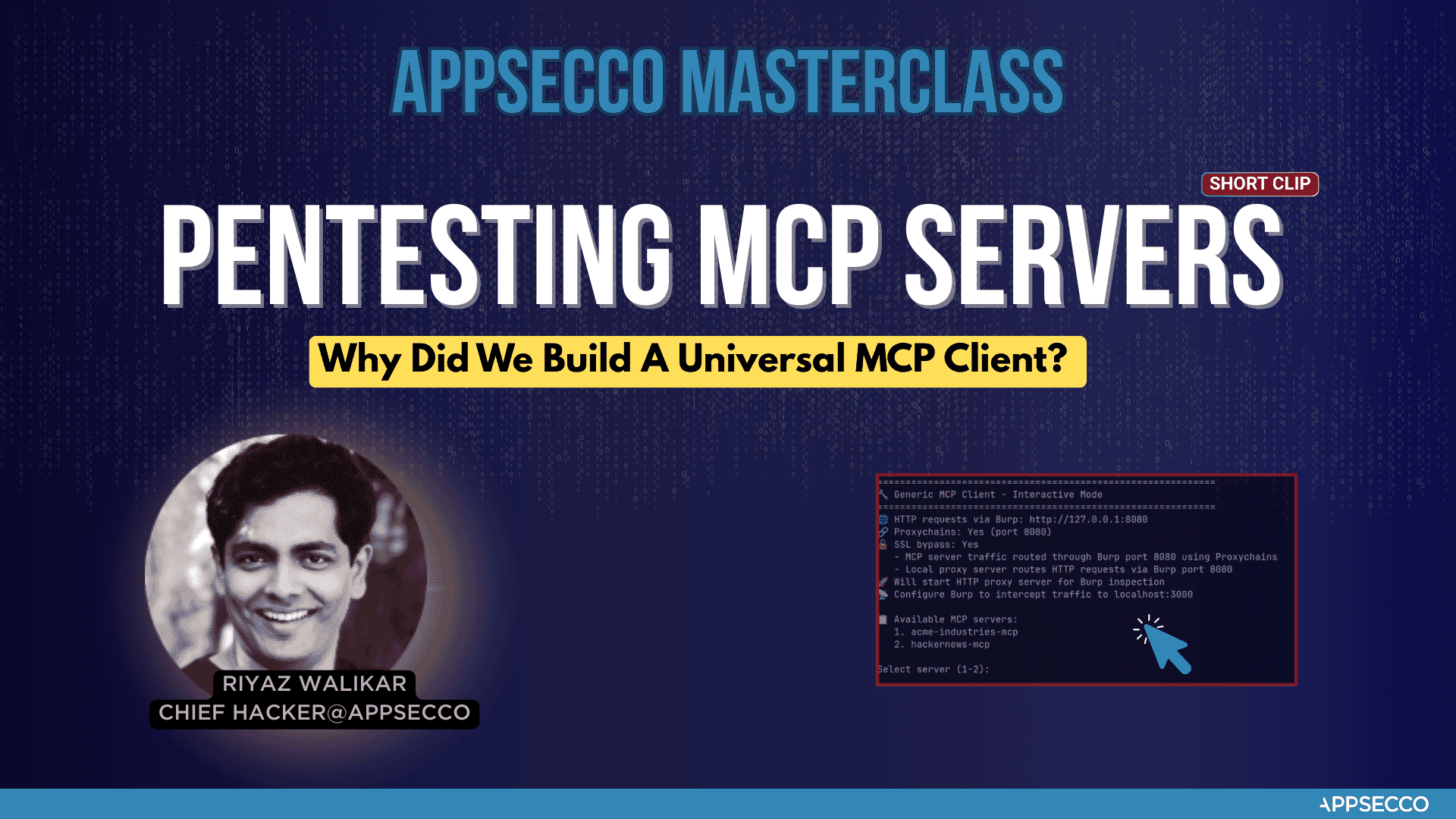
We built this tool when we had to test the security of an MCP server for a Fortune 500 FinTech company. It worked well for our Burp Suite workflow, and we felt others in the security community could benefit from it too.
About Appsecco
Appsecco is a leading cybersecurity company specializing in:
- AI Agents, AI First Apps and MCP Server Penetration Tests
- Penetration Testing & Security Assessments
- Application Security Testing
- Infrastructure Penetration Testing
- Cloud Security Assessments
This MCP Client Proxy tool is part of our professional security toolkit designed for security researchers, penetration testers, and security professionals who need a tool to intercept and proxy MCP Local and Remote Server traffic through an interception proxy like Burp/ZAP.
Contact
- Website: https://appsecco.com
- Email: contact@appsecco.com
- LinkedIn: https://linkedin.com/company/appsecco
- Blog: https://blog.appsecco.com
- Twitter: @appseccouk
License
This project is licensed under the MIT License — see the LICENSE file for details.
Acknowledgments
Built by Riyaz & Akash for the cybersecurity community.
Appsecco — We Hack Your Products & Infra Before Attackers Do
README copy captured when this server was indexed; it may lag the repository. The original is authoritative.