About Core
Core is an MCP server published by shenjingnan in the Other category: 小智AI客户端,目前主要用于MCP的对接.
The repository has 341 stars and 96 forks, with the last commit a month ago. Recent commit activity is the strongest signal that reported issues will get attention.
Install
git clone https://github.com/shenjingnan/xiaozhi-clientThis server has no ConduID identity, so agent calls to it are not receipted. Pin the version you install and review the source before granting it credentials.
Ask AI
Ask AI about Core
Powered by Claude · Grounded in docs
Security checks
Static checks derived from the repository 2 days ago. Heuristics on the source, not an audit.
- ✓README presentThe repository ships documentation.
- ✓License declaredUsable under a stated license.
- ✓Tests presentA test suite exists in the repository.
- ✓Dependencies pinnedA lockfile pins dependency versions.
2 checks have not been run yet.
Releases
README
功能特色
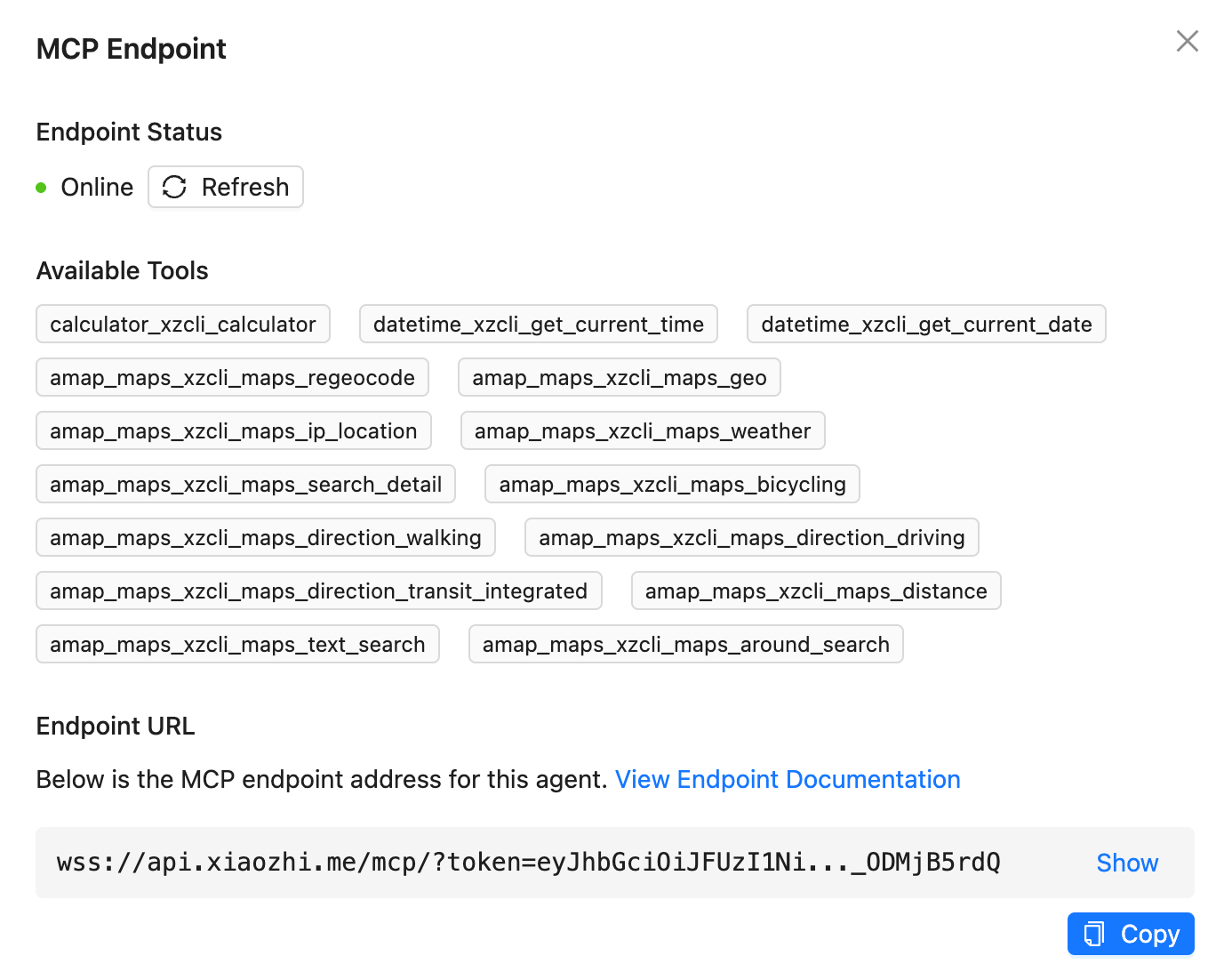
- 支持 小智(xiaozhi.me) 官方服务器接入点
- 支持 作为普通 MCP Server 集成到 Cursor/Cherry Studio 等客户端
- 支持 配置多个小智接入点,实现多个小智设备共享一个 MCP 配置
- 支持 通过标准方式聚合多个 MCP Server
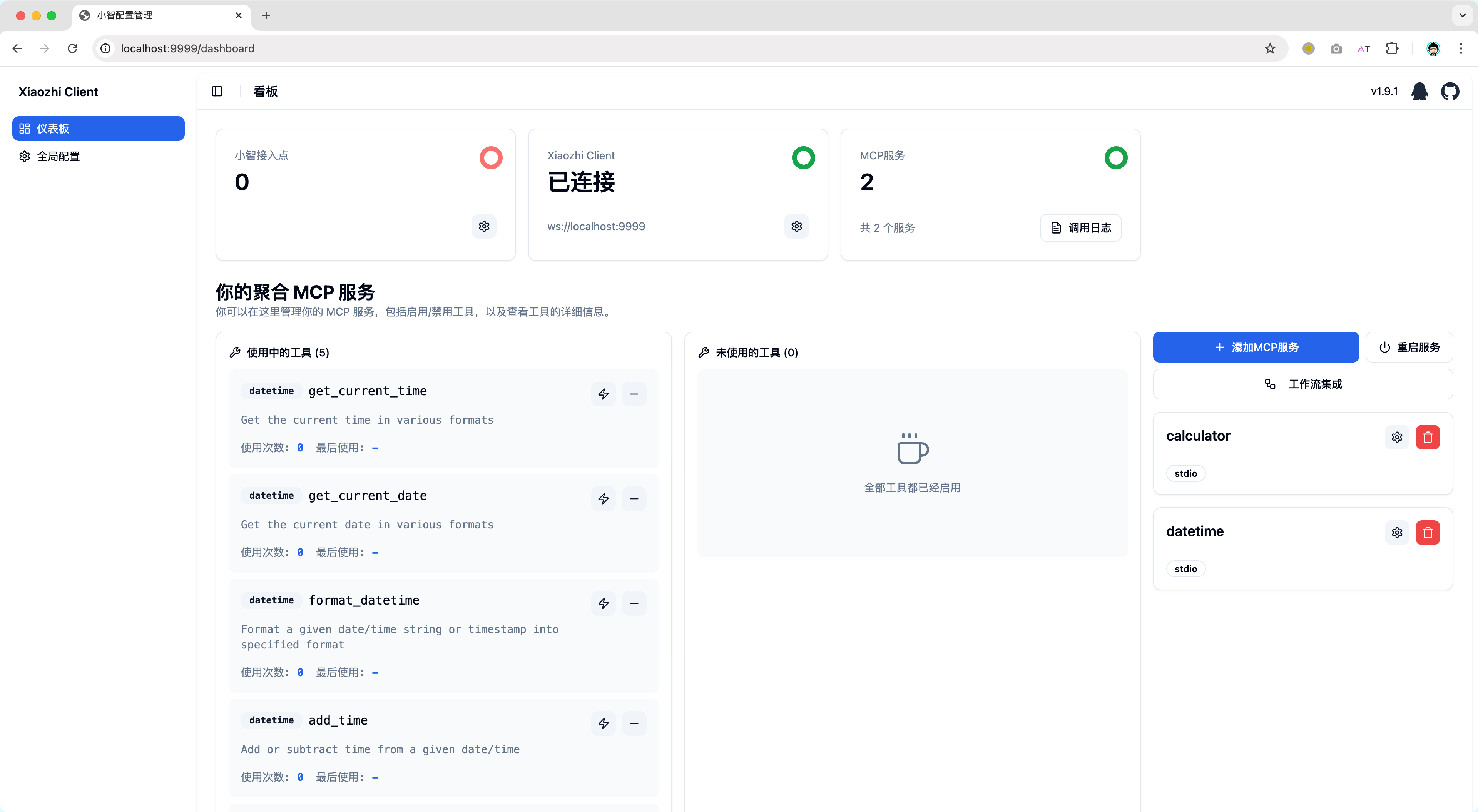
- 支持 动态控制 MCP Server 工具的可见性,避免由于无用工具过多导致的小智服务端异常
- 支持 本地化部署的开源服务端集成,你可以使用和小智官方服务端一样的 RPC 通信或直接使用标准 MCP 集成方式
- 支持 Web 网页可视化配置(允许自定义 IP 和端口,你能将 xiaozhi-client 部署在设备 A,然后在设备 B 通过网页控制 xiaozhi-client)
- 支持 集成 ModelScope 的远程 MCP 服务
- 支持 通过模板创建 xiaozhi-client 项目 (xiaozhi create <my-app> --template <template-name>)
- 支持 后台运行(xiaozhi start -d)
快速上手
你可以阅读文档 xiaozhi-client.shenjingnan.com 快速上手!
本地安装
前置条件:请先完成 Node.js >=22(推荐 24)与 pnpm 的安装
# 安装
pnpm install -g xiaozhi-client

# 创建应用
xiaozhi create my-app

# 进入应用目录
cd my-app

# 安装依赖
pnpm install

# 小智AI配置MCP接入点的 [使用说明](https://ccnphfhqs21z.feishu.cn/wiki/HiPEwZ37XiitnwktX13cEM5KnSb)
xiaozhi config set mcpEndpoint "<从小智服务端获取到的接入点地址>"

# 启动服务
xiaozhi start

# 浏览器打开 http://localhost:9999 如果你使用的是NAS部署请使用 http://<部署设备的IP地址>:9999
使用 Docker 运行
我们提供了预配置的 Docker 镜像,可以快速启动 xiaozhi-client 环境。
前置要求
- 已安装 Docker
- 已获取小智接入点地址(参见小智 AI 配置 MCP 接入点的使用说明)
快速启动
方式一:使用启动脚本(推荐)
curl -fsSL https://raw.githubusercontent.com/shenjingnan/xiaozhi-client/main/docker/scripts/start.sh | bash
无法访问
Github可以使用Gitee替代
curl -fsSL https://gitee.com/shenjingnan/xiaozhi-client/raw/main/docker/scripts/start.sh | bash
方式二:使用 Docker Compose
获取 docker-compose.yml 文件:
curl -O https://raw.githubusercontent.com/shenjingnan/xiaozhi-client/main/docker/docker-compose.yml
无法访问
Github可以使用Gitee替代
curl -O https://gitee.com/shenjingnan/xiaozhi-client/raw/main/docker/docker-compose.yml
# 使用 Docker Compose 启动
docker-compose up -d

# 查看日志
docker-compose logs -f

# 停止服务
docker-compose down
贡献者
README fetched from the repository 2 days ago. The original is authoritative.