About Dart
Dart is an MCP server in the Blockchain category: dart implementation of MCP SDK.
The repository has 2 stars and 0 forks.
Install
git clone https://github.com/Zfinix/mcp_server_dartThis server has no ConduID identity, so agent calls to it are not receipted. Pin the version you install and review the source before granting it credentials.
Ask AI
Ask AI about Dart
Powered by Claude · Grounded in docs
Security checks
- ✓README presentThe repository ships documentation.
5 checks have not been run yet.
README



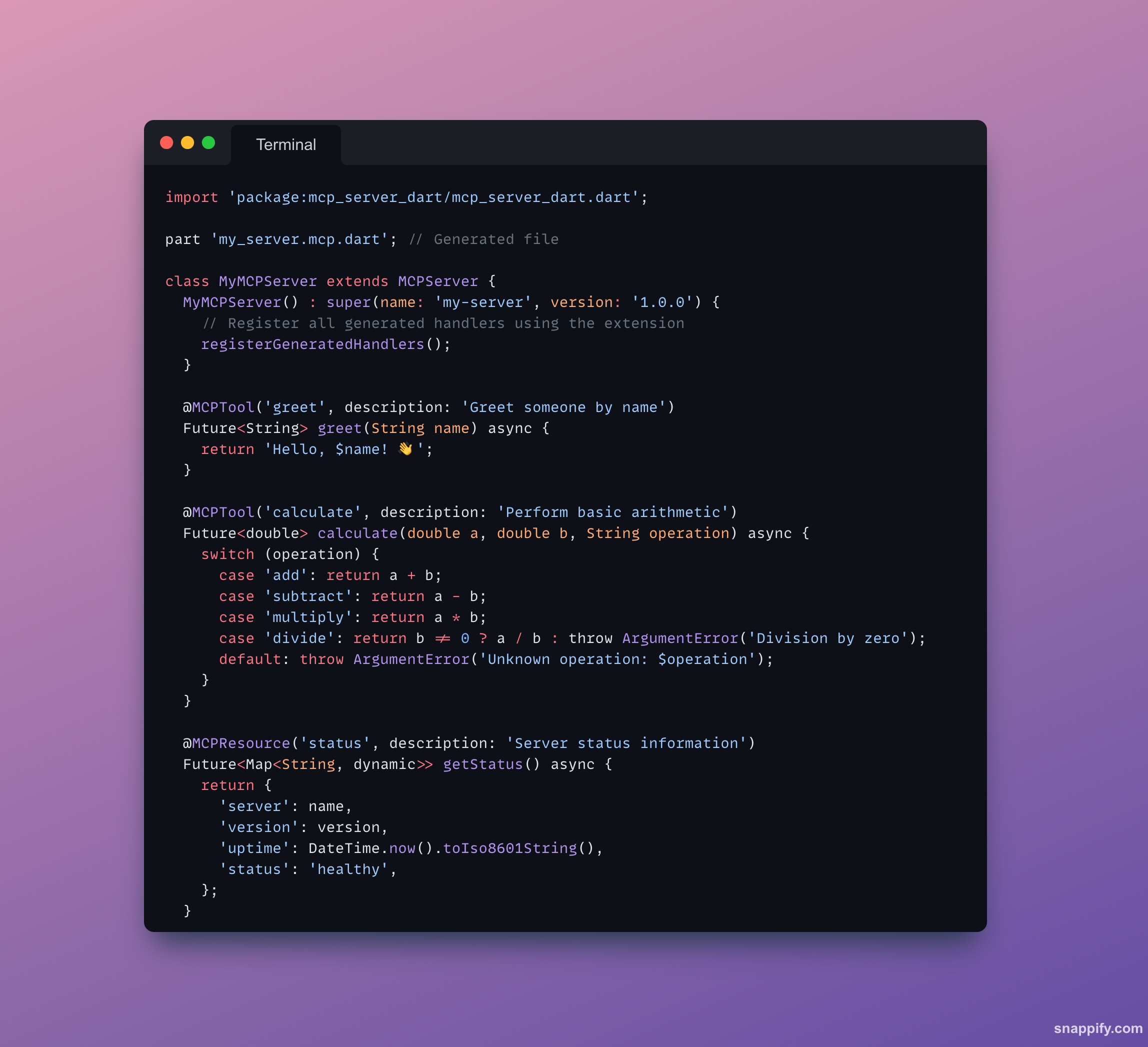
A developer-friendly MCP (Model Context Protocol) framework for Dart with annotations and code generation. Build MCP servers as easily as annotating methods with @MCPTool, @MCPResource, or @MCPPrompt - similar to how json_serializable or freezed works.
✨ Features
- 🏷️ Annotation-based: Declare MCP tools, resources, and prompts with simple annotations
- 🔧 Code generation: Automatic boilerplate generation using
build_runnerwith extension-based registration - ✨ No
@overriderequired: Clean method declarations without inheritance boilerplate - 📡 Multiple transports: Support for stdio, HTTP, and Streamable HTTP with Server-Sent Events (SSE)
- 🔍 Type-safe: Full Dart type safety with automatic parameter extraction
- 📚 JSON Schema: Automatic input schema generation from method signatures
- 🧪 Fully tested: Comprehensive test suite with JSON-RPC command validation
- ⚡ Production ready: Complete MCP 2025-06-18 protocol implementation with Relic HTTP server
- 🌐 Modern HTTP: Built on Relic framework with middleware support, CORS, logging, and health checks
- 🔧 Monitoring: Built-in health check endpoints and connection monitoring
- 📊 SSE Support: Server-Sent Events for real-time streaming per MCP 2025-06-18 spec
🚀 Quick Start
1. Add Dependencies
dependencies:
  mcp_server_dart: ^1.1.2
  relic: ^0.5.0  # Modern HTTP framework
  logging: ^1.3.0  # For server logging

dev_dependencies:
  build_runner: ^2.4.13
2. Create Your MCP Server
import 'package:mcp_server_dart/mcp_server_dart.dart';

part 'my_server.mcp.dart'; // Generated file

class MyMCPServer extends MCPServer {
  MyMCPServer() : super(name: 'my-server', version: '1.0.0') {
    // Register all generated handlers using the extension
    registerGeneratedHandlers();
  }

  @MCPTool('greet', description: 'Greet someone by name')
  Future<String> greet(String name) async {
    return 'Hello, $name! 👋';
  }

  @MCPTool('calculate', description: 'Perform basic arithmetic')
  Future<double> calculate(double a, double b, String operation) async {
    switch (operation) {
      case 'add': return a + b;
      case 'subtract': return a - b;
      case 'multiply': return a * b;
      case 'divide': return b != 0 ? a / b : throw ArgumentError('Division by zero');
      default: throw ArgumentError('Unknown operation: $operation');
    }
  }

  @MCPResource('status', description: 'Server status information')
  Future<Map<String, dynamic>> getStatus() async {
    return {
      'server': name,
      'version': version,
      'uptime': DateTime.now().toIso8601String(),
      'status': 'healthy',
    };
  }

  @MCPPrompt('codeReview', description: 'Generate code review prompts')
  String codeReviewPrompt(String code, String language) {
    return '''Please review this $language code for:
- Best practices and conventions
- Potential bugs or issues
- Performance improvements
- Security considerations

Code:
```$language
$code
```''';
  }
}
3. Generate Code
dart run build_runner build
This generates my_server.mcp.dart with an extension that provides automatic registration methods.
4. Run Your Server
import 'dart:io';
import 'package:logging/logging.dart';

void main() async {
  // Enable logging to see server activity
  Logger.root.level = Level.INFO;
  Logger.root.onRecord.listen((record) {
    print('${record.level.name}: ${record.time}: ${record.message}');
  });

  final server = MyMCPServer(); // Handlers auto-registered in constructor

  // Choose your transport:
  await server.start();        // For CLI integration (stdio)
  // OR
  await server.serve(port: 8080);   // For HTTP server with health checks
}
Server Features:
- 🌐 HTTP Server: Runs on specified port with Relic framework
- 🔍 Health Check: Available at
http://localhost:8080/health - 📊 Status Endpoint: Server metrics at
http://localhost:8080/status - 📡 MCP Endpoint: Streamable HTTP at
http://localhost:8080/mcp - 📝 Request Logging: All HTTP requests logged with timing
- 🛡️ CORS Support: Cross-origin requests enabled by default
- ⚡ Graceful Shutdown: Handles SIGINT/SIGTERM signals properly
- 🔄 SSE Streaming: Server-Sent Events for real-time communication
📖 Annotations Reference
@MCPTool
Marks a method as an MCP tool that LLMs can call:
@MCPTool('toolName', description: 'What this tool does')
Future<ReturnType> myTool(ParameterType param) async {
  // Implementation
}
Features:
- Automatic parameter extraction and type checking
- JSON Schema generation from method signature
- Support for optional parameters with defaults
- Async and sync method support
@MCPResource
Marks a method as an MCP resource that provides data:
@MCPResource('resourceName',
  description: 'What this resource contains',
  mimeType: 'application/json'  // Optional
)
Future<Map<String, dynamic>> getResource() async {
  // Return resource data
}
@MCPPrompt
Marks a method as an MCP prompt template:
@MCPPrompt('promptName', description: 'What this prompt does')
String generatePrompt(String context, String task) {
  return 'Generated prompt based on $context and $task';
}
@MCPParam
Provides additional metadata for parameters:
@MCPTool('example')
Future<String> example(
  @MCPParam(description: 'The user name', example: 'John Doe')
  String name,

  @MCPParam(required: false, description: 'Age in years')
  int age = 25,
) async {
  return 'Hello $name, age $age';
}
🌟 Complete Example
See the Google Maps MCP example for a comprehensive demonstration:
class GoogleMapsMCP extends MCPServer {
  GoogleMapsMCP() : super(name: 'google-maps-mcp', version: '1.0.0') {
    registerGeneratedHandlers();
  }

  @MCPTool('searchPlace', description: 'Find places by name or address')
  Future<Map<String, dynamic>> searchPlace(String query, int limit = 5) async {
    // Implementation with mock Google Maps API calls
  }

  @MCPTool('getDirections', description: 'Get directions between two points')
  Future<Map<String, dynamic>> getDirections(
    String origin,
    String destination,
    String mode = 'driving'
  ) async {
    // Implementation
  }

  @MCPResource('currentLocation', description: 'Current user location')
  Future<Map<String, dynamic>> getCurrentLocation() async {
    // Implementation
  }

  @MCPPrompt('locationSummary', description: 'Generate location summaries')
  String locationSummaryPrompt(String location, String summaryType = 'general') {
    // Generate contextual prompts
  }
}
🔧 Advanced Usage
Custom Parameter Validation
@MCPTool('validateEmail')
Future<bool> validateEmail(String email) async {
  if (!email.contains('@')) {
    throw ArgumentError('Invalid email format');
  }
  // Validation logic
}
Complex Input Schemas
@MCPTool('complexTool', inputSchema: {
  'type': 'object',
  'properties': {
    'config': {
      'type': 'object',
      'properties': {
        'timeout': {'type': 'integer', 'minimum': 1},
        'retries': {'type': 'integer', 'maximum': 10}
      }
    }
  }
})
Future<String> complexTool(Map<String, dynamic> config) async {
  // Handle complex nested parameters
}
Multiple Transport Support
The server supports both stdio and HTTP transports. You can extend the basic example above to handle command-line arguments:
// Add argument handling to your main() function:
if (args.contains('--stdio')) {
  print('🔌 Starting MCP server on stdio...');
  await server.start();
} else {
  final port = args.contains('--port')
      ? int.parse(args[args.indexOf('--port') + 1])
      : 8080;

  print('🌐 Starting HTTP server on port $port...');
  print('🔍 Health check: http://localhost:$port/health');
  print('📊 Status: http://localhost:$port/status');
  print('📡 MCP endpoint: http://localhost:$port/mcp');

  await server.serve(port: port);
}
Transport Options:
- Stdio: Perfect for Claude Desktop integration and CLI tools
- HTTP: Ideal for web applications, testing, and debugging with Relic framework
- Streamable HTTP: Latest MCP 2025-06-18 spec with Server-Sent Events support
- Health Monitoring: Built-in endpoints for production monitoring
🌐 Streamable HTTP Transport (MCP 2025-06-18)
The MCP Dart framework now supports the latest Streamable HTTP transport specification:
Key Features
- Single MCP Endpoint:
POST/GET /mcphandles all MCP communication - Server-Sent Events: Real-time streaming for server-initiated messages
- Session Management: Automatic session ID generation and validation
- Protocol Headers:
MCP-Protocol-Version: 2025-06-18support - Security: Origin validation and localhost binding for development
Testing with MCP Inspector
# Start your server
dart run main.dart --example calculator --http --port 8080

# Test with Inspector CLI
npx @modelcontextprotocol/inspector --cli http://localhost:8080/mcp --transport streamable-http --method tools/list

# Test with Inspector UI
npx @modelcontextprotocol/inspector
# Then connect to: http://localhost:8080/mcp with "Streamable HTTP" transport
cURL Testing
# Initialize connection
curl -X POST http://localhost:8080/mcp \
  -H 'Accept: application/json' \
  -H 'Content-Type: application/json' \
  -H 'MCP-Protocol-Version: 2025-06-18' \
  --data '{"jsonrpc":"2.0","id":"1","method":"initialize","params":{"protocolVersion":"2025-06-18","capabilities":{}}}'

# List tools
curl -X POST http://localhost:8080/mcp \
  -H 'Accept: application/json' \
  -H 'Content-Type: application/json' \
  -H 'MCP-Protocol-Version: 2025-06-18' \
  --data '{"jsonrpc":"2.0","id":"2","method":"tools/list"}'

# Open SSE stream
curl -H 'Accept: text/event-stream' http://localhost:8080/mcp
🌐 Relic Framework Integration
The MCP Dart framework uses Relic as its HTTP server foundation. Relic is a modern, type-safe web server framework inspired by Shelf but with significant improvements:
Why Relic?
- 🔒 Type Safety: No more
dynamictypes - everything is strongly typed - ⚡ Performance: Uses
Uint8Listinstead ofList<int>for better performance - 🛣️ Advanced Routing: Efficient trie-based routing with parameter extraction
- 🔧 Modern Headers: Typed header parsing with validation
- 🧪 Well Tested: Extended test coverage and production-ready
Server Features Powered by Relic
// Your MCP server automatically gets these features:
await server.serve(
  port: 8080,
  address: InternetAddress.anyIPv4,
  enableCors: true,  // CORS middleware
  keepAliveTimeout: Duration(seconds: 30),
);
Built-in Endpoints:
GET /health- Health check with server metricsGET /status- Detailed server status and capabilitiesPOST/GET /mcp- MCP Streamable HTTP endpointGET /ws- WebSocket upgrade endpoint (coming soon)
Middleware Stack:
- 🌐 CORS Middleware: Cross-origin request support
- 📝 Logging Middleware: Request/response logging with timing
- 🛡️ Error Handling: Graceful error handling and responses
- 🛣️ Routing: Automatic route registration and parameter extraction
For more details about Relic's capabilities, see the official Relic documentation.
Binary Compilation for Production
Compile your MCP server to a native binary for optimal performance and easy deployment:
# Compile to standalone binary
dart compile exe my_server.dart -o mcp-server

# Cross-platform compilation
dart compile exe my_server.dart -o mcp-server-linux --target-os=linux
dart compile exe my_server.dart -o mcp-server-macos --target-os=macos
dart compile exe my_server.dart -o mcp-server.exe --target-os=windows
Benefits of binary deployment:
- ✅ No Dart runtime required - Standalone executable
- ✅ Faster startup - No VM overhead
- ✅ Easy distribution - Single file deployment
- ✅ Production ready - Optimized performance
Claude Desktop configuration with binary:
{
  "mcpServers": {
    "my-server": {
      "command": "/path/to/mcp-server"
    }
  }
}
🧪 Testing
The framework includes comprehensive testing capabilities with both unit and integration testing. Here are several approaches:
Testing the HTTP Server
With Relic integration, you can easily test your MCP server's HTTP endpoints:
import 'dart:convert';
import 'dart:io';
import 'package:test/test.dart';

void main() {
  group('MCP Server HTTP Tests', () {
    late MyMCPServer server;
    late HttpClient client;

    setUpAll(() async {
      server = MyMCPServer(); // Handlers auto-registered
      await server.serve(port: 8081); // Use different port for testing

      client = HttpClient();
    });

    tearDownAll(() async {
      await server.shutdown();
      client.close();
    });

    test('health check endpoint works', () async {
      final request = await client.get('localhost', 8081, '/health');
      final response = await request.close();

      expect(response.statusCode, equals(200));

      final body = await response.transform(utf8.decoder).join();
      final data = jsonDecode(body);
      expect(data['status'], equals('healthy'));
      expect(data['server'], equals('my-server'));
    });

    test('MCP endpoint works with Streamable HTTP', () async {
      final request = await client.post('localhost', 8081, '/mcp');
      request.headers.set('content-type', 'application/json');
      request.headers.set('mcp-protocol-version', '2025-06-18');
      request.write(jsonEncode({
        'jsonrpc': '2.0',
        'id': '1',
        'method': 'tools/list'
      }));

      final response = await request.close();
      expect(response.statusCode, equals(200));

      final body = await response.transform(utf8.decoder).join();
      final data = jsonDecode(body);
      expect(data['result']['tools'], isA<List>());
    });
  });
}
Unit Testing Individual Methods
import 'package:test/test.dart';
import 'my_server.dart';

void main() {
  group('MyMCPServer', () {
    late MyMCPServer server;

    setUp(() {
      server = MyMCPServer(); // Handlers auto-registered
    });

    test('greet method works directly', () async {
      final result = await server.greet('World');
      expect(result, equals('Hello, World! 👋'));
    });

    test('calculate method works', () async {
      final result = await server.calculate(10, 5, 'add');
      expect(result, equals(15));
    });
  });
}
Testing with MCP Inspector
The framework has been tested with the official MCP Inspector:
# CLI Testing
npx @modelcontextprotocol/inspector --cli http://localhost:8080/mcp --transport streamable-http --method tools/list

# UI Testing
npx @modelcontextprotocol/inspector
# Connect to: http://localhost:8080/mcp with "Streamable HTTP" transport
📚 Examples
The framework includes several working examples:
1. Basic Examples
Simple MCP servers with manual registration:
- Hello World (
hello_world.dart): Basic greeting server - Calculator (
calculator.dart): Mathematical operations - ✅ Manual tool registration
- ✅ Resource and prompt support
- ✅ Both stdio and HTTP modes
2. Advanced Examples
Comprehensive annotation-based servers:
- Google Maps (
google_maps.dart): Location services with multiple tools, resources, and prompts - Weather Service (
weather_service.dart): Weather API with mock data - ✅
@MCPTool,@MCPResource,@MCPPromptannotations - ✅ Generated registration code
- ✅ Complex parameter handling
3. Main Runner
Unified example runner:
- ✅ Runs all examples with command-line selection
- ✅ Supports different transport modes
- ✅ Production-ready deployment examples
Running the Examples
cd example

# Install dependencies
dart pub get

# Generate code for annotation-based examples
dart run build_runner build

# Run main example runner (shows all available examples)
dart run main.dart

# Run specific examples
dart run main.dart --example hello-world
dart run main.dart --example calculator
dart run main.dart --example weather
dart run main.dart --example google-maps

# Run with HTTP server
dart run main.dart --example google-maps --http --port 8080

# Compile examples to binaries
dart compile exe main.dart -o mcp-examples-runner
dart compile exe lib/advanced/google_maps.dart -o google-maps-server
dart compile exe lib/basic/calculator.dart -o calculator-server

# Run compiled binaries
./mcp-examples-runner --example google-maps
./google-maps-server
./calculator-server
📋 Development Workflow
- Write your server class extending
MCPServer - Annotate methods with
@MCPTool,@MCPResource, or@MCPPrompt - Run code generation:
dart run build_runner build - Call
registerGeneratedHandlers()in your constructor - Choose transport (stdio, HTTP, Streamable HTTP) and start server
Watch Mode for Development
dart run build_runner watch
Automatically regenerates code when you modify annotations.
🚀 Production Deployment
Binary Compilation Workflow
# 1. Install dependencies and generate code
dart pub get
dart run build_runner build

# 2. Compile to binary
dart compile exe lib/my_server.dart -o dist/mcp-server

# 3. Deploy binary (no Dart runtime needed!)
./dist/mcp-server
Docker Deployment
# Multi-stage build for minimal production image
FROM dart:stable AS build

WORKDIR /app
COPY . .
RUN dart pub get
RUN dart run build_runner build
RUN dart compile exe lib/server.dart -o mcp-server

# Runtime stage - minimal Alpine image
FROM alpine:latest
RUN apk --no-cache add ca-certificates
WORKDIR /app
COPY --from=build /app/mcp-server ./
CMD ["./mcp-server"]
File Naming Flexibility
The framework supports any file naming convention:
# Standard Dart files
my_server.dart

# Custom extensions
weather_server.mcp
api_server.tool

# No extension
weather-server
my-mcp-tool

# Executable scripts
#!/usr/bin/env dart
For code generation with custom names:
// Keep logic in .dart files for build_runner
// weather_logic.dart
part 'weather_logic.mcp.dart';
class WeatherLogic extends MCPServer { /* ... */ }

// Create wrapper with any name (weather-server, no extension)
import 'weather_logic.dart';
void main() {
  final server = WeatherLogic()..registerGeneratedHandlers();
  await server.start(); // For CLI integration (stdio)
  await server.serve(port: 8080); // For HTTP server with health checks
}
🏗️ Framework Architecture
graph TB
subgraph "👨💻 Your Code"
UserClass["`**MyMCPServer**
@MCPTool('greet')
@MCPResource('data')
@MCPPrompt('help')`"]
end
subgraph "🏗️ MCP Dart Framework"
subgraph "📝 Annotations"
MCPTool["@MCPTool"]
MCPResource["@MCPResource"]
MCPPrompt["@MCPPrompt"]
end
subgraph "⚙️ Code Generation"
Builder["MCP Generator"]
Generated["Generated Extension"]
end
subgraph "🖥️ Core Server"
MCPServer["MCPServer Base Class"]
JSONRPCHandler["JSON-RPC Handler"]
end
subgraph "🚀 Transport"
StdioTransport["Stdio Transport"]
HTTPTransport["HTTP Transport"]
StreamableHTTP["Streamable HTTP + SSE"]
end
end
subgraph "🤖 MCP Clients"
ClaudeDesktop["Claude Desktop"]
MCPInspector["MCP Inspector"]
CustomClient["Custom Client"]
end
UserClass --> MCPTool
UserClass --> MCPResource
UserClass --> MCPPrompt
Builder --> Generated
Generated --> MCPServer
MCPServer --> JSONRPCHandler
JSONRPCHandler --> StdioTransport
JSONRPCHandler --> HTTPTransport
JSONRPCHandler --> StreamableHTTP
StdioTransport --> ClaudeDesktop
HTTPTransport --> MCPInspector
StreamableHTTP --> MCPInspector
StreamableHTTP --> CustomClient
🤝 Contributing
- Fork the repository
- Create your feature branch:
git checkout -b feature/amazing-feature - Commit your changes:
git commit -m 'Add amazing feature' - Push to the branch:
git push origin feature/amazing-feature - Open a Pull Request
📄 License
This project is licensed under the MIT License - see the LICENSE file for details.
🙏 Acknowledgments
- Inspired by the Model Context Protocol specification
- Built with source_gen for code generation
- HTTP server powered by Relic framework from Serverpod
- Uses logging for comprehensive server monitoring
- Comprehensive testing ensures production-ready reliability
📊 Project Status
- ✅ Core Framework: Complete MCP 2025-06-18 implementation
- ✅ Code Generation: Working build_runner integration
- ✅ Transport Layer: Stdio, HTTP, and Streamable HTTP support with Relic framework
- ✅ HTTP Server: Production-ready server with middleware, CORS, logging, health checks
- ✅ Streamable HTTP: Full MCP 2025-06-18 spec with Server-Sent Events
- ✅ Binary Compilation: Native executable support with dart compile exe
- ✅ Testing: Comprehensive test suite with JSON-RPC and HTTP endpoint validation
- ✅ Examples: Multiple working examples with logging and monitoring
- ✅ Production Ready: Fully tested framework with graceful shutdown
- ✅ Deployment Options: Development mode, binaries, Docker, custom naming
- ✅ MCP Inspector: Full compatibility with official MCP Inspector UI and CLI
The framework has been thoroughly tested with real JSON-RPC commands, HTTP endpoints, and the official MCP Inspector. The Relic integration provides a modern, type-safe foundation for production deployments with comprehensive middleware support and full MCP 2025-06-18 Streamable HTTP compliance.
README copy captured when this server was indexed; it may lag the repository. The original is authoritative.