About E2B Remote Server
E2B Remote Server is an MCP server published by tech-ibaad in the Blockchain category: enable secure sandboxed command execution and file operations remotely. Manage sandboxes with tools to create, run commands, read/write files, list files, run code, and terminate sandboxes. Enhance your agent's capabilities with robust remote execution and file management.
Six months or more without a commit doesn't mean the server is broken, but check the open issues before depending on it in production.
Install
git clone https://github.com/tech-ibaad/e2b-remote-mcpThis server has no ConduID identity, so agent calls to it are not receipted. Pin the version you install and review the source before granting it credentials.
Tools (8)
create_sandboxCreate a new E2B sandbox
Parameters not published.
get_sandbox_urlGet the URL for a sandbox on a specific port
Parameters not published.
kill_sandboxKill a sandbox
Parameters not published.
list_filesList files in a directory
Parameters not published.
read_fileRead a file from the sandbox
Parameters not published.
run_codeRun code in the sandbox
Parameters not published.
run_commandRun a command in the sandbox
Parameters not published.
write_fileWrite content to a file in the sandbox
Parameters not published.
Ask AI
Ask AI about E2B Remote Server
Powered by Claude · Grounded in docs
Security checks
- ✓README presentThe repository ships documentation.
5 checks have not been run yet.
README
e2b-remote-mcp
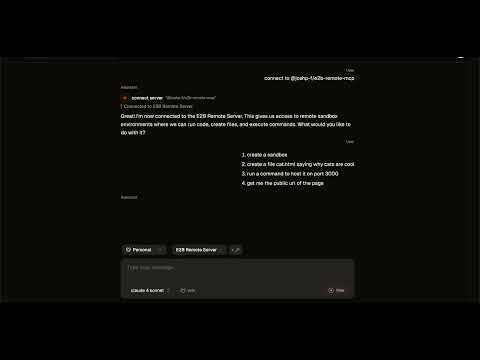
MCP Server for E2B Which can manage sandboxes, run commands, host websites and read and write files.
I wanted to give some love to E2Bs MCP server, which was limited to executing code. This new MCP server can run commands, host servers and read and write files, critical for many use cases.
Demo
Quickstart
The MCP is hosted on smithery: https://smithery.ai/server/@joshp-f/e2b-remote-mcp
An E2B Api Key must be provided in the configuration options.
MCPs Tools
Here are the MCPs tools and each tools arguments. Most tools have an extra sandboxId argument to ensure commands run in the right sandbox.
Create Sandbox
- timeoutMs
Run Command
- command
- background
Read File
- file path
Write File
- file path
- file contents
List Files
- folder path
Run Code
- code
Get Sandbox URL
- port
Kill Sandbox
README copy captured when this server was indexed; it may lag the repository. The original is authoritative.