About Gitlab Workflow
Gitlab Workflow is an MCP server in the Automation category: gitLab MCP: supports creating issues from requirements or modifying code and submitting merge requests from existing issues, while also providing a set of atomic GitLab API tools for issue-driven development. 🚀 | GitLab MCP:支持基于需求创建 Issue,或基于现有 Issue 修改代码并提交 MR,同时提供一系列 GitLab API 原子化操作能力,面向 Issue 开发。.
Install
git clone https://github.com/chntif/mcp-gitlab-workflowThis server has no ConduID identity, so agent calls to it are not receipted. Pin the version you install and review the source before granting it credentials.
Ask AI
Ask AI about Gitlab Workflow
Powered by Claude · Grounded in docs
Security checks
- ✓README presentThe repository ships documentation.
5 checks have not been run yet.
README
mcp-gitlab-workflow
mcp-gitlab-workflow is an MCP server for issue-driven GitLab development.
It can take a requirement or an existing GitLab issue and drive a standardized delivery flow: requirement analysis, issue creation, branching, coding, merge request creation, and issue updates. It also provides a set of atomic GitLab API tools for custom orchestration and fine-grained control.
1. Core Capabilities
workflow_*: higher-level tools that package common requirement-to-delivery flows into a single tool callgitlab_*: atomic GitLab API tools for custom orchestration and fine-grained control
Target projects for issues and code delivery are configured with WORKFLOW_ISSUE_PROJECT_ID and WORKFLOW_CODE_PROJECT_ID. See the environment variable section below for the full configuration matrix.
Workflow Tools
workflow_requirement_to_issue: analyze a requirement and create a GitLab issueworkflow_review_mr_post_comment: review a target merge request and post a review commentworkflow_issue_to_delivery: start from an existing issue and complete branch -> code change -> MR -> issue comment -> issue logworkflow_requirement_to_delivery: run the full end-to-end flow from a requirement
Atomic GitLab Tools
Issue tools fall back to WORKFLOW_ISSUE_PROJECT_ID by default, while code and merge request tools fall back to WORKFLOW_CODE_PROJECT_ID.
- Users and labels:
gitlab_get_current_user,gitlab_list_labels,gitlab_create_label,gitlab_update_label,gitlab_delete_label - Issues:
gitlab_create_issue,gitlab_get_issue,gitlab_get_issue_notes,gitlab_add_issue_comment,gitlab_get_issue_images - Repository:
gitlab_create_branch,gitlab_get_file,gitlab_commit_files,gitlab_upload_project_file - Merge requests:
gitlab_get_merge_request,gitlab_get_mr_notes,gitlab_create_merge_request,gitlab_create_mr_note,gitlab_get_mr_changes,gitlab_approve_mr,gitlab_unapprove_mr
2. Example
Using workflow_requirement_to_delivery as an example, it is best to explicitly name the tool in your prompt or wrap it in a higher-level custom instruction / skill so the LLM can reliably choose the intended workflow.
Input
Use workflow_requirement_to_delivery to add a forum interaction feature
Result
The workflow can automatically complete the flow below:
requirement analysis -> issue creation -> branch -> code change -> MR -> issue update
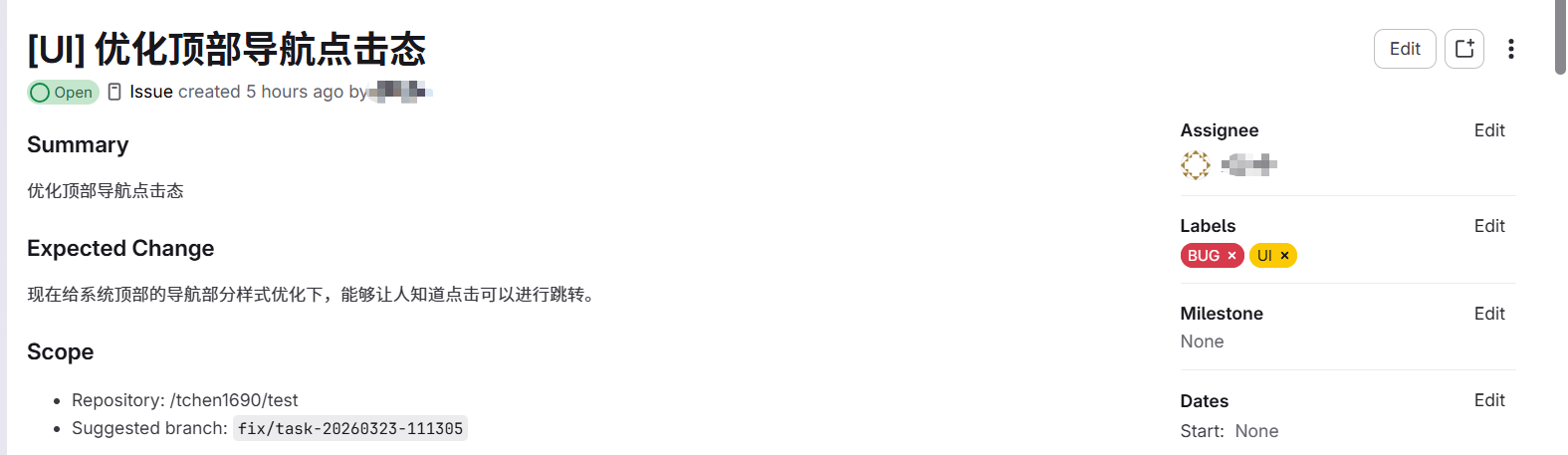
(1) Issue creation
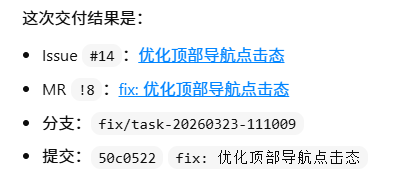
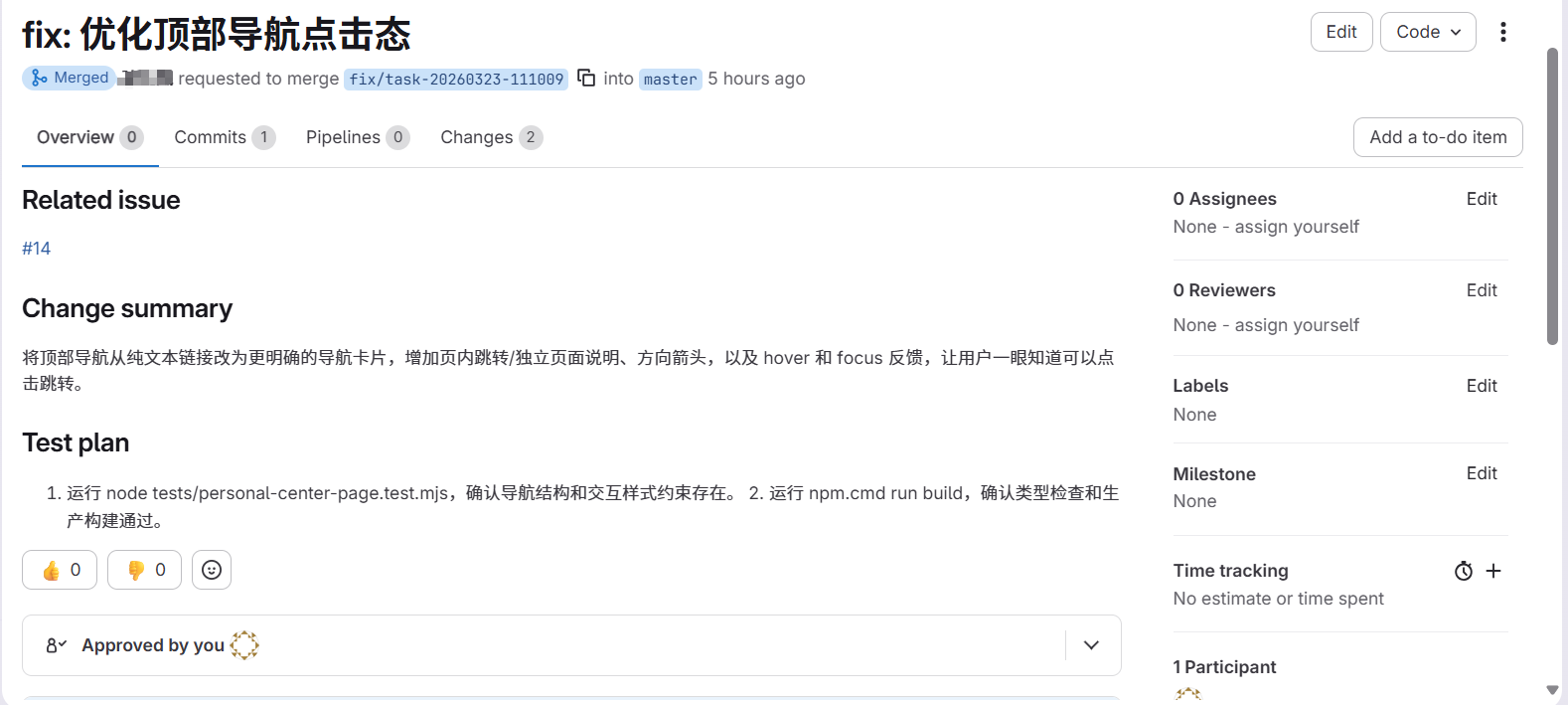
(2) Code changes and MR submission based on the issue
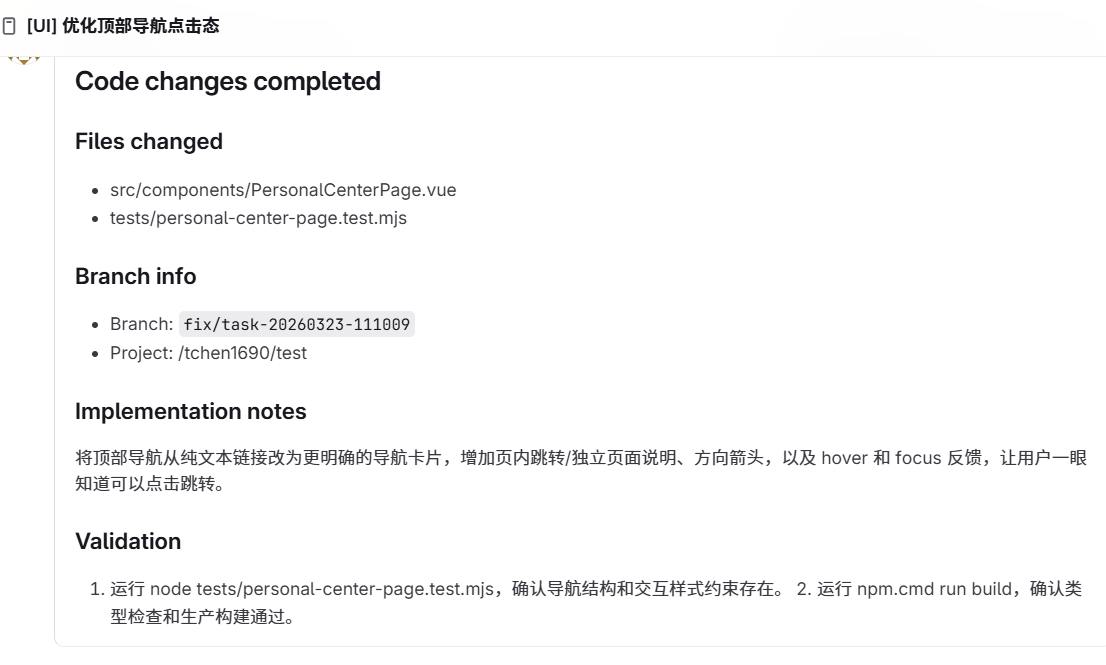
(3) Issue comment
(4) Local issue-log.md
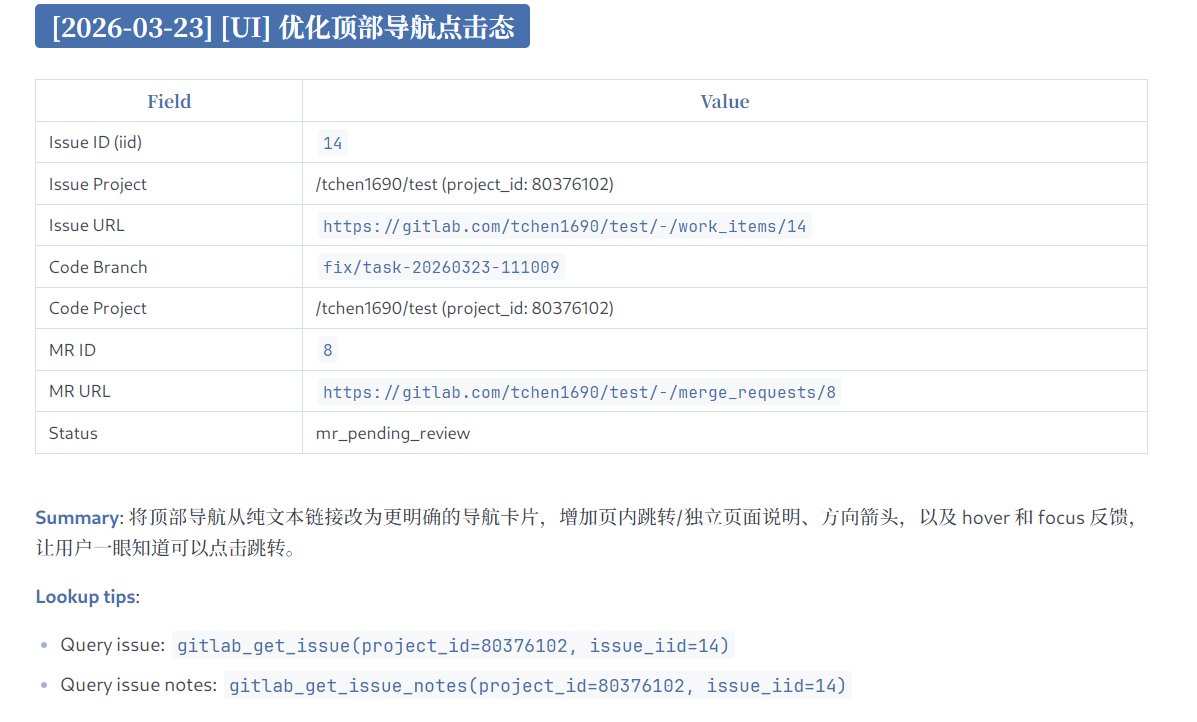
With this workflow, a developer can hand a requirement or an assigned issue directly to an agent and let it complete the full development flow in an issue-driven way.
3. Configuration
3.1 NPX
{
  "mcpServers": {
    "gitlab-workflow": {
      "command": "npx",
      "args": ["-y", "@chntif/mcp-gitlab-workflow"],
      "env": {
        "GITLAB_TOKEN": "YOUR_TOKEN",
        "GITLAB_API_BASE_URL": "https://gitlab.com/api/v4",
        "WORKFLOW_ISSUE_PROJECT_ID": "82346102",
        "WORKFLOW_ISSUE_PROJECT_PATH": "tchen1690/test",
        "WORKFLOW_CODE_PROJECT_ID": "82346102",
        "WORKFLOW_CODE_PROJECT_PATH": "tchen1690/test",
        "WORKFLOW_BASE_BRANCH": "develop",
        "WORKFLOW_TARGET_BRANCH": "develop",
        "WORKFLOW_LOCAL_REMOTE_NAME": "origin"
      }
    }
  }
}
3.2 Codex
(1) Add from the terminal
codex mcp add gitlab-workflow \
  --env GITLAB_TOKEN=YOUR_TOKEN \
  --env GITLAB_API_BASE_URL=https://gitlab.com/api/v4 \
  --env WORKFLOW_ISSUE_PROJECT_ID=80376102 \
  --env WORKFLOW_ISSUE_PROJECT_PATH=tchen1690/test \
  --env WORKFLOW_CODE_PROJECT_ID=80376102 \
  --env WORKFLOW_CODE_PROJECT_PATH=tchen1690/test \
  --env WORKFLOW_BASE_BRANCH=develop \
  --env WORKFLOW_TARGET_BRANCH=develop \
  --env WORKFLOW_LOCAL_REMOTE_NAME=origin \
  -- npx -y @chntif/mcp-gitlab-workflow
(2) Or add it to config.toml
[mcp_servers.gitlab-workflow]
command = "npx"
args = ["-y", "@chntif/mcp-gitlab-workflow"]

[mcp_servers.gitlab-workflow.env]
GITLAB_TOKEN = "YOUR_TOKEN"
GITLAB_API_BASE_URL = "https://gitlab.com/api/v4"
WORKFLOW_ISSUE_PROJECT_ID = "80376102"
WORKFLOW_ISSUE_PROJECT_PATH = "tchen1690/test"
WORKFLOW_CODE_PROJECT_ID = "80376102"
WORKFLOW_CODE_PROJECT_PATH = "tchen1690/test"
WORKFLOW_BASE_BRANCH = "develop"
WORKFLOW_TARGET_BRANCH = "develop"
WORKFLOW_LOCAL_REMOTE_NAME = "origin"
3.3 Claude Code
claude mcp add gitlab-workflow \
  -e GITLAB_TOKEN=YOUR_TOKEN \
  -e GITLAB_API_BASE_URL=https://gitlab.com/api/v4 \
  -e WORKFLOW_ISSUE_PROJECT_ID=80376102 \
  -e WORKFLOW_ISSUE_PROJECT_PATH=tchen1690/test \
  -e WORKFLOW_CODE_PROJECT_ID=80376102 \
  -e WORKFLOW_CODE_PROJECT_PATH=tchen1690/test \
  -e WORKFLOW_BASE_BRANCH=develop \
  -e WORKFLOW_TARGET_BRANCH=develop \
  -e WORKFLOW_LOCAL_REMOTE_NAME=origin \
  -- npx -y @chntif/mcp-gitlab-workflow
You can also directly write the configuration in 3.1 into Claude Code's configuration file.
3.4 Local startup
{
  "mcpServers": {
    "gitlab-workflow": {
      "command": "node",
      "args": ["/gitlab-workflow-server/dist/src/server.js"],
      "env": {
        "GITLAB_TOKEN": "YOUR_TOKEN",
        "GITLAB_API_BASE_URL": "https://gitlab.com/api/v4",
        "WORKFLOW_ISSUE_PROJECT_ID": "82346102",
        "WORKFLOW_ISSUE_PROJECT_PATH": "tchen1690/test",
        "WORKFLOW_CODE_PROJECT_ID": "82346102",
        "WORKFLOW_CODE_PROJECT_PATH": "tchen1690/test",
        "WORKFLOW_BASE_BRANCH": "develop",
        "WORKFLOW_TARGET_BRANCH": "develop",
        "WORKFLOW_LOCAL_REMOTE_NAME": "origin"
      }
    }
  }
}
3.5 About uv/uvx
This project is a Node.js package. npx is the recommended way to run it.
4. Environment Variables
Parameter resolution order:
tool args -> user-provided env -> built-in defaults
If the user does not explicitly pass a parameter such as project_id, the tool can use runtime configuration from environment variables. Some variables also have built-in defaults.
| Environment Variable | Purpose | Default | Required |
|---|---|---|---|
GITLAB_TOKEN |
GitLab API access token used by the server and all GitLab operations | None | Yes |
GITLAB_API_BASE_URL |
Base URL for the GitLab API | https://gitlab.com/api/v4 |
No |
WORKFLOW_ISSUE_PROJECT_ID |
Default target project ID for issue-related tools | None | No |
WORKFLOW_ISSUE_PROJECT_PATH |
Default issue project path used in templates and references | None | No |
WORKFLOW_CODE_PROJECT_ID |
Default target project ID for repository, branch, commit, and MR tools | None | No |
WORKFLOW_CODE_PROJECT_PATH |
Default code project path used in templates, logs, and output | None | No |
WORKFLOW_BASE_BRANCH |
Default base branch used before creating a new delivery branch | develop |
No |
WORKFLOW_TARGET_BRANCH |
Default merge request target branch | develop |
No |
WORKFLOW_LOCAL_REMOTE_NAME |
Default git remote used by local git workflows | origin |
No |
WORKFLOW_LABEL |
Default issue title prefix and fallback label | None | No |
WORKFLOW_ASSIGNEE_USERNAME |
Default assignee username for issues and merge requests | None | No |
WORKFLOW_ISSUE_LOG_PATH |
Path of the local issue log file | issue-log.md |
No |
WORKFLOW_UPDATE_ISSUE_LOG |
Whether delivery workflows update the local issue log by default | true |
No |
WORKFLOW_DELIVERY_METHOD |
Default delivery mode, supports local_git and remote_api |
local_git |
No |
WORKFLOW_CHECKOUT_LOCAL_BRANCH |
Whether remote_api delivery should sync and checkout the created branch locally |
false |
No |
WORKFLOW_LOCK_ISSUE_PROJECT_ID |
Restrict issue operations to a fixed issue project ID | None | No |
WORKFLOW_LOCK_CODE_PROJECT_ID |
Restrict code and MR operations to a fixed code project ID | None | No |
Recommended configuration
GITLAB_TOKEN,GITLAB_API_BASE_URL: required to connect to GitLabWORKFLOW_ISSUE_PROJECT_ID,WORKFLOW_CODE_PROJECT_ID: define the issue project and code project, and can point to the same projectWORKFLOW_ISSUE_PROJECT_PATH,WORKFLOW_CODE_PROJECT_PATH: improve rendered references and display output, but are optionalWORKFLOW_BASE_BRANCH,WORKFLOW_TARGET_BRANCH: should follow your team branching strategyWORKFLOW_LOCAL_REMOTE_NAME: usuallyorigin
If a specific operation should target values different from your default environment configuration, passing explicit tool arguments will override the configured values.
5. License
MIT
README copy captured when this server was indexed; it may lag the repository. The original is authoritative.