About elie222/inbox-zero
elie222/inbox-zero is an MCP server published by elie222 in the Developer Tools category: the world's best AI personal assistant for email. Open source app to help you reach inbox zero fast.
The repository has 13K stars and 1.6K forks, with the last commit 2 days ago. Recent commit activity is the strongest signal that reported issues will get attention.
Install
git clone https://github.com/elie222/inbox-zeroThis server has no ConduID identity, so agent calls to it are not receipted. Pin the version you install and review the source before granting it credentials.
Ask AI
Ask AI about elie222/inbox-zero
Powered by Claude · Grounded in docs
Security checks
Static checks derived from the repository yesterday. Heuristics on the source, not an audit.
- ✓README presentThe repository ships documentation.
- ✓License declaredUsable under a stated license.
- ✓Tests presentA test suite exists in the repository.
- ✓Dependencies pinnedA lockfile pins dependency versions.
- !Scoped permissionsDoesn't declare a permission scope. Assume it can do anything its process can.
1 check has not been run yet.
Releases
README




Mission
To help you spend less time in your inbox, so you can focus on what matters most.
Features
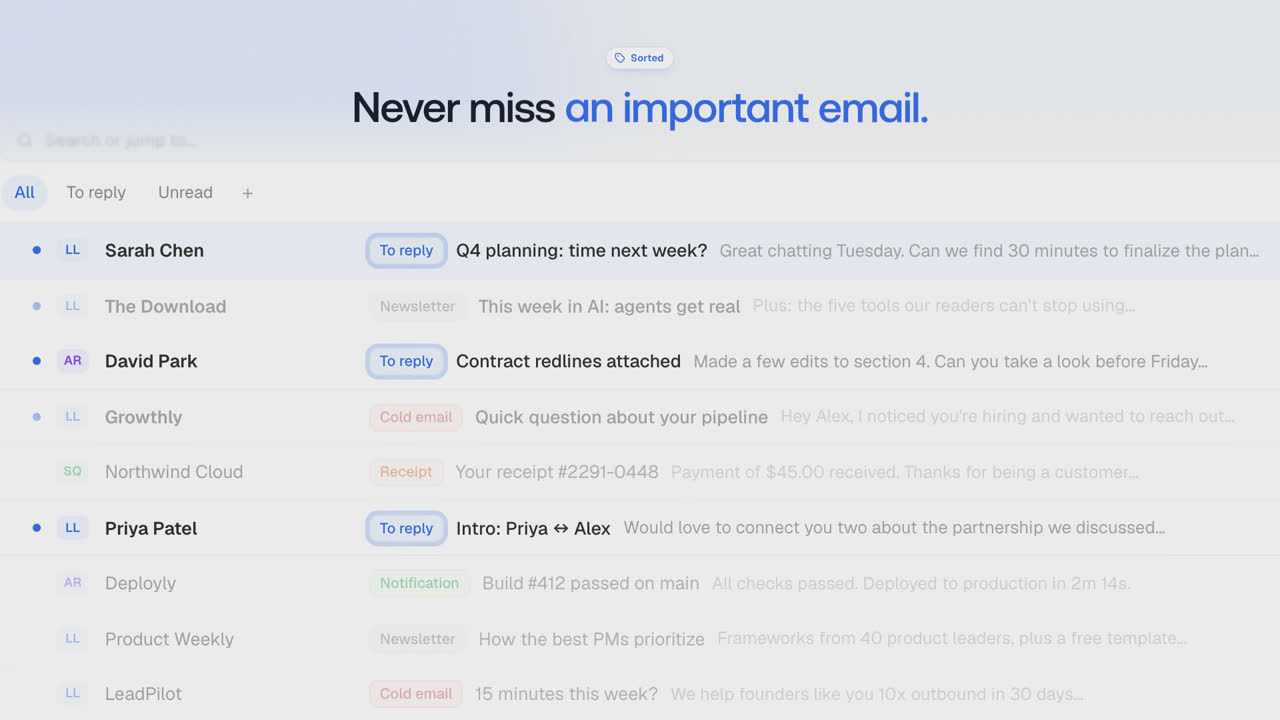
Inbox Zero has two parts: an AI email assistant that works in the background on your Gmail or Outlook account, and an email client. Each works on its own.
AI email assistant
- AI Personal Assistant: Organizes your inbox and pre-drafts replies in your tone and style.
- AI Rules for email: Explain in plain English how your AI should handle your inbox.
- Reply Zero: Track emails to reply to and those awaiting responses.
- Bulk Unsubscriber: One-click unsubscribe and archive emails you never read.
- Bulk Archiver: Clean up your inbox by bulk archiving old emails.
- Cold Email Blocker: Auto‑block cold emails.
- Email Analytics: Track your activity and trends over time.
- Meeting Briefs: Get personalized briefings before every meeting, pulling context from your email and calendar.
- Smart Filing: Automatically save email attachments to Google Drive or OneDrive.
- Slack & Telegram Integration: Chat with your AI assistant from Slack or Telegram to manage your inbox without leaving the apps you already use.
Email client
A fast email client for Gmail and Outlook, with a split inbox, all your accounts in one place, and team comments.
- Web and desktop: open source. The desktop app is Electron, in
apps/desktop. - iOS: a native Swift app, not open source yet. The App Store app can connect to your own server URL if you self-host.
- Android: an older React Native Android app.
Learn more in our docs.
Demo
Built with
Star History
Feature Requests
To request a feature open a GitHub issue, or join our Discord.
Getting Started
We offer a hosted version of Inbox Zero at getinboxzero.com.
Self-Hosting
The fastest way to self-host Inbox Zero is with the CLI:
npx @inbox-zero/cli setup      # One-time setup wizard
npx @inbox-zero/cli start      # Start containers
Open http://localhost:3000
For complete self-hosting instructions, production deployment, OAuth setup, and configuration options, see our Self-Hosting Docs.
Local Development
Prerequisites: macOS or Linux (WSL on Windows), Node.js v24, and the pnpm version pinned in
package.json. Install either Docker Desktop with Compose or native PostgreSQL and Redis. On macOS, native services can be installed withbrew install postgresql@16 redis.
git clone https://github.com/elie222/inbox-zero.git
cd inbox-zero
pnpm install
pnpm local:start
Open http://localhost:3000/mail and sign in with Google as developer@example.com, or Microsoft as developer@outlook.test. The Google mailbox contains demo messages. Demo users have onboarding completed, and premium checks are bypassed for local development.
The command starts an isolated database, Redis and its HTTP endpoint, both mail-provider emulators, billing and email-delivery emulators, an LLM emulator, and Next.js. It applies migrations and waits for services to become ready. No OAuth credentials or AI API keys are required. AI responses are canned; this mode exercises application flows, not model quality.
Existing .env files are left unchanged and ignored by this launcher. Generated credentials, seed data, and the current service addresses are stored under .context/local-dev/. Native database data stays there; Docker database data stays in a volume unique to the checkout. Restarts preserve database data and credentials. Redis caches and provider/emulator state start fresh on each run.
Press Ctrl-C to stop the app and the services this command started. Start it again with the same command. If port 3000 is occupied, use pnpm local:start --port 3001. Native PostgreSQL and Redis are selected when available; use --backend docker or --backend native to select explicitly. A checkout-specific loopback port prevents concurrent launchers; the operating system releases that lock after a crash, and stale PID files are replaced automatically. Services use automatically assigned ports, so existing databases and Redis instances are not reused or stopped.
Run pnpm local:start --help for options. If an unrelated process occupies the reported lock port, stop that process or use a different checkout location. PostgreSQL data must be opened with the same major version that created it. If you upgrade your native PostgreSQL major version, back up or move .context/local-dev/postgres before starting a new cluster.
For development against real providers, continue to use pnpm setup, your own environment files, and pnpm dev. See the Contributing Guide for configuration and devcontainer setup.
Contributing
View open tasks in GitHub Issues and join our Discord to discuss what's being worked on.
Docker images are automatically built on every push to main and tagged with the commit SHA (e.g., elie222/inbox-zero:abc1234). The latest tag always points to the most recent main build. Formal releases use version tags (e.g., v2.26.0).
README fetched from the repository yesterday. The original is authoritative.