About Memory-Plus
Memory-Plus is an MCP server published by Yuchen20 in the Developer Tools category: memory Plus - SVM (Structured Visual Memory) + Zettelkasten sync integration.
The repository has 56 stars and 7 forks, with the last commit a year ago. Six months or more without a commit doesn't mean the server is broken, but check the open issues before depending on it in production.
Install
git clone https://github.com/Yuchen20/Memory-PlusThis server has no ConduID identity, so agent calls to it are not receipted. Pin the version you install and review the source before granting it credentials.
Ask AI
Ask AI about Memory-Plus
Powered by Claude · Grounded in docs
Security checks
- ✓README presentThe repository ships documentation.
- ✓License declaredUsable under a stated license.
- !Scoped permissionsDoesn't declare a permission scope. Assume it can do anything its process can.
3 checks have not been run yet.
Releases
README





Memory-Plus
A lightweight, local Retrieval-Augmented Generation (RAG) memory store for MCP agents. Memory-Plus lets your agent record, retrieve, update, and visualize persistent "memories"—notes, ideas, and session context—across runs.
🏆 First Place at the Infosys Cambridge AI Centre Hackathon!
Key Features
- Record Memories:Save user data, ideas, and important context.
- Retrieve Memories:Search by keywords or topics over past entries.
- Recent Memories:Fetch the last N items quickly.
- Update Memories:Append or modify existing entries seamlessly.
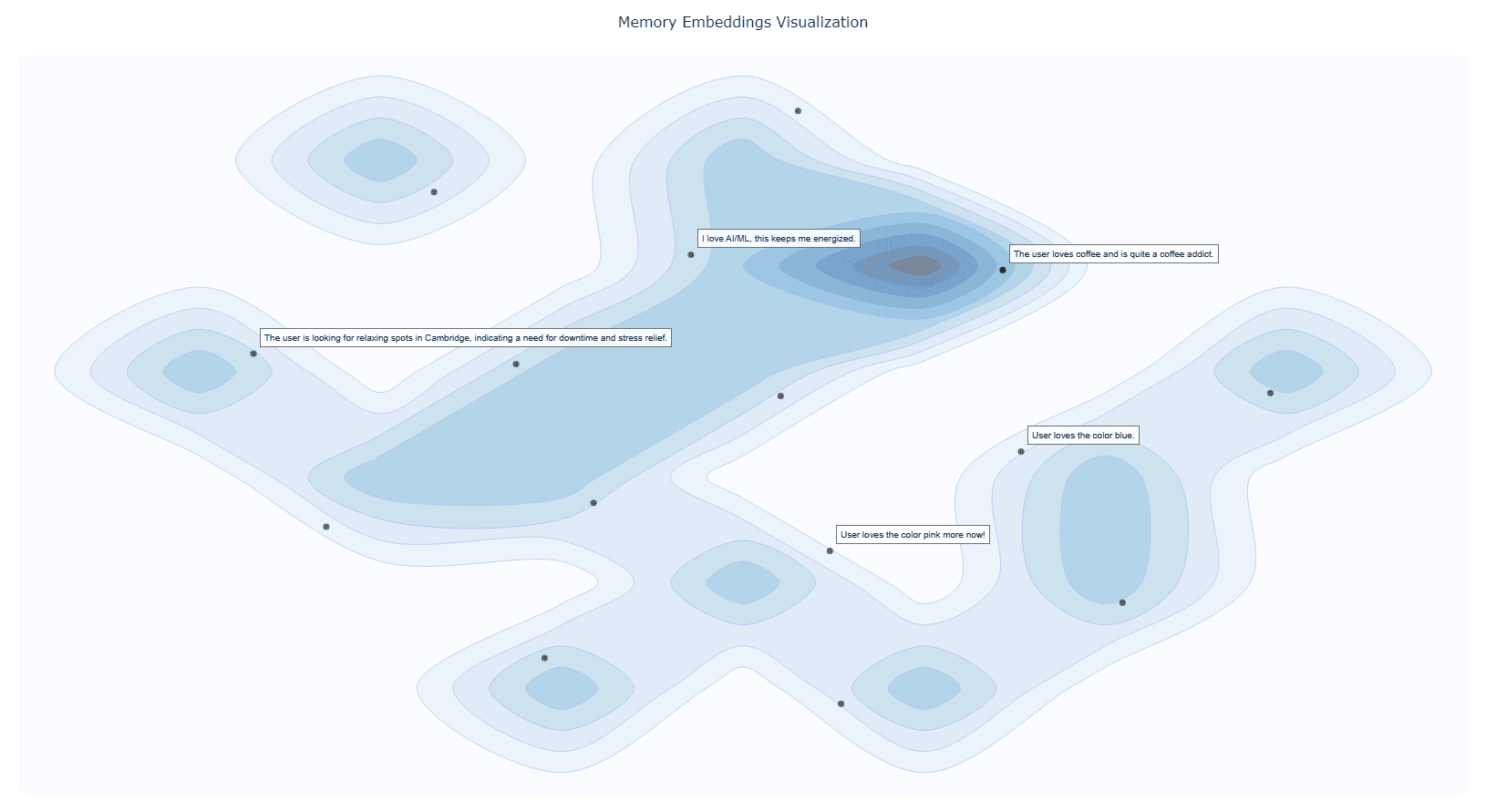
- Visualize Memories:Interactive graph clusters revealing relationships.
- File Import (since v0.1.2):Ingest documents directly into memory.
- Delete Memories (since v0.1.2):Remove unwanted entries.
- Memory for Memories (since v0.1.4):Now we use
resourcesto teach your AI exactly when (and when not) to recall past interactions. - Memory Versioning (since v0.1.4):When memories are updated, we keep the old versions to provide a full history.
Installation
1. Prerequisites
Google API Key
Obtain from Google AI Studio and set as GOOGLE_API_KEY in your environment.
Note that we will only use the
Gemini Embedding APIwith this API key, so it is Entirely Free for you to use!
# macOS/Linux
export GOOGLE_API_KEY="<YOUR_API_KEY>"

# Windows (PowerShell)
setx GOOGLE_API_KEY "<YOUR_API_KEY>"
UV Runtime Required to serve the MCP plugin.
pip install uv
Or install via shell scripts:
# macOS/Linux
curl -LsSf https://astral.sh/uv/install.sh | sh

# Windows (PowerShell)
powershell -ExecutionPolicy ByPass -c "irm https://astral.sh/uv/install.ps1 | iex"
VS Code One-Click Setup
Click the badge below to automatically install and configure Memory-Plus in VS Code:

This will add the following to your settings.json:
  {
    "mcpServers": {
      //...,  your other MCP servers
      "memory-plus": {
        "command": "uvx",
        "args": [
          "-q",
          "memory-plus@latest"
        ],
      }
    }
  }
For cursor, go to file -> Preferences -> Cursor Settings -> MCP and add the above config.
If you didn't add the GOOGLE_API_KEY to your secrets / environment variables, you can add it with:
"env": {
        "GOOGLE_API_KEY": "<YOUR_API_KEY>"
      }
just after the args array with in the memory-plus dictionary.
For Cline add the following to your cline_mcp_settings.json:
{
  "mcpServers": {
    //...,  your other MCP servers
    "memory-plus": {
      "disabled": false,
      "timeout": 300,
      "command": "uvx",
      "args": [
        "-q",
        "memory-plus@latest"
      ],
      "env": {
        "GOOGLE_API_KEY": "${{ secrets.GOOGLE_API_KEY }}"
      },
      "transportType": "stdio"
    }
  }
}
For other IDEs it should be mostly similar to the above.
Local Testing and Development
Using MCP Inspector, you can test the memory-plus server locally.
git clone https://github.com/Yuchen20/Memory-Plus.git
cd Memory-Plus
npx @modelcontextprotocol/inspector fastmcp run run .\\memory_plus\\mcp.py
Or If you prefer using this MCP in an actual Chat Session. There is a template chatbot in agent.py.
# Clone the repository
git clone https://github.com/Yuchen20/Memory-Plus.git
cd Memory-Plus

# Install dependencies
pip install uv
uv pip install fast-agent-mcp
uv run fast-agent setup
setup the fastagent.config.yaml and fastagent.secrets.yaml with your own API keys.
# Run the agent
uv run agent_memory.py
RoadMap
- Memory Update
- Improved prompt engineering for memory recording
- Better Visualization of Memory Graph
- File Import
- Remote backup!
- Web UI for Memory Management
If you have any feature requests, please feel free to add them by adding a new issue or by adding a new entry in the Feature Request
License
This project is licensed under the Apache License 2.0. See LICENSE for details.
FAQ
1. Why is memory-plus not working?
- Memory-plus has a few dependencies that can be slow to download the first time. It typically takes around 1 minute to fetch everything needed.
- Once dependencies are installed, subsequent usage will be much faster.
- If you experience other issues, please feel free to open a new issue on the repository.
2. How do I use memory-plus in a real chat session?
- Simply add the MCP JSON file to your MCP setup.
- Once added, memory-plus will automatically activate when needed.
README copy captured when this server was indexed; it may lag the repository. The original is authoritative.