About Mix.core
Mix.core is an MCP server published by mixcore in the Content category: 🚀 A future-proof enterprise web CMS supporting both headless and decoupled approaches. Build any type of app with customizable APIs on ASP.NET Core/.NET Core. Completely open-source and designed for flexibility. Since 2018.
The repository has 887 stars and 224 forks, with the last commit 8 months ago. Six months or more without a commit doesn't mean the server is broken, but check the open issues before depending on it in production.
Install
git clone https://github.com/mixcore/mix.coreThis server has no ConduID identity, so agent calls to it are not receipted. Pin the version you install and review the source before granting it credentials.
Ask AI
Ask AI about Mix.core
Powered by Claude · Grounded in docs
Security checks
Static checks derived from the repository 23 hours ago. Heuristics on the source, not an audit.
- ✓README presentThe repository ships documentation.
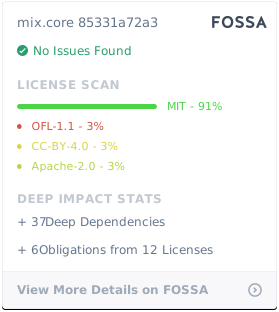
- ✓License declaredUsable under a stated license.
- !Tests presentNo tests found. Behaviour changes may go unnoticed between versions.
- !Dependencies pinnedNo lockfile. Installs can pull different code over time.
- !Scoped permissionsDoesn't declare a permission scope. Assume it can do anything its process can.
1 check has not been run yet.
Releases
README
Mixcore CMS 



Fully Open Source UI Tools to create multi-purpose Enterprise Web Apps, Mobile Apps & Application Services
Branchs
- master: Mixcore v1.0.x LTS
- develop: Mixcore v2.0.0-alpha.x
UI Screenshots
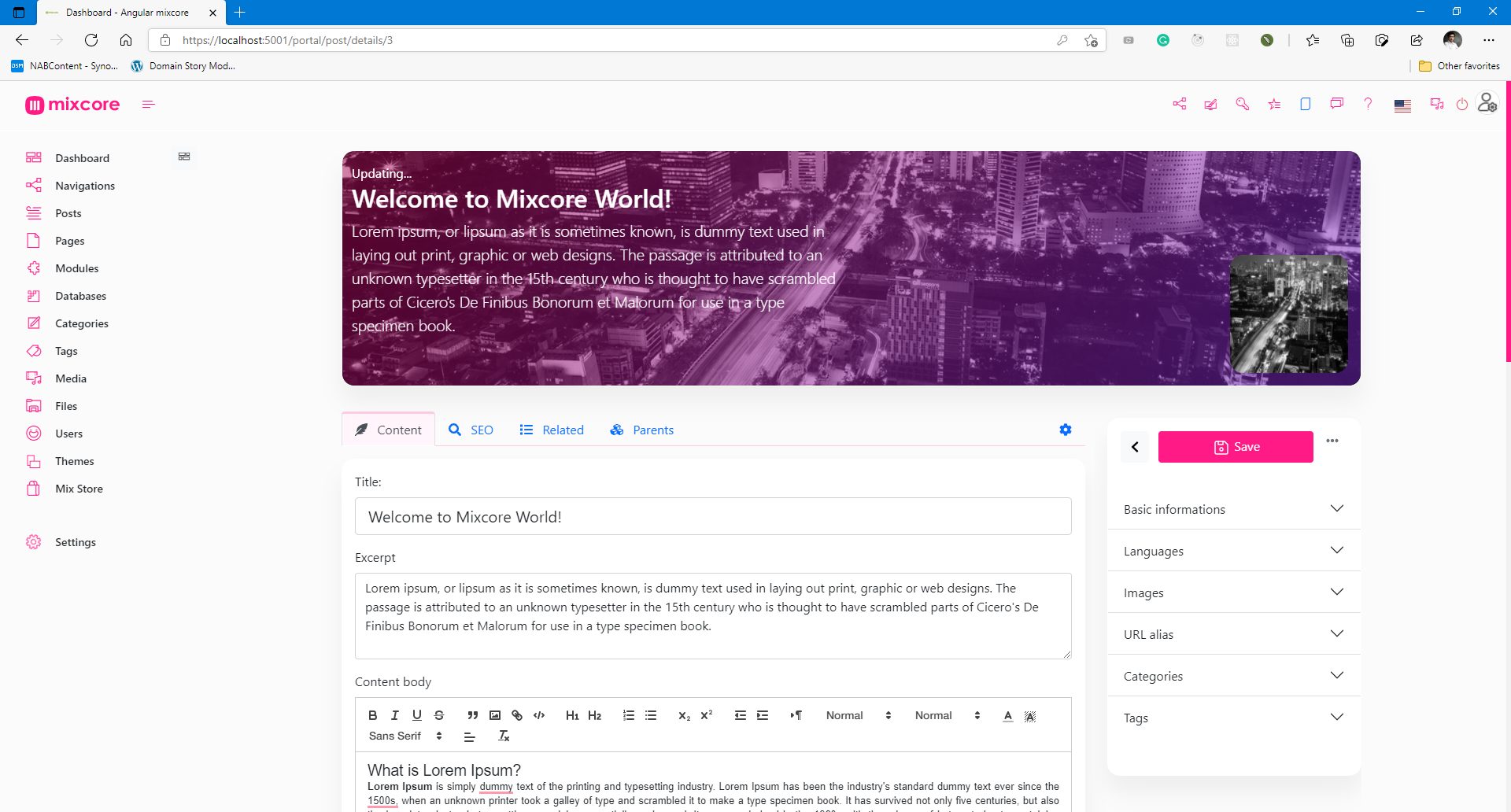
Admin Portal
Mixcore CMS Back-office is built on top of the much awaited Bootstrap 5. This makes starting a new project very simple. It also provides benefits if you are already working on a Bootstrap 5 project.
(New Portal in Angular / Svelte will be coming soon)

Special features (Out of the box)
- Databases -MySQL, SQL Server, PostgreSQL, SQLite
- Reliability - Member roles and permissions.
- High Security - Strong Data Encryption and Security compliance.
- Multilingual - Flexible multilingual content migration.
- High Performance - Millisecond response time.
- Cross Platforms - Powered by .NET Core and run everywhere.
- Online Coding - Visual Studio Code's heart inside.
- Customizable Designs - Build any kinds of website.
- SEO Friendly - No extra plugin required.
- Media Management - Multiple file formats for your website / application.
- Manage On The Go - Manage and Code everywhere you want.
- Easy and Accessible - Non deep tech knowledge required.
- Analytics - Inside Google Analytics dashboard & no extra plugin required.
- Dynamic Modular Architecture - Powerful module layers & Attribute sets feature.
- Extensibility - API-first architecture for Plug & Play.
- Easy Backup - Powerful 1 step export.
- More Coffee time! - You can relax and explore more ton of features are not listed here...
Architecture

CMS and Dashboards built on top of ASP.Net Core / Dotnet Core, SignalR, Angular / Bootstrap / React / Vue / Svelte.
| Services | Result | Services | Result |
|---|---|---|---|
| Github workflow |  |
||
| Travis CI |  |
AppVeyor CI | |
| Gitter |  |
Licenses status |  |
| Codefactor | Azure |
References
| Links | |
|---|---|
| STAG / Demo | https://demo.mixcore.org https://dev.mixcore.org https://v2.dev.mixcore.org https://mochahost.demo.mixcore.org/portal (administrator / P@ssw0rd) |
| Swagger (v2) | https://v2.dev.mixcore.org/api/v2/mixcore/swagger/index.html |
| Dev docs | https://docs.mixcore.org / https://mixcore.dev |
| Community | https://community.mixcore.org |
| Youtube | https://www.youtube.com/channel/UChqzh6JnC8HBUSQ9AWIcZAw |
| https://twitter.com/mixcore_cms | |
| Medium | https://medium.com/mixcore |
Ref: How to install Mixcore CMS with Azure Docker Composer
Run with Docker
Latest Docker Image
docker pull ghcr.io/mixcore/mix.core:master
docker run -it --rm -p 5000:80 --name mixcore_cms mixcore/mix.core:latest
Or with Docker Compose
docker-compose build
docker-compose up
GITs clone
mkdir mixcore
cd mixcore

git clone https://github.com/mixcore/mix.core.git
Optional:
Optional steps as those packages are Nuget Library
git clone https://github.com/mixcore/mix.heart.git
git clone https://github.com/mixcore/mix.identity.git
Build & Run with Dotnet SDK
Build & Run Mixcore CMS
REM Make sure you already read and download Dotnet Core SDK here https://dotnet.microsoft.com/download
cd mix.core/src/Mix.Cms.Web

dotnet restore
dotnet build
dotnet run
Modify & Build Portal Front-End source (Optional)
This step is optional and only needed in case you would like to modify the portal front-end code
cd mix.core/src/portal-app

npm install
npm install --global gulp-cli
gulp build
Note: If you facing any System.Data.SqlClient.SqlException error, please replace all content inside "appsettings.json" file with "{}".
Thanks to
This project has been developed using:
- .NET
- Bootstrap
- BrowserStack
- Designed by Freepik
- And more...
License
Mixcore CMS is licensed under the MIT
| Permissions | Limitations | Conditions |
|---|---|---|
| ✔ Commercial use | ✖ Liability | ℹ License and copyright notice |
| ✔ Modification | ✖ Warranty | |
| ✔ Distribution | ||
| ✔ Private use | ||
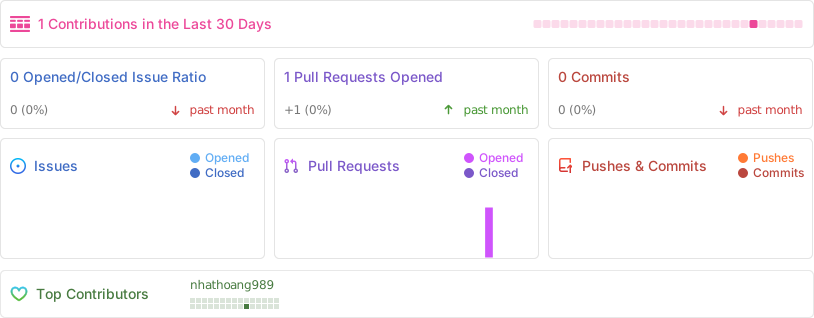
Activity
Star History
Contributors Wall
How to contribute
Fork this repo to your GitHub account, clone it locally and try to follow the following simple guidelines.
- Never write any code in the master branch
- When writing code, do it in a specific feature branch
- Send your pull request from that feature branch
- After your pull request has been accepted, sync the changes into master from the upstream remote
- Delete you feature branch
- Again, NEVER write any code in the master branch ;)
- Ref: https://datasift.github.io/gitflow/IntroducingGitFlow.html
README fetched from the repository 23 hours ago. The original is authoritative.