About Roblox Executor MCP
Roblox Executor MCP is an MCP server published by dissering in the Gaming category: mCP server for interacting with Roblox game clients.
The repository has 28 stars and 13 forks, with the last commit 2 months ago. Recent commit activity is the strongest signal that reported issues will get attention.
Install
git clone https://github.com/dissering/roblox-executor-mcpThis server has no ConduID identity, so agent calls to it are not receipted. Pin the version you install and review the source before granting it credentials.
Ask AI
Ask AI about Roblox Executor MCP
Powered by Claude · Grounded in docs
Security checks
Static checks derived from the repository yesterday. Heuristics on the source, not an audit.
- ✓README presentThe repository ships documentation.
- ✓License declaredUsable under a stated license.
- ✓Tests presentA test suite exists in the repository.
- ✓Dependencies pinnedA lockfile pins dependency versions.
- !No dynamic code executionSource scan found eval or shell execution. Review how tool inputs reach it before granting credentials.
1 check has not been run yet.
README
Roblox Executor MCP Server
An MCP server that allows Agents to interact with a running Roblox game client — execute code, inspect scripts, spy on remotes, and more.
Dashboard
Roblox Executor MCP includes a local web dashboard at:
http://localhost:16384/
Use it to see connected Roblox clients, inspect scripts, run tools, view server logs, configure semantic search, and index games for semantic script search.
Features
- Code Execution — Run Lua code and fetch data from the game client.
- Script Inspection — Decompile scripts and search across all sources.
- Instance Search — CSS-like selectors and hierarchy trees.
- Remote Spy — Intercept, log, block, and ignore Remotes/Bindables via Cobalt.
- GUI Interaction — Click buttons and type into text boxes.
- Screenshot — Capture Roblox window screenshots (Windows only).
- Multi-Client — Connect multiple Roblox clients at once.
- Primary / Secondary — Multiple MCP instances auto-coordinate with automatic promotion. Supports remote relaying via
--baseurl. See Advanced.
Tutorial
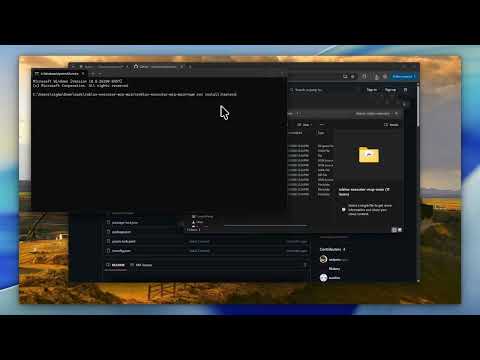
Prerequisites
- Node.js ≥ 18
- Bun ≥ 1.3 for the interactive OpenTUI harness installer
- A Roblox executor that supports
loadstring,request, and (preferably)WebSocket
Quick Start
1. Clone the server
git clone https://github.com/dissering/roblox-executor-mcp.git
cd roblox-executor-mcp
2. Run the harness installer
The installer builds the server, lets you choose AI clients, writes supported MCP configs, and prints the Roblox loader script.
npm run install:harnesses
The normal server build consumes the committed connector.luau artifact, so harness installs do not require Darklua. Connector developers can install the pinned tool with rokit install, edit connector-src/, and regenerate the artifact with npm run build:connector.
The picker is built with OpenTUI and runs through Bun. npm run install:harnesses installs Bun first if it is not already available. It shows detected local clients by default; if none are detected, it warns you to install a harness first. Press s in the picker or pass --show-all-harnesses to reveal every supported config target. If your terminal has trouble with the interactive picker, use the plain numbered prompt:
npm run install:harnesses -- --plain
The installer can also place the Roblox loader into a detected executor autoexec folder, such as MacSploit on macOS or supported Windows executor autoexec folders. Use the prompt, or run:
npm run getscript -- --autoexec
It can also help with:
- cross-machine setup on the same LAN
- copying the Roblox loader to your clipboard
- optional Ollama
embeddinggemmasetup for semantic indexing - pulling latest repo changes before install/build
To update an existing install later, run:
npm run update
The update command can stop currently running MCP server processes, optionally pull latest changes, and always rebuilds the server.
Manual setup
If you prefer to configure a client yourself, use the setup guide for your client:
| Client | Guide |
|---|---|
| Cursor | Setup Guide |
| Claude Desktop | Setup Guide |
| Claude Code | Setup Guide |
| Codex CLI | Setup Guide |
| Windsurf | Setup Guide |
| Antigravity | Setup Guide |
| BLACKBOX AI | Setup Guide |
| ZCode | Setup Guide |
3. Connect from Roblox
The installer prints this for you. Put it in your executor or Auto Execute:
while not getgenv().MCP_Loaded do
    local bridgeUrl = getgenv().BridgeURL or "localhost:16384"
    pcall(function() loadstring(game:HttpGet("http://" .. bridgeUrl .. "/script.luau"))() end)

    task.wait(0.15)
end
Optional settings (set before the loadstring):
getgenv().BridgeURL = "10.0.0.4:16384"                  -- default: localhost:16384
getgenv().DisableWebSocket = true                        -- force HTTP polling
getgenv().DisableInitialScriptDecompMapping = true       -- skip initial decompilation
getgenv().MCP_FailedScriptResyncInterval = 30            -- retry failed script syncs periodically
getgenv().MCP_FailedScriptResyncBatchSize = 8            -- bound each periodic retry batch
After the MCP server starts and Roblox connects, open the dashboard:
http://localhost:16384/
Community
Have a suggestion or need help? Join the Discord server.
Security
This server allows arbitrary code execution. Only use with AI clients you trust. Port
16384has no authentication — never expose it to the internet. For cross-machine setups, use a local network, VPN, or SSH tunnel. See Advanced for details.
License
README fetched from the repository yesterday. The original is authoritative.