About Unity Copilot MCP Server
Unity Copilot MCP Server is an MCP server in the Gaming category: mcp server cho unity-copilot.
Install
git clone https://github.com/nhathuy7996/unity-copilot-mcp-serverThis server has no ConduID identity, so agent calls to it are not receipted. Pin the version you install and review the source before granting it credentials.
Tools (6)
unity_createSceneCreate a new scene, optionally add to Build Settings
Parameters not published.
unity_listAssetsSearch project assets by type and folder
Parameters not published.
unity_openSceneOpen a scene by name or path
Parameters not published.
unity_pingCheck if Unity Editor bridge is alive
Parameters not published.
unity_refreshAssetsForce Unity to re-import assets and recompile scripts
Parameters not published.
unity_saveSceneSave the active scene to disk
Parameters not published.
Ask AI
Ask AI about Unity Copilot MCP Server
Powered by Claude · Grounded in docs
Security checks
- ✓README presentThe repository ships documentation.
5 checks have not been run yet.
README
Unity Copilot MCP Server
Control Unity Editor from AI assistants (GitHub Copilot, Claude, etc.) via the Model Context Protocol (MCP).
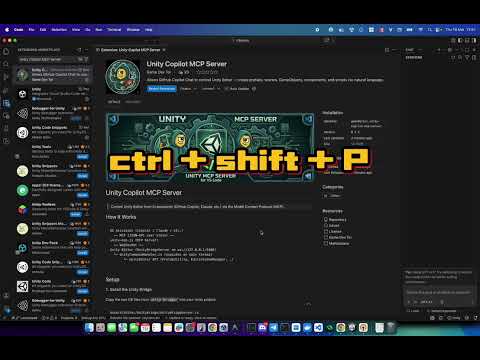
Demo Video
How It Works
AI Assistant (Copilot / Claude / etc.)
  ←— MCP (JSON-RPC over stdio) —→
unity-mcp.js (MCP Server)
  ←— WebSocket —→
Unity Editor (UnityBridgeServer on ws://127.0.0.1:6400)
  └─ UnityCommandHandler.cs (executes on main thread)
       └─ UnityEditor API (PrefabUtility, EditorSceneManager, …)
Setup
1. Install the Unity Bridge
use the VS Code command: Unity Copilot: Install Bridge into Unity Project.
The bridge server starts automatically when Unity enters Editor mode and listens on ws://127.0.0.1:6400.
2. Configure MCP Server (optional)
Add to your .vscode/mcp.json (workspace or user settings):
{
  "servers": {
    "unity": {
      "type": "stdio",
      "command": "node",
      "args": ["<path-to>/unity-mcp.js"]
    }
  }
}
3. Use with AI
The AI will automatically discover all available tools via MCP tools/list. Just ask it to do things in Unity — it knows what tools are available.
Examples:
- "Create a Cube at position 0,3,0 with a Rigidbody"
- "Find all GameObjects with Animator component"
- "Add BoxCollider to the Player object"
- "List all prefabs in the project"
- "Create a prefab called Enemy from Models/zombie.fbx"
- "Move the MainCamera to 0, 10, -5"
Available MCP Tools
Scene & Assets
| Tool | Description |
|---|---|
unity_ping |
Check if Unity Editor bridge is alive |
unity_refreshAssets |
Force Unity to re-import assets and recompile scripts |
unity_createScene |
Create a new scene, optionally add to Build Settings |
unity_openScene |
Open a scene by name or path |
unity_saveScene |
Save the active scene to disk |
unity_listAssets |
Search project assets by type and folder |
GameObjects
| Tool | Description |
|---|---|
unity_createGameObject |
Create a primitive or empty GameObject in the scene |
unity_createPrefab |
Create a prefab asset from scratch or from a 3D model |
unity_instantiatePrefab |
Place an existing prefab into the scene |
unity_deleteGameObject |
Delete a GameObject from the scene (supports Undo) |
unity_setProperty |
Move, rotate, scale, rename, or toggle active state |
unity_getSceneHierarchy |
List all root GameObjects in the active scene |
unity_findGameObjects |
Search GameObjects by name with optional component filter |
Components
| Tool | Description |
|---|---|
unity_addComponent |
Add any component (built-in or custom script) to a GameObject |
unity_setMaterial |
Assign a material to a GameObject's Renderer |
unity_setAnimatorController |
Assign an AnimatorController to a GameObject |
unity_getComponentProperties |
Read all serialized properties of a component (use before setComponentProperty) |
unity_setComponentProperty |
Set a specific property on a component (float, int, bool, string, enum, Vector3, Color) |
Editor Operations
| Tool | Description |
|---|---|
unity_runMenuItem |
Execute any Unity Editor menu item by path (e.g. "AI/Bake", "Edit/Clear All PlayerPrefs") |
unity_captureScreenshot |
Capture the Scene view and return it as an inline PNG image |
unity_undoRedo |
Perform Undo or Redo in Unity Editor ("undo" / "redo") |
unity_getUndoHistory |
Get the current undo group index and name |
Workflow: Adding a Custom Script
Since the AI can write files directly, the workflow for adding a custom script is:
- AI creates the
.csfile in your Unity project'sAssets/folder - AI calls
unity_refreshAssetsto force Unity to compile - AI calls
unity_addComponentto attach the compiled script to a GameObject
Workflow: Editing a Component Property
- AI calls
unity_getComponentPropertiesto read all property names and current values - AI calls
unity_setComponentPropertywith the exactpropertyNameand newvalue
VS Code Extension (Chat Participant)
This project also includes a VS Code extension with a @unity chat participant for GitHub Copilot Chat.
Commands:
@unity /status— Check connection to Unity Editor@unity /help— Show available commands and examples@unity /undo— Undo the last operation in Unity Editor@unity /redo— Redo the last undone operation@unity /history— Show the current undo group
Settings
| Setting | Default | Description |
|---|---|---|
unity-copilot.bridgePort |
6400 |
WebSocket port the Unity bridge listens on |
unity-copilot.autoConnect |
true |
Auto-connect when the extension activates |
Requirements
- Unity 2022.3+ (any LTS)
- Node.js (for the MCP server)
- VS Code 1.90+ (optional, for the chat participant extension)
License
MIT
README copy captured when this server was indexed; it may lag the repository. The original is authoritative.