About Unsplash
Unsplash is an MCP server published by haramishra in the Other category.
The repository has 12 stars and 5 forks, with the last commit a year ago. Six months or more without a commit doesn't mean the server is broken, but check the open issues before depending on it in production.
Install
git clone https://github.com/haramishra/mcp-unsplashThis server has no ConduID identity, so agent calls to it are not receipted. Pin the version you install and review the source before granting it credentials.
Ask AI
Ask AI about Unsplash
Powered by Claude · Grounded in docs
Security checks
Static checks derived from the repository 2 days ago. Heuristics on the source, not an audit.
- ✓README presentThe repository ships documentation.
- !License declaredNo license file. Legally you have no right to use it in a product.
- !Tests presentNo tests found. Behaviour changes may go unnoticed between versions.
- ✓Dependencies pinnedA lockfile pins dependency versions.
- ✓No dynamic code executionSource scan found no eval, dynamic Function, or shell execution.
1 check has not been run yet.
README
Unsplash MCP Server
An MCP server to download images from Unsplash.
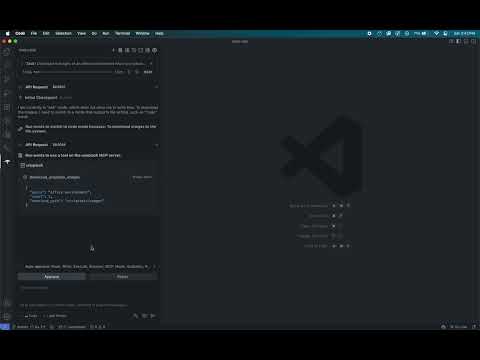
Demo
Watch this video to see the server in action:
Requirements
Before you begin, ensure you have the following:
- Node.js: This server is built with Node.js. If you don't have it installed, you can download it from nodejs.org.
- Unsplash API Key: You'll need an API key from Unsplash to access their service. You can get one by creating a developer account at unsplash.com/developers.
Installation
You can install this MCP server in two ways: manually or by asking an AI agent.
Option 1: Manual Installation
Follow these steps to install and configure the server on your local machine.
Step 1: Clone the Repository
Open your terminal, navigate to your desired project directory, and clone the repository.
# Clone the repository
git clone https://github.com/haramishra/mcp-unsplash

# Navigate into the project directory
cd mcp-unsplash
Step 2: Install Dependencies
Install the necessary Node.js packages defined in package.json.
# Install dependencies
npm install
Step 3: Build the Server
Compile the TypeScript source code into JavaScript.
# Build the server
npm run build
This will create a build directory containing the compiled index.js file.
Step 4: Configure MCP Settings
Add the server to your MCP settings file to make it accessible to your AI applications.
-
Locate your settings file:
- VS Code:
~/Library/Application Support/Code/User/globalStorage/rooveterinaryinc.roo-cline/settings/mcp_settings.json - Claude Desktop App:
~/Library/Application Support/Claude/claude_desktop_config.json
- VS Code:
-
Add the server configuration: Open the file and add a new entry to the
mcpServersobject.{ "mcpServers": { "unsplash-server": { "command": "node", "args": ["/path/to/your/cloned/project/build/index.js"], "env": { "UNSPLASH_API_KEY": "your-unsplash-api-key" } } } }- Replace
"/path/to/your/cloned/project/build/index.js"with the absolute path to theindex.jsfile in thebuilddirectory you created. - Replace
"your-unsplash-api-key"with the API key you obtained from Unsplash.
- Replace
The server is now installed and ready to use.
Option 2: AI-Assisted Installation
You can ask an AI agent like Roo Code or Cline to install the server for you. Provide the repository URL and your Unsplash API key.
Example Prompt:
I want to install an MCP server from a GitHub repository.

Here are the details:
- Repository URL: https://github.com/haramishra/mcp-unsplash
- Environment Variables:
  - UNSPLASH_API_KEY: your-unsplash-api-key

Please install the server and configure it to run.
The AI agent will automatically handle cloning, dependency installation, building, and configuration.
README fetched from the repository 2 days ago. The original is authoritative.