About core
core is an MCP server published by git+shenjingnan in the AI category: mCP 协议核心实现,提供服务连接和管理功能.
Install
Install
npx @xiaozhi-client/mcp-coreClaude Code
claude mcp add xiaozhi-client -- npx -y @xiaozhi-client/mcp-corenpx
npx -y @xiaozhi-client/mcp-coreThis server has no ConduID identity, so agent calls to it are not receipted. Pin the version you install and review the source before granting it credentials.
Ask AI
✦
Ask AI about core
Powered by Claude · Grounded in docs
I know everything about core. Ask me about installation, configuration, usage, or troubleshooting.
Security checks
- ✓README presentThe repository ships documentation.
- !Scoped permissionsDoesn't declare a permission scope. Assume it can do anything its process can.
4 checks have not been run yet.
README
功能特色
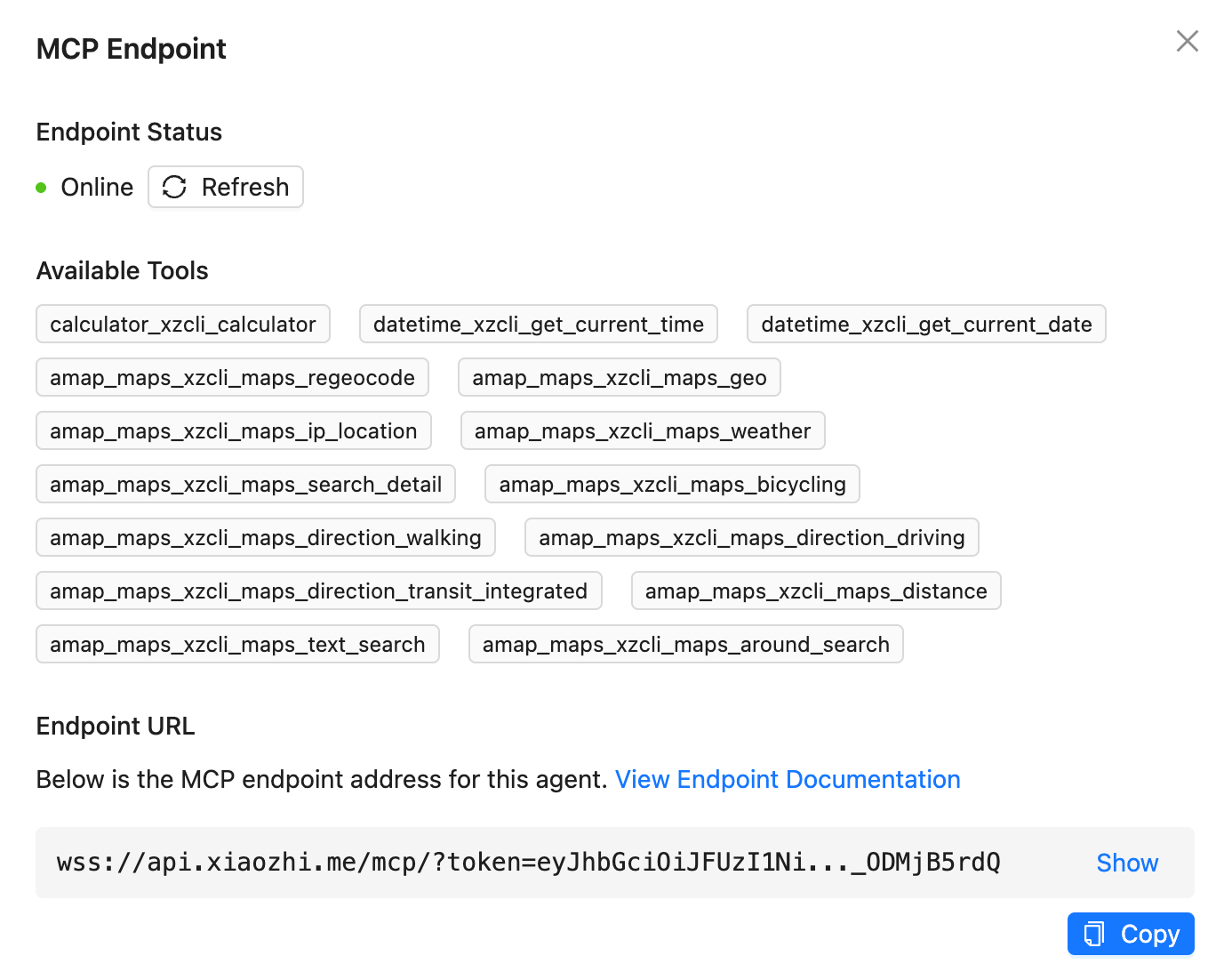
- 支持 小智(xiaozhi.me) 官方服务器接入点
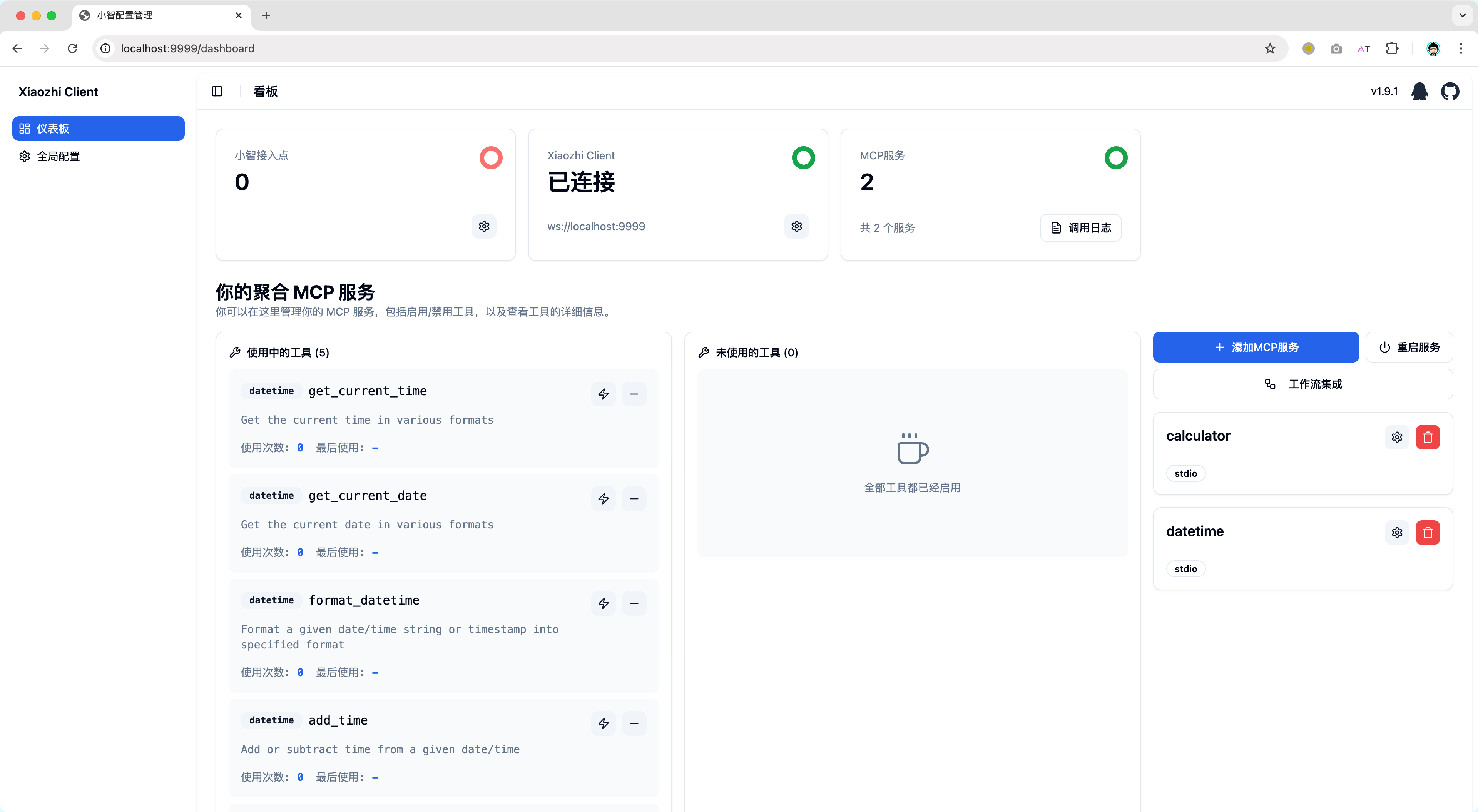
- 支持 作为普通 MCP Server 集成到 Cursor/Cherry Studio 等客户端
- 支持 配置多个小智接入点,实现多个小智设备共享一个 MCP 配置
- 支持 通过标准方式聚合多个 MCP Server
- 支持 动态控制 MCP Server 工具的可见性,避免由于无用工具过多导致的小智服务端异常
- 支持 本地化部署的开源服务端集成,你可以使用和小智官方服务端一样的 RPC 通信或直接使用标准 MCP 集成方式
- 支持 Web 网页可视化配置(允许自定义 IP 和端口,你能将 xiaozhi-client 部署在设备 A,然后在设备 B 通过网页控制 xiaozhi-client)
- 支持 集成 ModelScope 的远程 MCP 服务
- 支持 通过模板创建 xiaozhi-client 项目 (xiaozhi create <my-app> --template <template-name>)
- 支持 后台运行(xiaozhi start -d)
快速上手
你可以阅读文档 xiaozhi-client.shenjingnan.com 快速上手!
本地安装
前置条件:请先完成 Node.js >=22(推荐 24)与 pnpm 的安装
# 安装
pnpm install -g xiaozhi-client

# 创建应用
xiaozhi create my-app

# 进入应用目录
cd my-app

# 安装依赖
pnpm install

# 小智AI配置MCP接入点的 [使用说明](https://ccnphfhqs21z.feishu.cn/wiki/HiPEwZ37XiitnwktX13cEM5KnSb)
xiaozhi config set mcpEndpoint "<从小智服务端获取到的接入点地址>"

# 启动服务
xiaozhi start

# 浏览器打开 http://localhost:9999 如果你使用的是NAS部署请使用 http://<部署设备的IP地址>:9999
使用 Docker 运行
我们提供了预配置的 Docker 镜像,可以快速启动 xiaozhi-client 环境。
前置要求
- 已安装 Docker
- 已获取小智接入点地址(参见小智 AI 配置 MCP 接入点的使用说明)
快速启动
方式一:使用启动脚本(推荐)
curl -fsSL https://raw.githubusercontent.com/shenjingnan/xiaozhi-client/main/docker/scripts/start.sh | bash
无法访问
Github可以使用Gitee替代
curl -fsSL https://gitee.com/shenjingnan/xiaozhi-client/raw/main/docker/scripts/start.sh | bash
方式二:使用 Docker Compose
获取 docker-compose.yml 文件:
curl -O https://raw.githubusercontent.com/shenjingnan/xiaozhi-client/main/docker/docker-compose.yml
无法访问
Github可以使用Gitee替代
curl -O https://gitee.com/shenjingnan/xiaozhi-client/raw/main/docker/docker-compose.yml
# 使用 Docker Compose 启动
docker-compose up -d

# 查看日志
docker-compose logs -f

# 停止服务
docker-compose down
贡献者
README copy captured when this server was indexed; it may lag the repository. The original is authoritative.