About Client X
Client X is an MCP server published by RGGH in the Developer Tools category: python MCP client + server example.
The repository has 26 stars and 4 forks, with the last commit a year ago. Six months or more without a commit doesn't mean the server is broken, but check the open issues before depending on it in production.
Install
git clone https://github.com/RGGH/mcp-client-xThis server has no ConduID identity, so agent calls to it are not receipted. Pin the version you install and review the source before granting it credentials.
Ask AI
Ask AI about Client X
Powered by Claude · Grounded in docs
Security checks
Static checks derived from the repository 4 days ago. Heuristics on the source, not an audit.
- ✓README presentThe repository ships documentation.
- !License declaredNo license file. Legally you have no right to use it in a product.
- !Tests presentNo tests found. Behaviour changes may go unnoticed between versions.
- ✓Dependencies pinnedA lockfile pins dependency versions.
- ✓No dynamic code executionSource scan found no eval, dynamic Function, or shell execution.
- !Scoped permissionsDoesn't declare a permission scope. Assume it can do anything its process can.
README
MCP Client Example ☀️
This project demonstrates a simple client-server implementation using the Model Context Protocol (MCP), which is a standardized way to connect large language models with tools and data.
Overview
This example shows how to:
- Create an MCP server with custom tools
- Connect to the server using an MCP client
- Call tools and get responses from the server
Tutorial Video
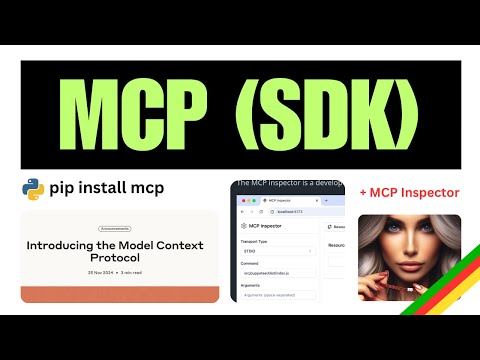
Click the image above to watch a tutorial on MCP implementation.
Project Structure
.
├── pyproject.toml
├── README.md
├── src
│   ├── client
│   │   └── mcp_client.py      # MCP client implementation
│   └── server
│       └── example_server.py  # MCP server with tools
└── uv.lock
Server Implementation
The server exposes two tools:
calculate_bmi- A simple calculator that computes Body Mass Indexfetch_weather- An async tool that retrieves weather data from an external API
Client Implementation
The client connects to the server via stdio, initializes a session, and calls the server's tools.
Getting Started
Prerequisites
- Python 3.9+
- uv (Python package manager)
Installation
# Install dependencies
uv install -e .
Running the Example
- Start the client (which will automatically start the server):
uv run src/client/mcp_client.py
Usage
The client will:
- Connect to the server
- List available tools
- Call the BMI calculator with sample data
- Call the weather tool with sample coordinates
Example Response
Available tools: meta=None nextCursor=None tools=[...]
BMI calculation result: 22.857142857142858
Weather data: {"current_weather":{"temperature":14.2,"windspeed":12.6, ...}}
Test with MCP Inspector
( run command below and then visit http://localhost:5173 )
  ❯ mcp dev src/server/example_server.py
Starting MCP inspector...
Proxy server listening on port 3000

🔍 MCP Inspector is up and running at http://localhost:5173 🚀
New SSE connection
Query parameters: {
  transportType: 'stdio',
  command: 'uv',
  args: 'run --with mcp mcp run src/server/example_server.py',
Resources
This project uses:
License
This project is licensed under the MIT License - see the LICENSE file for details.
README fetched from the repository 4 days ago. The original is authoritative.