About Tencent Cloud COS MCP
Tencent Cloud COS MCP is an MCP server published by Tencent in the Developer Tools category: 基于 MCP 协议的腾讯云 COS MCP Server,无需编码即可让大模型快速接入腾讯云存储 (COS) 和数据万象 (CI) 能力。.
The repository has 39 stars and 14 forks, with the last commit 11 months ago. Six months or more without a commit doesn't mean the server is broken, but check the open issues before depending on it in production.
Install
git clone https://github.com/Tencent/cos-mcpThis server has no ConduID identity, so agent calls to it are not receipted. Pin the version you install and review the source before granting it credentials.
Tools (21)
aiPicMatting图片处理-抠图
Parameters not published.
aiQrcode图片处理-二维码识别-识别存储桶内二维码图片内容
Parameters not published.
aiSuperResolution图片处理-超分辨率
Parameters not published.
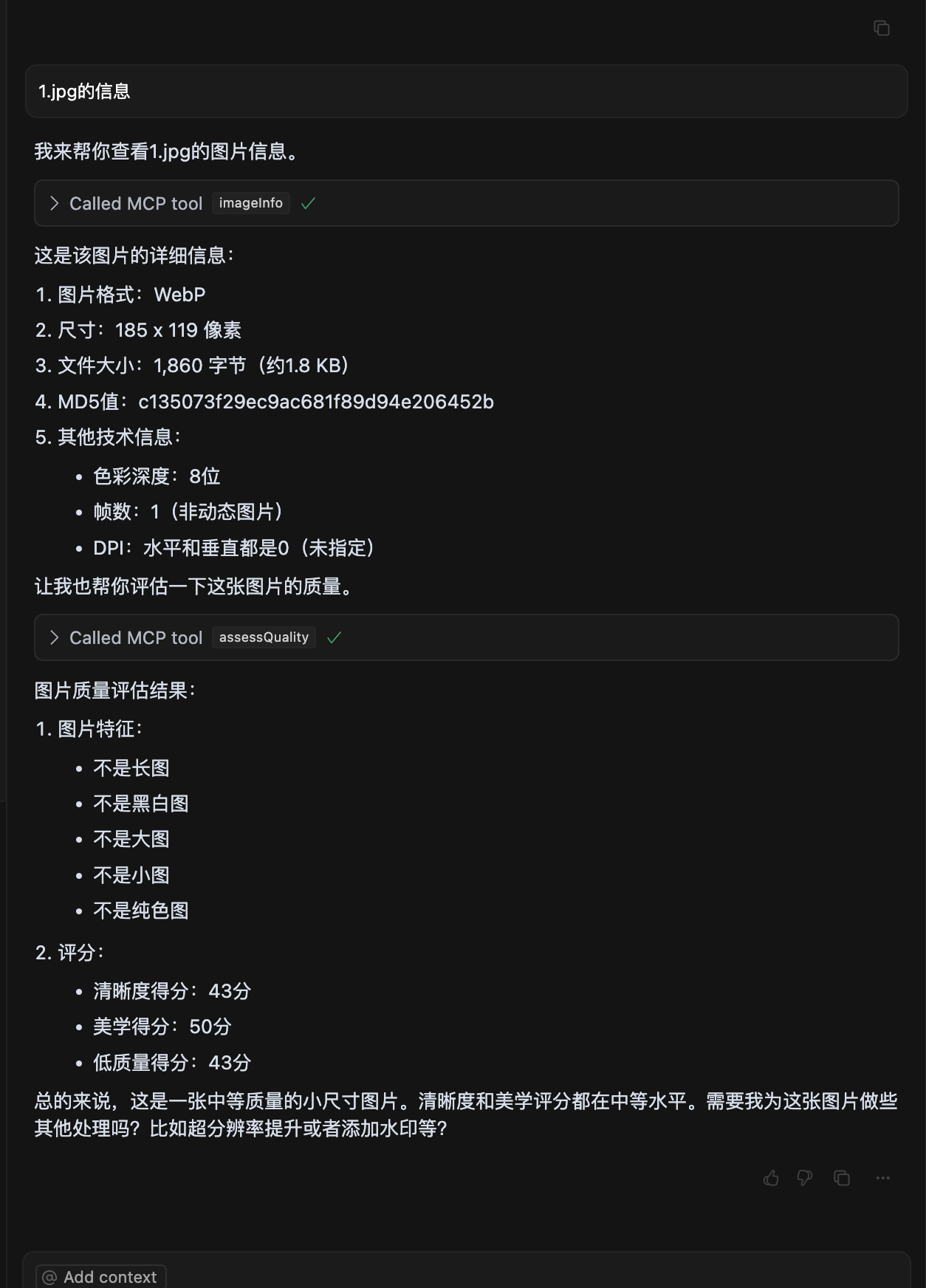
assessQuality图片处理-图片质量评估
Parameters not published.
createDocToPdfJob创建文档转 pdf 处理任务
Parameters not published.
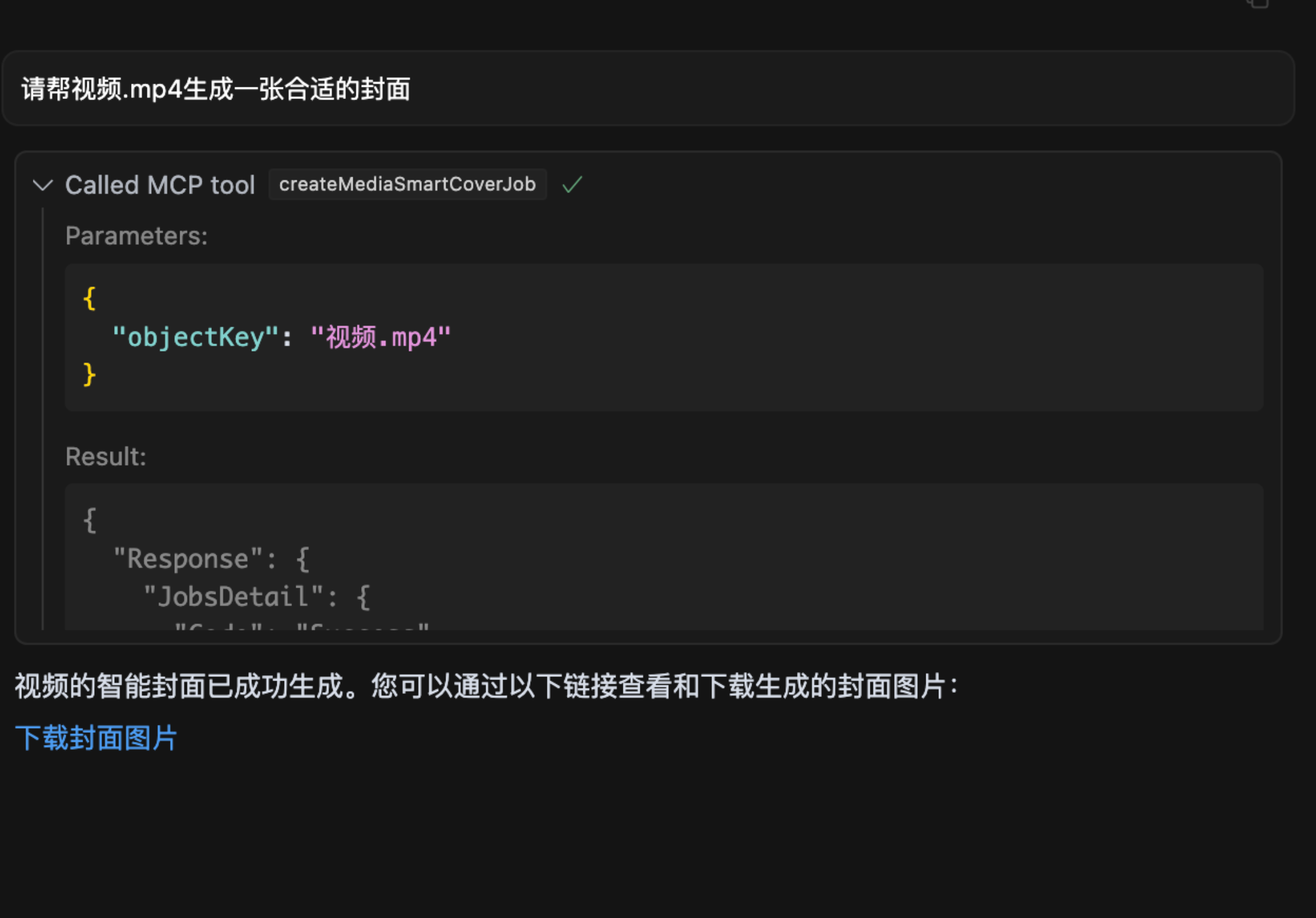
createMediaSmartCoverJob创建媒体智能封面任务
Parameters not published.
describeDocProcessJob根据 jobid 查询指定的文档转码任务结果
Parameters not published.
describeMediaJob根据 jobid 查询指定的媒体智能封面任务结果
Parameters not published.
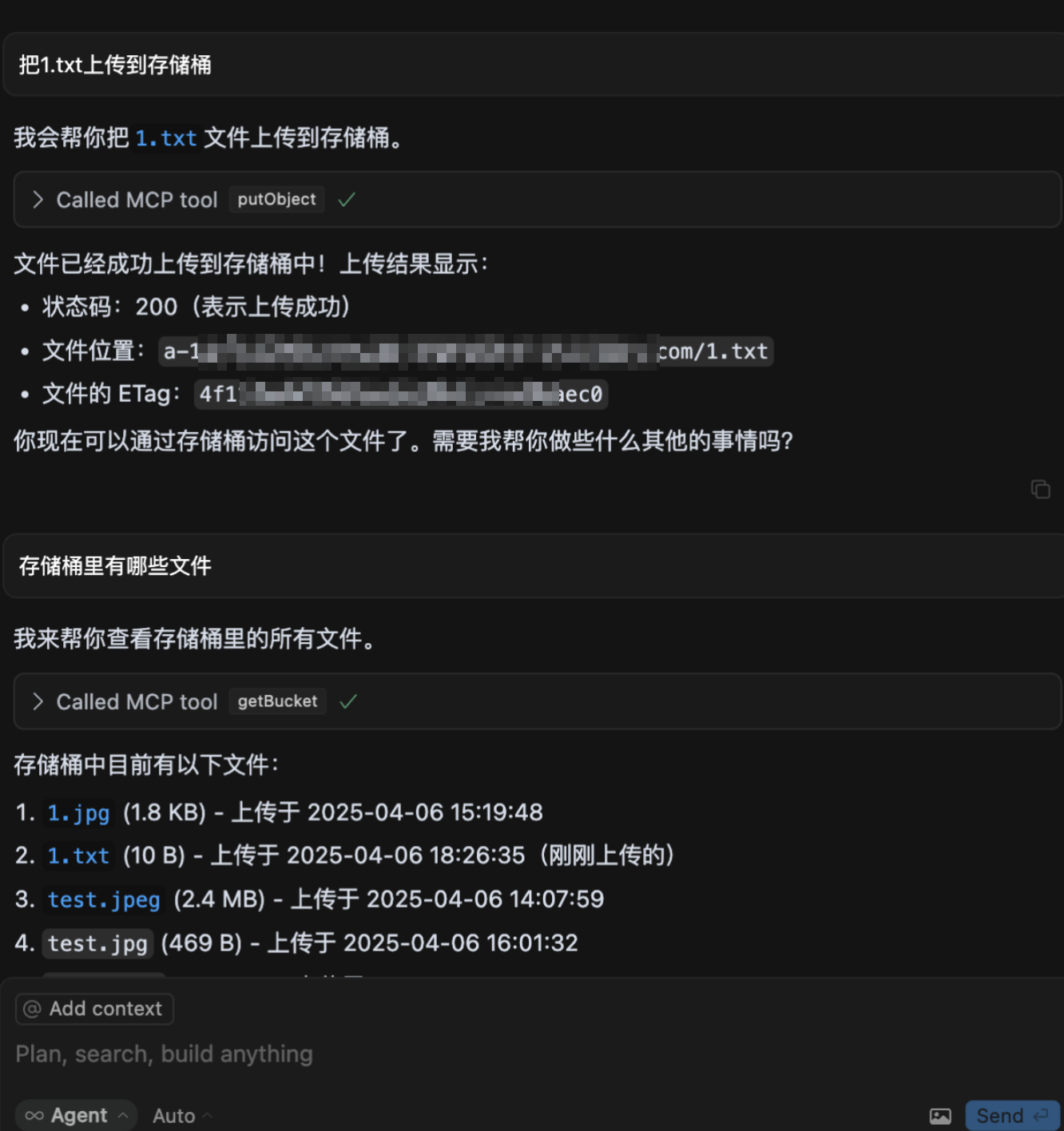
getBucket查询存储桶内的文件列表
Parameters not published.
getCosConfig获取COS配置, 腾讯云配置
Parameters not published.
Show all 21 tools
getObject下载存储桶内的文件
Parameters not published.
getObjectUrl获取存储桶内的文件的带签名的下载链接
Parameters not published.
imageInfo图片处理-获取图片信息
Parameters not published.
imageSearchPic根据输入的图片,从数据集中检索出与输入的图片内容相似的图片
Parameters not published.
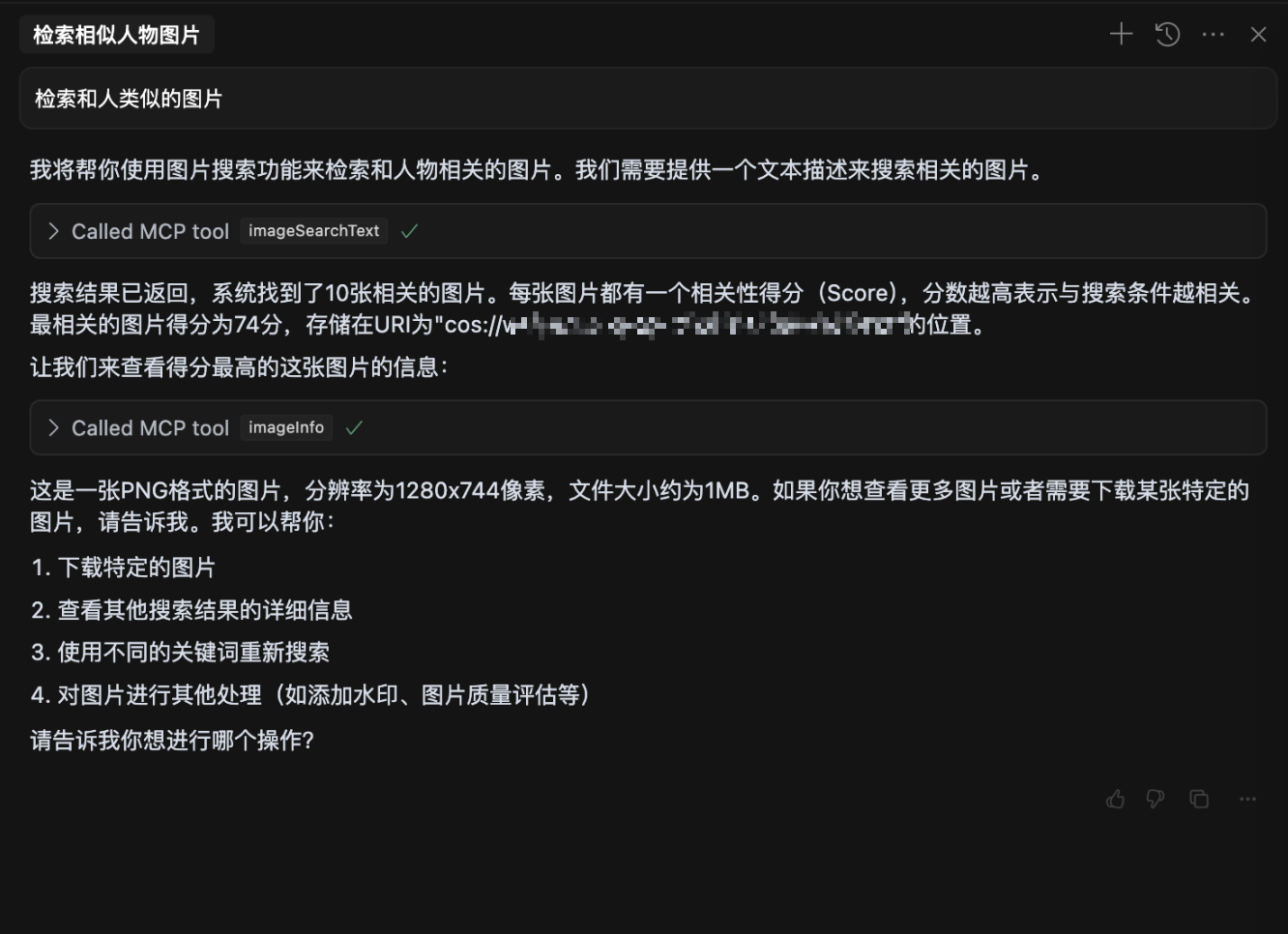
imageSearchText根据输入的文本内容,从数据集中检索出与输入的文本内容相符的图片
Parameters not published.
putBase64上传base64编码内容到存储桶
Parameters not published.
putBuffer上传buffer内容到存储桶
Parameters not published.
putObject上传本地文件到存储桶
Parameters not published.
putObjectSourceUrl通过 url下载文件并将文件上传到存储桶
Parameters not published.
putString上传字符串内容到存储桶
Parameters not published.
waterMarkFont生成带文字水印的图片
Parameters not published.
Ask AI
Ask AI about Tencent Cloud COS MCP
Powered by Claude · Grounded in docs
Security checks
Static checks derived from the repository 5 hours ago. Heuristics on the source, not an audit.
- ✓README presentThe repository ships documentation.
- ✓License declaredUsable under a stated license.
- ✓Tests presentA test suite exists in the repository.
- !Dependencies pinnedNo lockfile. Installs can pull different code over time.
- ✓No dynamic code executionSource scan found no eval, dynamic Function, or shell execution.
- !Scoped permissionsDoesn't declare a permission scope. Assume it can do anything its process can.
README
中文 | English
腾讯云 COS MCP Server 🚀🚀🚀


基于 MCP 协议的腾讯云 COS MCP Server,无需编码即可让大模型快速接入腾讯云存储 (COS) 和数据万象 (CI) 能力。
✨ 核心功能
云端存储能力
- ⬆️ 文件上传到云端
- ⬇️ 文件从云端下载
- 📋 获取云端文件列表
云端处理能力
- 🖼️ 获取图片信息
- 🔍 图片超分辨率
- ✂️ 图片裁剪
- 📲 二维码识别
- 🏆 图片质量评估
- 🅰️ 文字水印
- 🎬 元数据/自然语言检索 (MateInsight)
- 📄 文档转 PDF
- 🎥 视频封面
💡 典型应用场景
- 使用其他 MCP 能力获取的文本/图片/视频/音频等数据,可直接上传到 COS 云端存储。
- 本地数据快速通过大模型转存到 COS 云端存储/备份。
- 通过大模型实现自动化:将网页里的视频/图片/音频/文本等数据批量转存到 COS 云端存储。
- 自动化将视频/图片/音频/文本等数据在云端处理,并转存到 COS 云端存储。
🌟 功能示例
- 上传文件到 COS
- 图片质量评估
- 自然语言检索图片
- 视频截帧
🔧 安装使用
参数说明
为了保护您的数据私密性,请准备以下参数:
1. SecretId / SecretKey
- 说明: 腾讯云 COS 的密钥,用于身份认证,请妥善保管,切勿泄露。
- 获取方式:
- 访问 腾讯云密钥管理。
- 新建密钥并复制生成的 SecretId 和 SecretKey。
2. Bucket
- 示例:
mybucket-123456 - 说明: 存储桶名称,用于存放数据,相当于您的个人存储空间。
- 获取方式:
- 访问 存储桶列表。
- 复制存储桶名称。如果没有存储桶,可点击“创建存储桶”,一般选择默认配置即可快速完成创建。
3. Region
- 示例:
ap-beijing - 说明: 存储桶所在的地域。
- 获取方式:
- 在 存储桶列表 中找到存储桶。
- 在存储桶名称一行查看所属地域并复制,例如:
ap-beijing。
4. DatasetName
- 说明: 非必填参数,数据智能检索操作需要此参数。
- 获取方式:
- 访问 数据集管理。
- 创建数据集并等待索引建立完成后,复制数据集名称。
5. connectType
- 说明: 非必填参数,指定连接方式,可选值为
stdio(本地)或sse(远程)。 - 默认值:
stdio
6. port
- 说明: 非必填参数,当连接方式为
sse时,可自由设置端口。 - 默认值:
3001
从 npx 启动
在大模型内使用时(例如: cursor),需要在 mcp.json 中配置:
{
  "mcpServers": {
    "cos-mcp": {
      "command": "npx",
      "args": [
        "cos-mcp",
        "--Region=yourRegion",
        "--Bucket=yourBucket",
        "--SecretId=yourSecretId",
        "--SecretKey=yourSecretKey",
        "--DatasetName=yourDatasetname"
      ]
    }
  }
}
也可以通过 JSON 配置:
{
  "mcpServers": {
    "cos-mcp": {
      "command": "npx",
      "args": [
        "cos-mcp",
        "--cos-config='{\"Region\":\"yourRegion\",\"Bucket\":\"yourBucket\",\"SecretId\":\"yourSecretId\",\"SecretKey\":\"yourSecretKey\",\"DatasetName\":\"yourDatasetname\"}'"
      ]
    }
  }
}
使用 npm 安装
# 安装
npm install -g cos-mcp@latest

# 运行开启 SSE 模式
cos-mcp --Region=yourRegion --Bucket=yourBucket --SecretId=yourSecretId --SecretKey=yourSecretKey --DatasetName=yourDatasetname --port=3001 --connectType=sse

# 或通过 JSON 配置
cos-mcp --cos-config='{"Region":"yourRegion","Bucket":"BucketName-APPID","SecretId":"yourSecretId","SecretKey":"yourSecretKey","DatasetName":"datasetName"}' --port=3001 --connectType=sse
在大模型内使用 SSE 模式时(例如: cursor),需要在 mcp.json 中配置:
{
  "mcpServers": {
    "cos-mcp": {
      "url": "http://localhost:3001/sse"
    }
  }
}
使用源码安装
步骤 1: 克隆项目代码
git clone https://github.com/Tencent/cos-mcp.git
cd cos-mcp
步骤 2: 安装依赖
npm install
步骤 3: 启动服务
3.1 配置本地环境变量
创建 .env 文件,并配置以下环境变量:
Region='yourRegion'
Bucket='yourBucket'
SecretId='yourSecretId'
SecretKey='yourSecretKey'
DatasetName="yourDatasetName"
3.2 本地 SSE 模式启动(方式一)
npm run start:sse
3.3 本地构建后使用 STDIO 模式(方式二)
npm run build
构建产物位于 dist/index.js。
步骤 4: 在大模型内使用
SSE 模式配置
{
  "mcpServers": {
    "cos-mcp": {
      "url": "http://localhost:3001/sse"
    }
  }
}
STDIO 模式配置
{
  "mcpServers": {
    "cos-mcp": {
      "command": "node",
      "args": [
        "${your work space}/dist/index.js"
      ]
    }
  }
}
完成以上步骤后,即可通过源码运行 COS MCP Server。
⚠️ 注意事项
- 如果安装了旧版本的包,可以将上述内容内
cos-mcp改为cos-mcp@latest安装最新版包。 - 如果全局安装后直接使用
cos-mcp不行,可能是全局变量有问题,可以使用拆分变量或npx的方式启动:
上述命令效果等同于:npm install -g cos-mcp@latest cos-mcp --cos-config=xxx --port=3001 --connectType=ssenpx cos-mcp@latest --cos-config=xxx --port=3001 --connectType=sse - 如果出现解析问题,可能是终端对双引号敏感,可以将配置参数改为以下格式再尝试:
--cos-config='{\"Region\":\"yourRegion\",\"Bucket\":\"BucketName-APPID\",\"SecretId\":\"yourSecretId\",\"SecretKey\":\"yourSecretKey\",\"DatasetName\":\"datasetName\"}' --port=3001 --connectType=sse
README fetched from the repository 5 hours ago. The original is authoritative.