About dbhub
dbhub is an MCP server published by git+bytebase in the Data category: minimal, token-efficient Database MCP Server for PostgreSQL, MySQL, SQL Server, SQLite, MariaDB.
Install
npx @bytebase/dbhubclaude mcp add dbhub-gitbyteb -- npx -y @bytebase/dbhubnpx -y @bytebase/dbhubThis server has no ConduID identity, so agent calls to it are not receipted. Pin the version you install and review the source before granting it credentials.
Ask AI
Ask AI about dbhub
Powered by Claude · Grounded in docs
Security checks
- ✓README presentThe repository ships documentation.
- !Scoped permissionsDoesn't declare a permission scope. Assume it can do anything its process can.
4 checks have not been run yet.
README
[!NOTE]
Brought to you by Bytebase, open-source database DevSecOps platform.
            +------------------+    +--------------+    +------------------+
            |                  |    |              |    |                  |
            |                  |    |              |    |                  |
            |  Claude Desktop  +--->+              +--->+    PostgreSQL    |
            |                  |    |              |    |                  |
            |  Claude Code     +--->+              +--->+    SQL Server    |
            |                  |    |              |    |                  |
            |  Cursor          +--->+    DBHub     +--->+    SQLite        |
            |                  |    |              |    |                  |
            |  VS Code         +--->+              +--->+    MySQL         |
            |                  |    |              |    |                  |
            |  Copilot CLI     +--->+              +--->+    MariaDB       |
            |                  |    |              |    |                  |
            |                  |    |              |    |                  |
            +------------------+    +--------------+    +------------------+
                 MCP Clients           MCP Server             Databases
DBHub is a zero-dependency, token efficient MCP server implementing the Model Context Protocol (MCP) server interface. This lightweight gateway allows MCP-compatible clients to connect to and explore different databases:
- Local Development First: Zero dependency, token efficient with just two MCP tools to maximize context window
- Multi-Database: PostgreSQL, MySQL, MariaDB, SQL Server, and SQLite through a single interface
- Multi-Connection: Connect to multiple databases simultaneously with TOML configuration
- Guardrails: Read-only mode, row limiting, and query timeout to prevent runaway operations
- Secure Access: SSH tunneling and SSL/TLS encryption
Supported Databases
PostgreSQL, MySQL, SQL Server, MariaDB, and SQLite.
MCP Tools
DBHub implements MCP tools for database operations:
- execute_sql: Execute SQL queries with transaction support and safety controls
- search_objects: Search and explore database schemas, tables, columns, indexes, and procedures with progressive disclosure
- Custom Tools: Define reusable, parameterized SQL operations in your
dbhub.tomlconfiguration file
Workbench
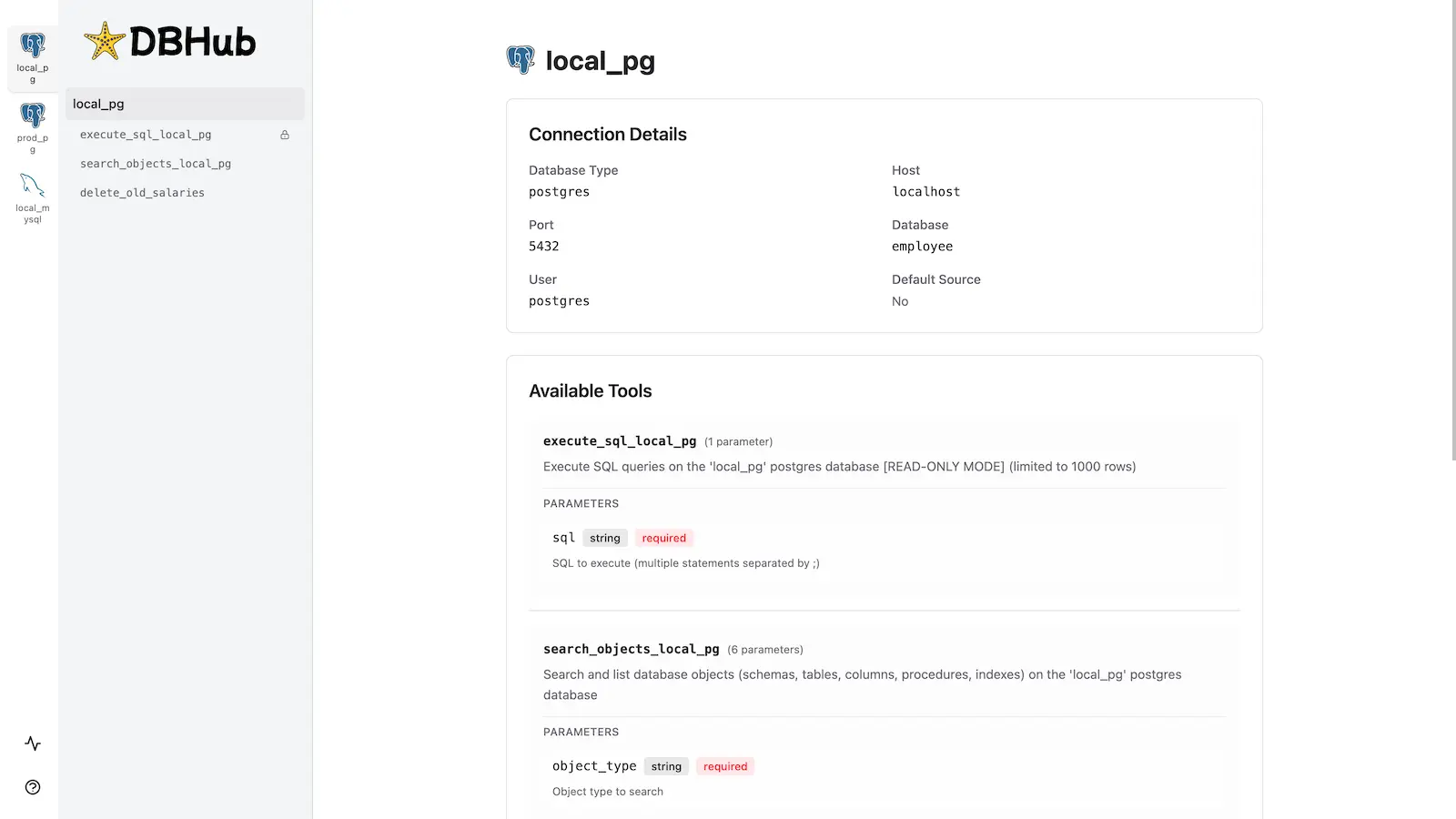
DBHub includes a built-in web interface for interacting with your database tools. It provides a visual way to execute queries, run custom tools, and view request traces without requiring an MCP client.
Installation
See the full Installation Guide for detailed instructions.
Quick Start
Docker:
docker run --rm --init \
   --name dbhub \
   --publish 8080:8080 \
   bytebase/dbhub \
   --transport http \
   --port 8080 \
   --dsn "postgres://user:password@localhost:5432/dbname?sslmode=disable"
NPM:
npx @bytebase/dbhub@latest --transport http --port 8080 --dsn "postgres://user:password@localhost:5432/dbname?sslmode=disable"
Demo Mode:
npx @bytebase/dbhub@latest --transport http --port 8080 --demo
See Command-Line Options for all available parameters.
Multi-Database Setup
Connect to multiple databases simultaneously using TOML configuration files. Perfect for managing production, staging, and development databases from a single DBHub instance.
See Multi-Database Configuration for complete setup instructions.
Development
# Install dependencies
pnpm install

# Run in development mode
pnpm dev

# Build and run for production
pnpm build && pnpm start --transport stdio --dsn "postgres://user:password@localhost:5432/dbname"
Contributors
Star History
README copy captured when this server was indexed; it may lag the repository. The original is authoritative.