About io.github.Ricky610329/mup
io.github.Ricky610329/mup is an MCP server published by Ricky610329 in the AI category: mCP server that turns HTML MUP panels into interactive UI tools for LLMs.
The repository has 11 stars and 0 forks, with the last commit a month ago. Recent commit activity is the strongest signal that reported issues will get attention.
Install
claude mcp add io-github-ricky610329-mup -- npx -y mup-mcp-servernpx -y mup-mcp-serverThis server has no ConduID identity, so agent calls to it are not receipted. Pin the version you install and review the source before granting it credentials.
Ask AI
Ask AI about io.github.Ricky610329/mup
Powered by Claude · Grounded in docs
Security checks
- ✓README presentThe repository ships documentation.
5 checks have not been run yet.
README
MUP — Model UI Protocol


Bring interactive UI into LLM chat — so anyone can experience agentic AI, not just developers.
Current version: 0.2.8 | Protocol: mup/2026-03-17
Demos
Slides — AI builds a presentation live
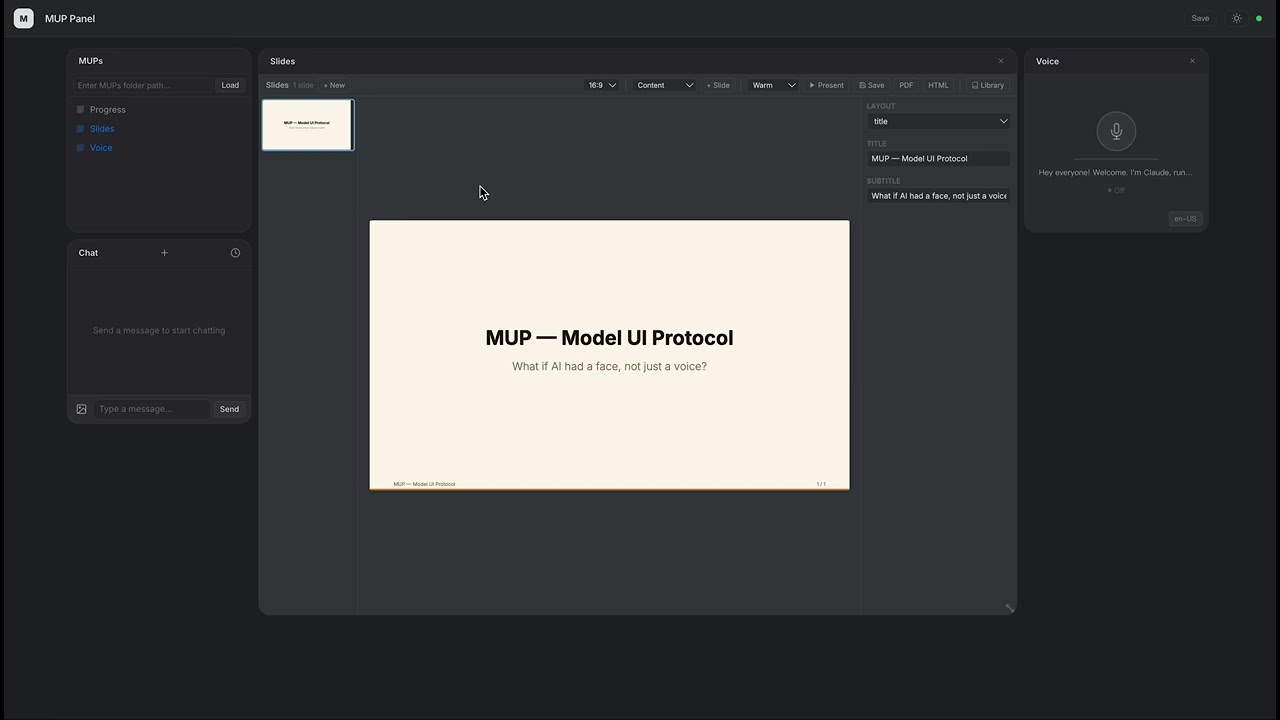
Claude creates a full slide deck with charts, tables, and themes — all through function calls.
PDF to Presentation — AI reads a paper and presents it
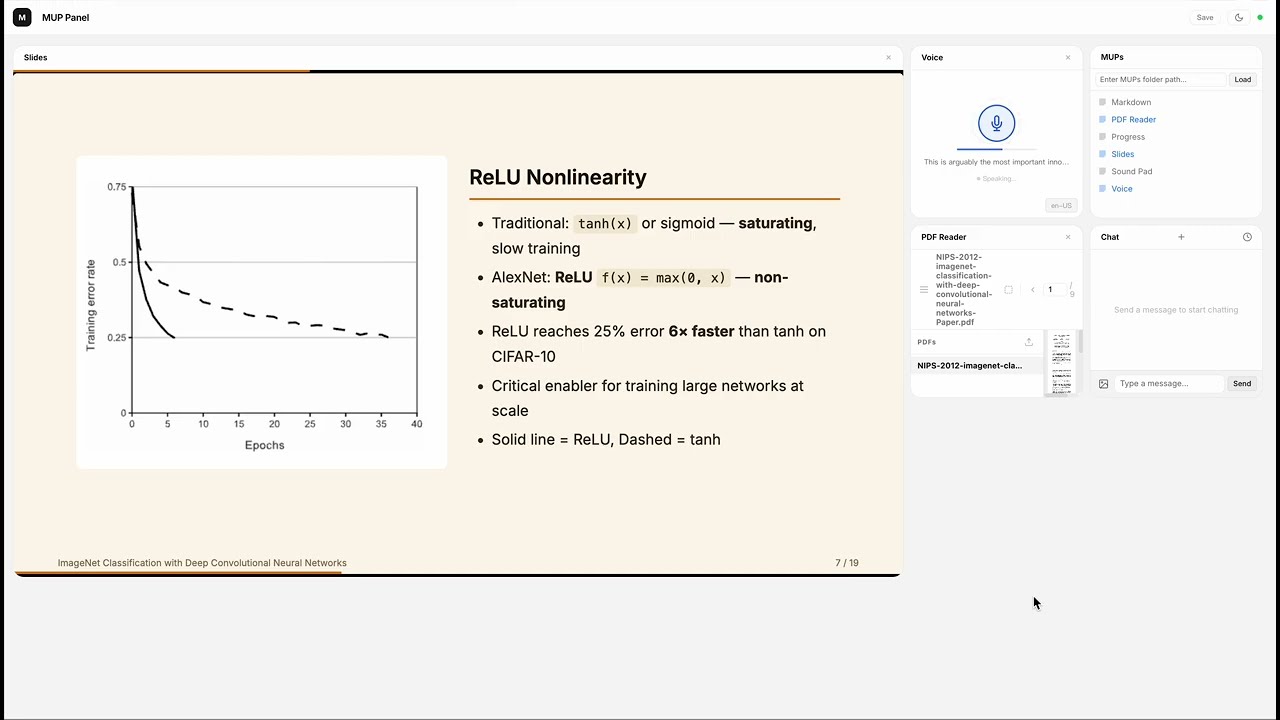
Claude reads the AlexNet paper from a PDF, takes Markdown notes, captures figures with human-AI collaboration, builds a 19-slide presentation with charts and tables, then presents it slide by slide in the new in-panel reading mode — all narrated live.
Sound Pad — AI composes a track from scratch
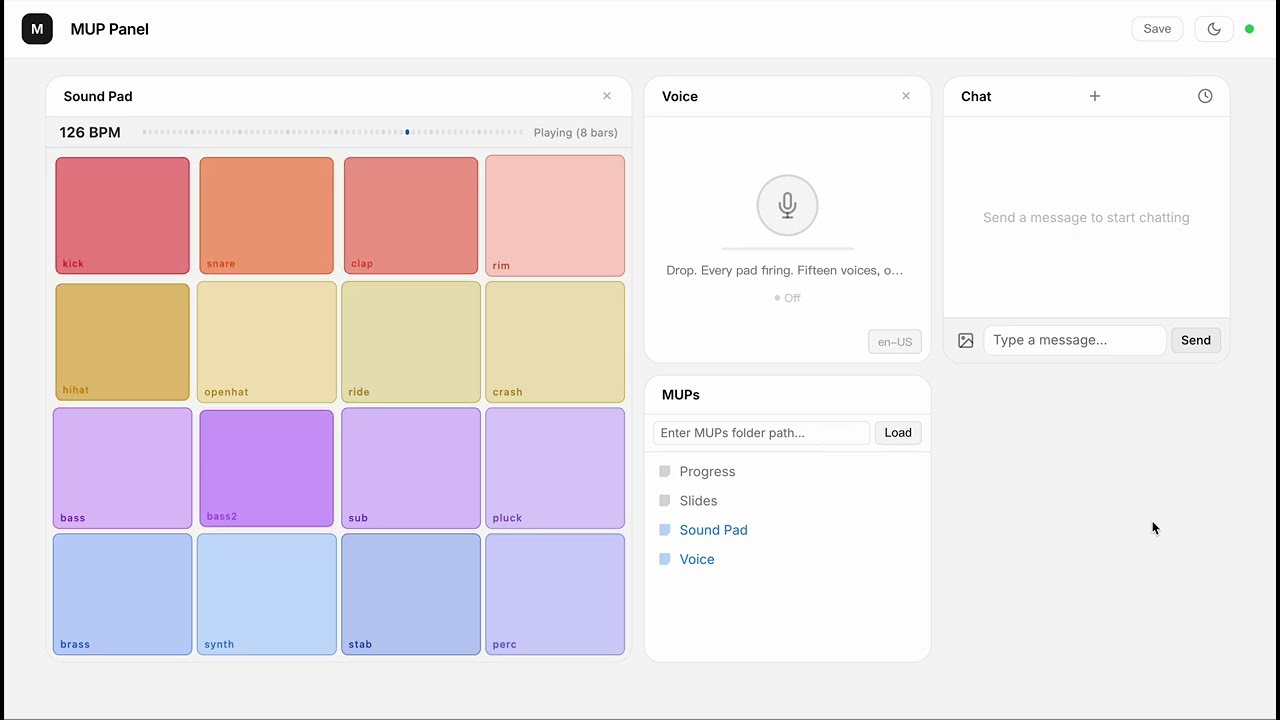
16 browser-synthesized instruments, zero samples. Claude composes an electro swing track layer by layer, with event-driven narration synced to each section transition.
What is MUP?
A MUP is an interactive UI component that lives inside an LLM chat interface.
It bundles a visual interface with callable functions. The user operates it by clicking buttons; the LLM operates it through function calls. Both sides see each other's actions in real time.
The simplest MUP is a single .html file — no build step, no framework, no SDK.
Why?
Agentic AI is powerful, but today it's trapped behind text commands and developer tools. Most people never get to experience it.
MUP changes this. It puts clickable, visual UI right inside the chat — so anyone can use agentic capabilities without writing a single prompt.
| Traditional Chat | With MUP | |
|---|---|---|
| User interaction | Type text commands | Click buttons, drag sliders, see live visuals |
| Tool results | Hidden from user, only the LLM sees them | Visible and interactive for both sides |
| Who can use it | Power users who know the right prompts | Anyone |
Key Ideas
- Shared functions. A function can be called by the LLM (as a tool) or triggered by the user (via UI). Both sides operate on the same state through the same code.
- LLM as orchestrator. MUPs don't talk to each other. The LLM reads outputs and decides what to do next.
- Just HTML. Write a manifest, register your functions, done. Ship a single file.
Available MUPs
- Chat — Built-in, always available
- Slides — Presentation editor with charts, tables, themes, reading mode, and export (demo)
- PDF Reader — PDF viewer with page text extraction and region selection/capture
- Markdown — Markdown workspace with annotations and document management
- Sound Pad — 16-pad synthesizer with sequencer, per-track volume, and event system (demo)
- Voice — Speech synthesis and recognition (Jarvis mode)
- Progress — Task progress tracking
- More examples in
archive/examples/(pixel art, games, productivity, etc.)
Docs
- Spec — Protocol definition: manifest, functions, lifecycle, error handling
- Design Philosophy — Why MUP is designed this way, and what we intentionally left out
- Examples — Example MUPs with walkthroughs
Install
npm (recommended)
npm install -g mup-mcp-server
Or run directly:
npx mup-mcp-server --mups-dir ./my-mups
Also available on the MCP Server Registry.
From source
git clone https://github.com/Ricky610329/mup.git
cd mup/mup-mcp-server
npm install && npm run build
Getting Started
With Claude Code (recommended)
claude mcp add --transport stdio --scope user mup -- npx mup-mcp-server
Restart Claude Code. A browser window opens at http://localhost:3200. Use the MUPs panel to load a folder of MUP .html files, or start with the built-in Chat widget.
Real-time channel mode
MUPs can push interactions directly into Claude's conversation via channel notifications. To enable:
claude --dangerously-load-development-channels server:mup
This lets MUPs deliver user actions to Claude in real time. Without this flag, all MUP features still work — interactions are just delivered via polling instead of push.
Known issue (March 2026): Claude Code v2.1.80+ has a bug where
notifications/claude/channelevents are silently dropped and never reach the conversation. This affects all MCP channel implementations. MUP still works via polling (checkInteractions), but real-time push is broken. See anthropics/claude-code#36431 for tracking.
With Claude Desktop
Add to your claude_desktop_config.json:
{
  "mcpServers": {
    "mup": {
      "command": "npx",
      "args": ["mup-mcp-server"]
    }
  }
}
Quick Example
<script type="application/mup-manifest">
{
  "name": "Counter",
  "description": "A counter. User clicks +/-, LLM can set or read the value.",
  "functions": [
    {
      "name": "setCount",
      "description": "Set the counter to a specific value",
      "inputSchema": {
        "type": "object",
        "properties": { "value": { "type": "number" } },
        "required": ["value"]
      }
    },
    {
      "name": "getCount",
      "description": "Get the current counter value",
      "inputSchema": { "type": "object", "properties": {} }
    }
  ]
}
</script>
Drop this into a MUP-compatible host, and it works.
Architecture
┌──────────────────────────────────────────┐
│             MUP (.html file)             │
│        manifest + UI + functions         │
└──────────────────┬───────────────────────┘
                   │ loaded by
                   ▼
            ┌──────────────┐
            │  MCP Server  │
            │ (Claude Code │
            │  / Desktop)  │
            └──────┬───────┘
                   │ WebSocket
                   ▼
      ┌─────────────────────────────┐
      │        Browser Panel        │
      │  (MUP grid + Chat widget   │
      │   + workspace manager)     │
      └─────────────────────────────┘
Star History
License
README copy captured when this server was indexed; it may lag the repository. The original is authoritative.