About McpVal
McpVal is an MCP server in the Security category: validate MCP servers for compliance, security, and AI safety. Checks protocol correctness, tests security posture, grades LLM-friendliness, and assigns trust levels (L1-L5).
Install
git clone https://github.com/navalerakesh/mcp-validation-securityThis server has no ConduID identity, so agent calls to it are not receipted. Pin the version you install and review the source before granting it credentials.
Ask AI
Ask AI about McpVal
Powered by Claude · Grounded in docs
Security checks
- ✓README presentThe repository ships documentation.
5 checks have not been run yet.
README
MCP Validator (mcpval)




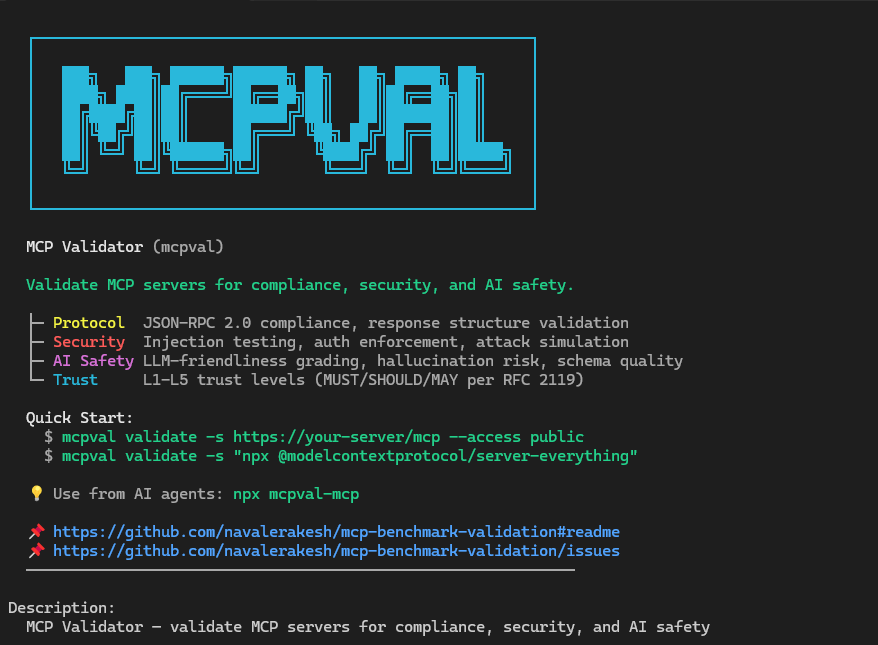
Validate that an MCP server is safe and usable for AI agents. MCP Validator checks protocol compliance, security posture, AI safety, and operational readiness, then produces a trust assessment plus shareable artifacts for engineering and governance workflows.
Install
Install from NuGet:
dotnet tool install --global McpVal
mcpval --help
Or download a self-contained executable from Releases if you do not want a local .NET runtime.
For container-based environments:
docker run --rm ghcr.io/navalerakesh/mcp-validation-security:latest --help
Each GitHub release includes SHA-256 checksums plus an SPDX SBOM for the standalone binaries. NuGet, npm, and GHCR publishes include provenance and SBOM metadata.
Run Your First Validation
Validate a remote MCP endpoint:
mcpval validate \
  --server https://example.test/mcp \
  --access public \
  --output ./mcp-reports
Validate an authenticated server and interpret the result for all documented client profiles:
mcpval validate \
  --server https://example.test/mcp \
  --access authenticated \
  --token "$MCP_TOKEN" \
  --output ./mcp-reports
Validate a local STDIO server:
mcpval validate \
  --server "npx -y @modelcontextprotocol/server-everything" \
  --access public \
  --output ./mcp-reports
validate and health-check support STDIO targets today. discover is currently HTTP-first and returns a clear not-supported error when pointed at a STDIO command.
CLI Surface
validate
Runs the full suite across protocol, tools, prompts, resources, security, and performance.
| Option | Description |
|---|---|
-s, --server <url-or-command> |
MCP endpoint or STDIO command. Required unless supplied through config. |
-o, --output <folder> |
Writes Markdown, HTML, JSON, and SARIF artifacts for the run. |
--mcpspec <profile> |
Selects the embedded protocol profile, such as latest or 2025-11-25. |
| --access <public|authenticated|enterprise> | Declares the intended exposure model so auth expectations are evaluated correctly. |
| --policy <advisory|balanced|strict> | Applies host-side gating without mutating raw findings. |
--client-profile <id> |
Narrows host-specific compatibility interpretation to profiles such as claude-code, vscode-copilot-agent, github-copilot-cli, github-copilot-cloud-agent, visual-studio-copilot, or all. When omitted, validate evaluates every documented host profile by default. |
-t, --token <value> |
Supplies a bearer token for secured endpoints. |
-i, --interactive |
Starts an interactive authentication flow when a strategy supports it. |
--max-concurrency <n> |
Caps concurrent activity to avoid rate limits or server overload. Remote functional probes may still self-calibrate below this cap so transient throttling does not become a false protocol or tool failure. |
-c, --config <file> |
Loads a JSON McpValidatorConfiguration for advanced scenarios. |
| --report-detail <full|minimal> | Controls human report depth. full is the default and includes all sections with compact summaries; minimal keeps the executive view. |
-v, --verbose |
Increases console and diagnostic logging detail. |
Client profile evaluation is a host-side interpretation layer. It consumes the neutral validation evidence from the run without changing the underlying findings. validate includes that interpretation by default; use --client-profile only when you want a smaller subset of host profiles.
The standard artifact set is:
mcp-validation-<timestamp>-report.md- full Markdown report with compact action hintsmcp-validation-<timestamp>-report.html- full HTML report for sharingmcp-validation-<timestamp>-result.json- canonical machine-readable validation objectmcp-validation-<timestamp>-results.sarif.json- SARIF findings feed for CI and code scanning
When client profile evaluation is enabled, validate also writes mcp-validation-<timestamp>-profile-summary.json with per-profile compatible, warning, and incompatible counts.
Other Commands
mcpval health-check- fast connectivity and initialization probe with auth hintsmcpval discover- capability snapshot for remote endpoints in JSON, YAML, or table formmcpval report- offline rendering from a saved result intohtml,xml,sarif, orjunitmcpval --list-spec-profiles- list embedded protocol profiles supported by the current build
Example offline rendering:
mcpval report \
  --input ./mcp-reports/mcp-validation-20260421-031745-result.json \
  --format junit \
  --output ./mcp-reports/mcp-validation-20260421-031745.junit.xml
Use --report-detail minimal on either validate or report when you only want the executive view.
GitHub Actions
When mcpval runs inside GitHub Actions, it writes a step summary and emits workflow annotations automatically. The repository root also includes a reusable composite action.
name: Validate MCP Server

on:
  pull_request:
  workflow_dispatch:

jobs:
  validate-mcp:
    runs-on: ubuntu-latest
    steps:
      - uses: actions/checkout@v4

      - name: Validate MCP server
        uses: navalerakesh/mcp-validation-security@main
        with:
          server: https://example.test/mcp
          access: authenticated
          token: ${{ secrets.MCP_TOKEN }}
          policy: strict
          output-dir: ./mcp-validation-results
The composite action installs the published McpVal tool, runs mcpval validate, writes the standard artifact set, and uploads the output directory by default.
Why Teams Use MCP Validator
- Weighted trust assessment with hard caps for critical blockers such as confirmed security failures or MCP MUST failures
- RFC 2119 compliance tiers that distinguish MUST, SHOULD, and MAY semantics
- AI safety analysis covering schema quality, destructive actions, exfiltration risk, and error quality for self-correcting agents
- Real auth and security testing against the target surface instead of purely static metadata review
- Structured findings with stable rule IDs, remediation guidance, and machine-readable outputs for CI workflows
- Shared evidence model that can be interpreted against documented client profiles without forking validator logic
MCP Trust Levels
Every validation run scores four dimensions: Protocol Compliance, Security Posture, AI Safety, and Operational Readiness.
Trust level is determined by a weighted multi-dimensional score and then capped by confirmed blockers such as critical security failures or MCP MUST failures.
| Level | Label | Meaning |
|---|---|---|
L5 |
Certified Secure | Weighted trust score is at least 90 with no blocking caps |
L4 |
Trusted | Weighted trust score is at least 75 with no blocking caps |
L3 |
Acceptable | Weighted trust score is at least 50 after applying caps |
L2 |
Caution | Weighted trust score is at least 25 or the result is capped by protocol or security blockers |
L1 |
Untrusted | Critical blockers are present or the score falls below the L2 threshold |
Architecture
MCP Validator follows a clean boundary model:
Mcp.Benchmark.Coreholds neutral domain models and abstraction contracts.Mcp.Benchmark.ClientProfilesmaps neutral evidence onto documented host expectations.Mcp.Benchmark.Infrastructureowns transport, auth, validators, scoring, and reporting.Mcp.Benchmark.CLIis the composition root and command host.Mcp.Compliance.Specvendors protocol schemas and version metadata.
See docs/Design/Architecture.md for the high-level system view and docs/Design/TechnicalArchitecture.md for the internal lifecycle and extension points.
Build From Source
git clone https://github.com/navalerakesh/mcp-validation-security.git
cd mcp-validation-security
dotnet build
dotnet run --project Mcp.Benchmark.CLI -- --help
Documentation
- docs/README.md - documentation index
- QUICKSTART.md - fast path to the first successful run
- docs/FeatureMatrix.md - current command surface and support boundaries
- docs/Troubleshooting.md - operational troubleshooting guide
- docs/Design/Architecture.md - high-level architecture and runtime flow
- docs/Design/ComponentDesign.md - component responsibilities and interactions
- docs/Design/ForwardArchitecturePlan.md - target-state boundary roadmap
- docs/Design/Schemas.md - schema registry and version-management model
- docs/Resources/GitHub-MCP-Remote-Run.md - representative remote validation run
- CHANGELOG.md - release-facing history
Contributing
- Follow the workflow in CONTRIBUTING.md.
- Run
dotnet testbefore opening a pull request. - Update the relevant user-facing documentation whenever product behavior changes.
License
Distributed under the MIT License.
README copy captured when this server was indexed; it may lag the repository. The original is authoritative.