About mongo-server
mongo-server is an MCP server published by git+kiliczsh in the Data category: a Model Context Protocol server for MongoDB connections.
Install
Install
npx mcp-mongo-serverClaude Code
claude mcp add mongo-server-gitkilic -- npx -y mcp-mongo-servernpx
npx -y mcp-mongo-serverThis server has no ConduID identity, so agent calls to it are not receipted. Pin the version you install and review the source before granting it credentials.
Ask AI
✦
Ask AI about mongo-server
Powered by Claude · Grounded in docs
I know everything about mongo-server. Ask me about installation, configuration, usage, or troubleshooting.
Security checks
- ✓README presentThe repository ships documentation.
- !Scoped permissionsDoesn't declare a permission scope. Assume it can do anything its process can.
4 checks have not been run yet.
README
MCP MongoDB Server




A Model Context Protocol server that enables LLMs to interact with MongoDB databases. This server provides capabilities for inspecting collection schemas and executing MongoDB operations through a standardized interface.
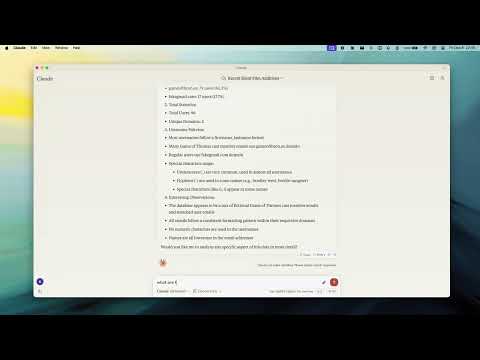
Demo
Key Features
- Smart ObjectId Handling - Configurable auto/none/force modes for string-to-ObjectId conversion
- Read-Only Mode - Protection against write operations, uses secondary read preference
- Schema Inference - Automatic collection schema detection from document samples
- Query & Aggregation - Full MongoDB query and aggregation pipeline support with optional explain plans
- Write Operations - Insert, update, and index creation (when not in read-only mode)
- Collection Completions - Auto-complete collection names for LLM integration
Installation
npx -y mcp-mongo-server mongodb://localhost:27017/database
Usage
# Start server with MongoDB URI
npx -y mcp-mongo-server mongodb://muhammed:kilic@localhost:27017/database

# Connect in read-only mode
npx -y mcp-mongo-server mongodb://muhammed:kilic@localhost:27017/database --read-only
Environment Variables
| Variable | Description |
|---|---|
MCP_MONGODB_URI |
MongoDB connection URI |
MCP_MONGODB_READONLY |
Enable read-only mode ("true") |
Documentation
- Integration Guide - Claude Desktop, Windsurf, Cursor, Docker
- Available Tools - Query, aggregate, update, insert, and more
- Development - Setup, scripts, and debugging
- Contributing
License
MIT - see LICENSE for details.
README copy captured when this server was indexed; it may lag the repository. The original is authoritative.