About MQTT Explorer
MQTT Explorer is an MCP server in the IoT category: an all-round MQTT client that provides a structured topic overview.
Install
git clone https://github.com/thomasnordquist/MQTT-ExplorerThis server has no ConduID identity, so agent calls to it are not receipted. Pin the version you install and review the source before granting it credentials.
Ask AI
Ask AI about MQTT Explorer
Powered by Claude · Grounded in docs
Security checks
- ✓README presentThe repository ships documentation.
5 checks have not been run yet.
README
MQTT Explorer



 |
 |
 |
The App has moved to mqtt-explorer.com
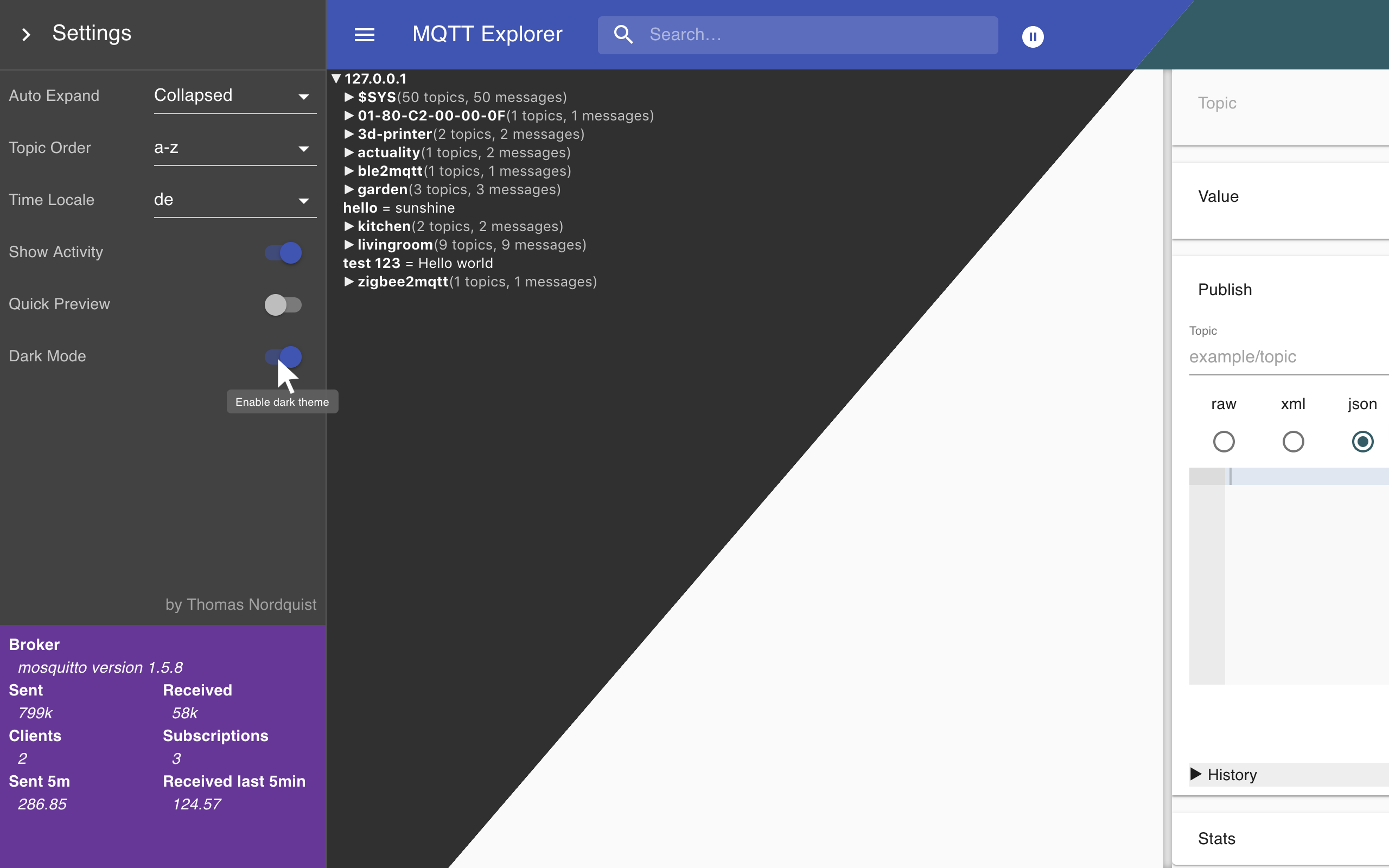
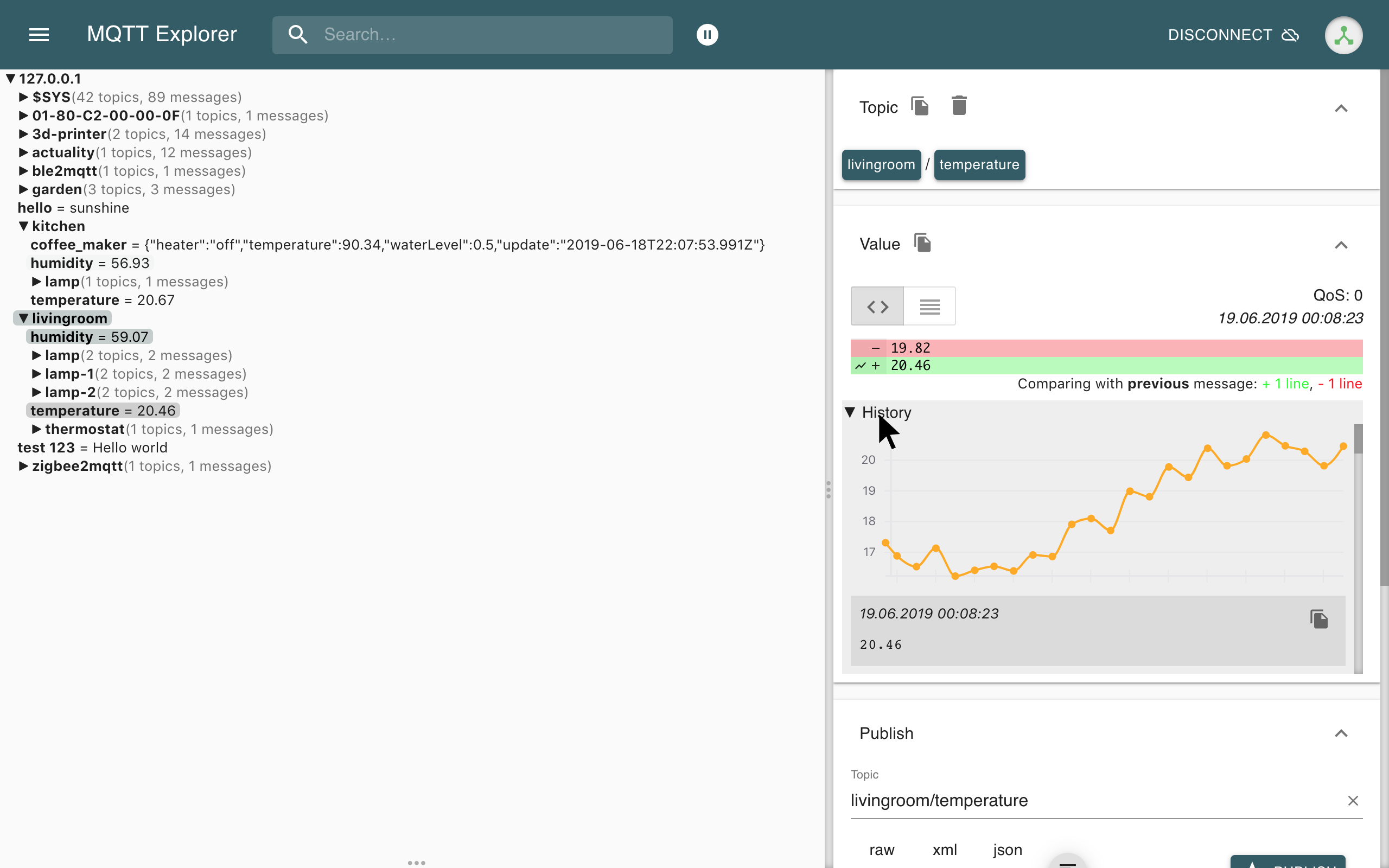
MQTT Explorer is a comprehensive and easy-to-use MQTT Client.
Downloads can be found at the link above.
This page is dedicated to its development. Pull-Requests and error reports are welcome.
Quick Start with GitHub Codespaces
The fastest way to start developing is with GitHub Codespaces:
- Click the green "Code" button above
- Select "Codespaces" tab
- Click "Create codespace on [branch]"
- Wait for the environment to set up (includes Node.js and MQTT broker)
- Run
yarn dev:serverto start development
The devcontainer includes a pre-configured MQTT broker and all development tools. See .devcontainer/README.md for details.
Run from sources
Desktop Application (Electron)
npm install -g yarn
yarn
yarn build
yarn start
Browser Mode (Web Application)
MQTT Explorer can also run as a web application served by a Node.js server:
npm install -g yarn
yarn
yarn build:server
yarn start:server
Then open your browser to http://localhost:3000. For more details, see BROWSER_MODE.md.
Docker (Browser Mode)

Run MQTT Explorer in a Docker container:
docker run -d \
  -p 3000:3000 \
  -e MQTT_EXPLORER_USERNAME=admin \
  -e MQTT_EXPLORER_PASSWORD=your_secure_password \
  -v mqtt-explorer-data:/app/data \
  ghcr.io/thomasnordquist/mqtt-explorer:latest
Supports multiple platforms: amd64, arm64 (Raspberry Pi 3/4/5), arm/v7 (Raspberry Pi 2/3).
Enterprise integration: Set MQTT_EXPLORER_SKIP_AUTH=true to disable built-in authentication when deploying behind a secure authentication proxy (e.g., OAuth2 Proxy, SSO).
For complete Docker documentation including authentication options, deployment examples, and security best practices, see DOCKER.md.
Develop
Desktop Application
Launch Application
npm install -g yarn
yarn
yarn dev
Browser Mode
Launch in development mode with hot reload:
npm install -g yarn
yarn
yarn dev:server
The app directory contains all the rendering logic, the backend directory currently contains the models, tests, connection management, src contains all the electron bindings. mqttjs is used to facilitate communication to MQTT brokers.
For information on styling conventions and visual design patterns, see STYLING.md.
Automated Tests
MQTT Explorer uses multiple test suites to ensure reliability and quality:
Unit Tests
App tests - Frontend component and logic tests:
yarn test:app
Backend tests - Data model and business logic tests:
yarn test:backend
Run all unit tests:
yarn test
LLM Testing
The AI Assistant feature includes comprehensive tests to validate proposal quality and LLM integration.
Offline tests (default - no API key needed):
yarn test:app
Live LLM integration tests (requires API key):
# Set your API key
export OPENAI_API_KEY=sk-your-key-here
# Or use Gemini
export GEMINI_API_KEY=your-key-here

# Opt-in to live tests
export RUN_LLM_TESTS=true

# Run tests
yarn test:app
For detailed LLM testing documentation, see app/src/services/spec/README.md.
Integration & UI Tests
UI test suite - Independent, deterministic browser tests:
yarn build
yarn test:ui
Demo video generation - UI test recording for documentation:
yarn build
yarn test:demo-video
Note: Requires Xvfb, mosquitto broker, tmux, and ffmpeg. For full video recording setup, use ./scripts/uiTests.sh.
MCP introspection tests - Model Context Protocol validation:
yarn build
yarn test:mcp
Run all tests (unit tests + demo video):
yarn build
yarn test:all
Run UI Test Suite
The UI test suite validates core functionality through automated browser tests. Each test is independent and deterministic.
# Run with automated setup (recommended)
./scripts/runUiTests.sh

# Or run directly (requires manual MQTT broker setup)
yarn build
yarn test:ui
See docs/UI-TEST-SUITE.md for more details.
Run Demo Video Generation
The demo video is used for documentation and showcases key features. It requires additional dependencies:
yarn build
yarn test:demo-video
Requirements:
- mosquitto MQTT broker
- Xvfb (virtual framebuffer)
- tmux (terminal multiplexer)
- ffmpeg (video encoding)
For full video recording with post-processing:
yarn build
./scripts/uiTests.sh
This script handles Xvfb setup, mosquitto startup, video recording, and cleanup.
Mobile Demo Video
A mobile-focused demo video showcases MQTT Explorer in a mobile viewport (Pixel 6: 412x915px):
yarn build
yarn test:demo-video:mobile
Or with full recording setup:
yarn build
./scripts/uiTestsMobile.sh
This demonstrates the mobile compatibility features and responsive design improvements. See MOBILE_COMPATIBILITY.md for the mobile strategy and implementation details.
Mobile Compatibility
MQTT Explorer supports mobile devices through its browser mode with responsive design enhancements:
- Target Device: Google Pixel 6 (412x915px viewport)
- Touch-Friendly UI: Minimum 44px tap targets for better mobile UX
- Responsive Layout: Sidebar and panels adapt to mobile viewports
- Browser Mode: Access via mobile browser or install as PWA
For the complete mobile compatibility concept, implementation phases, and future roadmap, see MOBILE_COMPATIBILITY.md.
Create a release
Create a PR to release branch.
There needs to be a "feat: some new feature" or "fix: some bugfix" commit for a new release to be created
macOS Notarization
macOS builds are automatically notarized during the release process. To set up notarization credentials, see NOTARIZATION.md.
Create a beta release
Create a PR to beta branch. A "feat" or "fix" commit is necessary to create a new version.
Write docs
git clone --single-branch -b gh-pages https://github.com/thomasnordquist/MQTT-Explorer.git mqtt-explorer-pages
cd mqtt-explorer-pages
bundle install
bundle exec jekyll serve --incremental
Readme file: Readme.tpl.md
Preview is available at http://localhost:4000/Readme.tpl
Update docs
npm install
./updateReadme.ts
The readme will be generated from the docs.
License

Special requirement: When distributing, the attribution and donation page may not be altered or made less accessible without explicit approval.
The license allows for anyone to adapt, share, and redistribute the material, as long as they give appropriate credit and distribute any derivative works under the same license.
README copy captured when this server was indexed; it may lag the repository. The original is authoritative.