About Multi Agent Federal Form Automation System
Multi Agent Federal Form Automation System is an MCP server in the Automation category.
Install
git clone https://github.com/georgevetticaden/multi-agent-federal-form-automation-systemThis server has no ConduID identity, so agent calls to it are not receipted. Pin the version you install and review the source before granting it credentials.
Ask AI
Ask AI about Multi Agent Federal Form Automation System
Powered by Claude · Grounded in docs
Security checks
- ✓README presentThe repository ships documentation.
5 checks have not been run yet.
README
Multi-Agent Federal Form Automation System
Vision-guided discovery + Contract-first execution = Voice-accessible government services
The multi-agent federal form automation system uses FederalScout to visually discover wizard structures and FederalRunner to execute them atomically. Together, these specialized agents transform government calculators—from FSA Student Aid Estimators to Social Security retirement calculators—into voice-accessible tools.
📺 Watch the System in Action
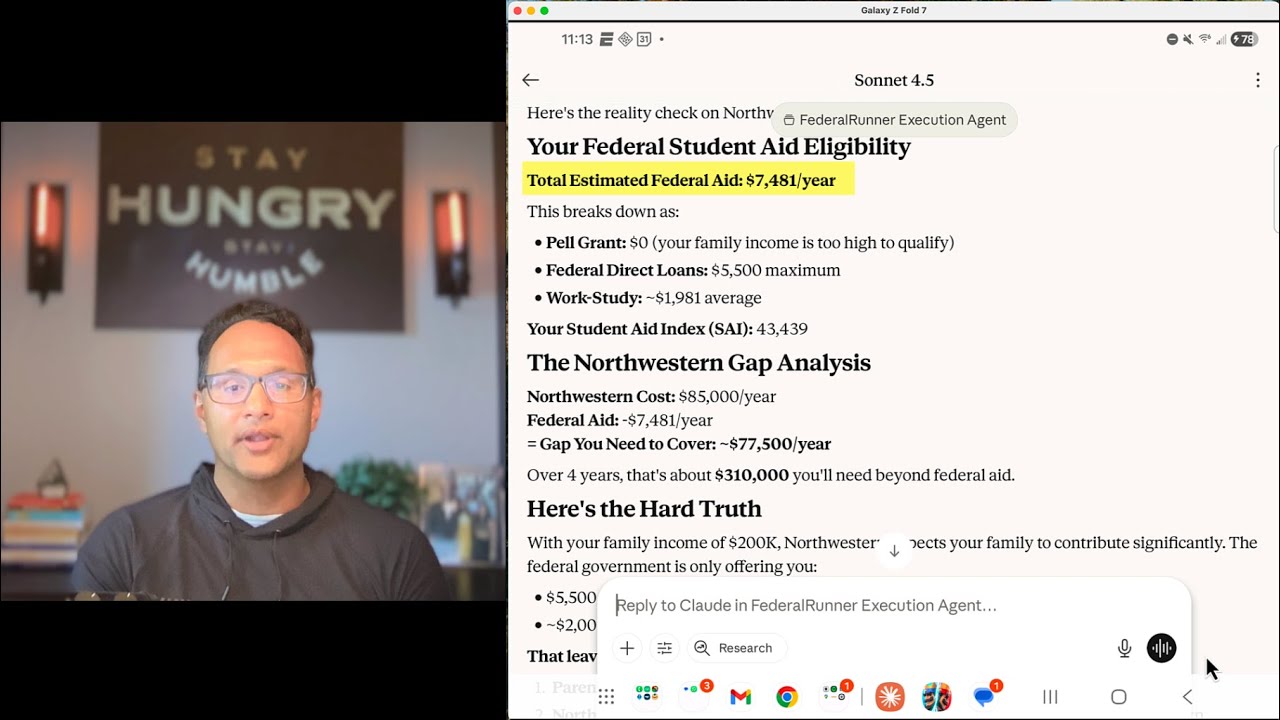
▶️ Watch on YouTube: Complete Technical Walkthrough
See live discovery sessions, the contract-first pattern in action, and voice-to-result demos
🎯 The Problem
Every year, millions of Americans struggle with government form wizards:
- FSA Student Aid Estimator → 6 pages, 47 fields, 15 minutes
- Social Security Calculator → 3 pages, complex eligibility rules
- IRS Tax Withholding → 5 pages, conditional logic
- Federal Loan Simulator → 4 pages, repetitive data entry
What if you could just describe your situation and get results?
💡 The Solution
A multi-agent system that combines AI vision with browser automation to transform government calculators into voice-accessible tools.
System Architecture

Two Specialized Agents
🔍 FederalScout (Discovery Agent)
- Runs locally via Claude Desktop
- Uses Claude Vision to discover form structures
- Generates contract-first artifacts (Wizard Structure + User Data Schema)
- One-time setup per form
🚀 FederalRunner (Execution Agent)
- Deploys to Google Cloud Run
- Reads schemas to collect user data naturally
- Executes forms atomically (8 seconds)
- Production-ready for daily use
🏗️ Contract-First Pattern Innovation
Traditional approach:
Discover form → Hardcode mappings → Maintain code per form
Our approach:
Discovery generates contract → Claude reads schema → Universal execution
The Contract (JSON Schema)
FederalScout discovers forms and generates TWO artifacts:
- Wizard Structure - Playwright execution instructions
- User Data Schema - THE CONTRACT defining required inputs
Result: FederalRunner doesn't need field mappers. Claude reads the schema and collects data naturally!
{
  "$schema": "http://json-schema.org/draft-07/schema#",
  "$id": "https://formflow.io/schemas/fsa-student-aid-estimator.json",
  "title": "FSA Student Aid Estimator - User Data Schema",
  "type": "object",
  "required": ["birth_month", "birth_day", "birth_year", "marital_status"],
  "properties": {
    "birth_month": {
      "type": "string",
      "pattern": "^(0[1-9]|1[0-2])$",
      "description": "Student's birth month (01-12)"
    }
  }
}
Claude reads this schema → Asks user for birth_month → Validates format → FederalRunner maps to selector → Executes!
No hardcoded field mappers. Universal design. Works with ANY form.
🚀 Key Innovations
1. Vision-Guided Discovery
"When AI can see screenshots, you don't need to hardcode selectors."
Traditional automation:
- Manual DOM inspection
- Brittle CSS selectors
- Breaks on updates
FederalScout approach:
- Claude Vision analyzes screenshots
- Self-correcting interaction loops
- Adapts to form changes
- 99%+ accuracy
2. Contract-First Pattern
"The schema is the contract between discovery and execution."
Discovery generates schema → Claude collects data by reading schema → Execution validates and runs
Benefits:
- No field_mapper.py needed
- Universal tools work with ANY wizard
- Type-safe data collection
- Automatic validation
3. Atomic Execution
"Every execution is reproducible and traceable."
Pattern: Launch → Fill → Extract → Close (8 seconds)
- No session state between executions
- Complete screenshot audit trail
- Cloud Run compatible
- 100% reproducible
4. Conversation Size Optimization
"Strategic tool design prevents token limits."
Critical learnings:
- MCP ImageContent format → 50-70% size reduction
- Batch operations → 83% fewer tool calls
- Incremental saves → Zero data loss
- Screenshot optimization → 115KB → 50KB
Result: Handles 10-15+ page wizards within Claude Desktop limits
🛠️ Tech Stack
Core Technologies
- Python 3.11+ - Backend language
- Playwright - Browser automation
- MCP Protocol - Model Context Protocol for tool integration
- Pydantic - Data validation and schemas
- FastAPI - HTTP server for FederalRunner
- Auth0 + OAuth 2.1 - Cloud authentication
Deployment
- FederalScout: Local MCP (stdio) → Claude Desktop
- FederalRunner: Remote MCP (HTTP) → Google Cloud Run
- Storage: JSON files (git-tracked, version-controlled)
📦 Quick Start
Prerequisites
- Python 3.11+
- Claude Desktop (for discovery)
- Google Cloud account (for execution deployment)
1. Install FederalScout (Discovery Agent)
# Clone repository
git clone https://github.com/georgevetticaden/multi-agent-federal-form-automation-system.git
cd multi-agent-federal-form-automation-system

# Install FederalScout
cd mcp-servers/federalscout-mcp
python3.11 -m venv venv
source venv/bin/activate
pip install -r requirements.txt

# Install Playwright browsers
# WebKit: Default, works in headless mode with government sites
# Chromium: Required for demo mode (connecting to existing browser)
playwright install webkit chromium

# Optional: Install Firefox for additional browser testing
# playwright install firefox
2. Configure Claude Desktop
Edit: ~/Library/Application Support/Claude/claude_desktop_config.json
{
  "mcpServers": {
    "federalscout": {
      "command": "/path/to/multi-agent-federal-form-automation-system/mcp-servers/federalscout-mcp/venv/bin/python",
      "args": ["/path/to/multi-agent-federal-form-automation-system/mcp-servers/federalscout-mcp/src/server.py"],
      "env": {
        "FEDERALSCOUT_HEADLESS": "false",
        "FEDERALSCOUT_BROWSER_TYPE": "webkit",
        "FEDERALSCOUT_WIZARDS_DIR": "/path/to/multi-agent-federal-form-automation-system/wizards"
      }
    }
  }
}
3. Discover Your First Form
- Restart Claude Desktop
- Start conversation:
"Discover the FSA Student Aid Estimator at https://studentaid.gov/aid-estimator/" - Claude uses FederalScout to map the wizard
- Both artifacts saved to
wizards/directory
4. Deploy FederalRunner (Execution Agent)
cd mcp-servers/federalrunner-mcp

# Configure Auth0 (see docs/execution/AUTH0_SETUP.md)
cp .env.example .env
# Edit .env with Auth0 credentials

# Deploy to Cloud Run
./scripts/deploy-to-cloud-run.sh
Detailed guides:
📁 Project Structure
multi-agent-federal-form-automation-system/
├── mcp-servers/
│   ├── federalscout-mcp/          # Discovery agent (local MCP)
│   │   ├── src/
│   │   │   ├── server.py          # MCP stdio server
│   │   │   ├── discovery_tools.py # 7 discovery tools
│   │   │   ├── playwright_client.py
│   │   │   └── models.py          # Pydantic models
│   │   └── tests/
│   │
│   └── federalrunner-mcp/         # Execution agent (HTTP MCP)
│       ├── src/
│       │   ├── server.py          # FastAPI HTTP server
│       │   ├── auth.py            # OAuth 2.1
│       │   ├── execution_tools.py # 3 execution tools
│       │   └── schema_validator.py
│       └── Dockerfile             # Cloud Run container
│
├── wizards/                       # Discovered wizard data (SHARED)
│   ├── wizard-data/               # Wizard structures (Playwright)
│   │   └── fsa-student-aid-estimator.json
│   └── wizard-schemas/            # User data schemas (THE CONTRACT)
│       └── fsa-student-aid-estimator-schema.json
│
├── schemas/                       # Universal validation schemas
│   └── wizard-structure-v1.schema.json
│
├── agents/                        # Agent instruction prompts
│   ├── federalscout-instructions.md
│   └── federalrunner-instructions.md
│
├── docs/                          # Documentation
│   ├── images/
│   │   └── federal-form-architecture.png
│   ├── discovery/
│   │   ├── CLAUDE_DESKTOP_SETUP.md
│   │   └── OPTIMIZATIONS.md
│   └── execution/
│       ├── DEPLOYMENT_GUIDE.md
│       └── AUTH0_SETUP.md
│
├── requirements/                  # Technical specifications
│   ├── shared/
│   │   ├── CONTRACT_FIRST_FORM_AUTOMATION.md
│   │   └── WIZARD_STRUCTURE_SCHEMA.md
│   ├── discovery/
│   │   └── DISCOVERY_REQUIREMENTS.md
│   └── execution/
│       └── EXECUTION_REQUIREMENTS.md
│
├── CLAUDE.md                      # Implementation guide for AI
└── README.md                      # This file
🧪 Testing
FederalScout Discovery Tests
cd mcp-servers/federalscout-mcp
source venv/bin/activate

# Run all tests
pytest tests/ -v

# Visual debugging (browser visible)
FEDERALSCOUT_HEADLESS=false pytest tests/ -v
FederalRunner Execution Tests
cd mcp-servers/federalrunner-mcp

# Start local server
python src/server.py

# In another terminal
pytest tests/remote/ -v
🌍 Real-World Applications
Government Forms Supported
Federal:
- ✅ FSA Student Aid Estimator (7 pages, 17 fields) - Fully discovered & executable
- ✅ Federal Student Loan Simulator (6 pages, repeatable fields) - Fully discovered & executable
- 🔄 Social Security Quick Calculator (3 pages) - Planned
- 🔄 IRS Tax Withholding Estimator (5 pages) - Planned
Potential Extensions:
- Medicare Eligibility Calculator
- SNAP Benefits Estimator
- Housing Assistance Applications
- Small Business Loan Calculators
- Veteran Benefits Estimators
Beyond Government
This pattern works for any multi-page web form lacking APIs:
Healthcare: Insurance quotes, prior authorization, patient assistance Finance: Loan applications, refinancing, credit cards Education: Scholarship applications, financial aid calculators
Anywhere humans click through wizards, AI can automate.
📚 Documentation
Discovery Phase
- FederalScout README - Detailed tool documentation
- Claude Desktop Setup - Configuration guide
- Optimizations - Conversation size management
- Agent Instructions - Discovery workflow
Execution Phase
- FederalRunner README - Execution tools
- Deployment Guide - Cloud Run deployment
- Test Instructions - Testing guide
- Auth0 Implementation - OAuth configuration
- Auth0 Concepts - OAuth 2.1 concepts
Technical Specifications
- Contract-First Pattern - Core pattern
- Wizard Structure Schema - JSON format
- MCP Tool Specifications - Tool contracts
- Discovery Requirements - FederalScout specs
- FastAPI Server Requirements - Server implementation
- Auth0 Requirements - OAuth configuration
- Deployment Requirements - Cloud Run deployment
Implementation Guide
- CLAUDE.md - Complete implementation roadmap for AI assistants
📄 License
MIT License - See LICENSE for details.
Key points:
- ✅ Free for personal, academic, and commercial use
- ✅ Modify and distribute as needed
- ✅ No warranty provided
- ⚠️ Production use with real PII requires compliance review
README copy captured when this server was indexed; it may lag the repository. The original is authoritative.