About edwinbernadus/nocodb-mcp-server
edwinbernadus/nocodb-mcp-server is an MCP server published by edwinbernadus in the Data category: nocodb mcp server.
The repository has 76 stars and 24 forks, with the last commit 6 months ago. Six months or more without a commit doesn't mean the server is broken, but check the open issues before depending on it in production.
Install
git clone https://github.com/edwinbernadus/nocodb-mcp-serverThis server has no ConduID identity, so agent calls to it are not receipted. Pin the version you install and review the source before granting it credentials.
Ask AI
Ask AI about edwinbernadus/nocodb-mcp-server
Powered by Claude · Grounded in docs
Security checks
Static checks derived from the repository yesterday. Heuristics on the source, not an audit.
- ✓README presentThe repository ships documentation.
- !License declaredNo license file. Legally you have no right to use it in a product.
- !Tests presentNo tests found. Behaviour changes may go unnoticed between versions.
- ✓Dependencies pinnedA lockfile pins dependency versions.
- ✓No dynamic code executionSource scan found no eval, dynamic Function, or shell execution.
- !Scoped permissionsDoesn't declare a permission scope. Assume it can do anything its process can.
README
Nocodb MCP Server
Introduction
The NocoDB MCP Server enables seamless interaction with your NocoDB database using the Model Context Protocol (MCP). This server makes it easy to perform CRUD (Create, Read, Update, Delete) operations on NocoDB tables through natural language commands.
Example Prompt
[Get Records]
get data from nocodb, table: Shinobi

[Create Record]
add new row, with name: sasuke-2
add other row, with name: naruto-2

[Update Record]
update all rows, remove suffix -

[Delete Record]
delete all rows with name naruto

[Add Column]
add column with name: Age

update all rows, set Age to 18

[Delete Column]
delete column with name: Age
Example Prompt - Upload File
[Create table]
from the json files
put on nocodb database
table name is TableShinobi
JSON location file in: example_upload.json
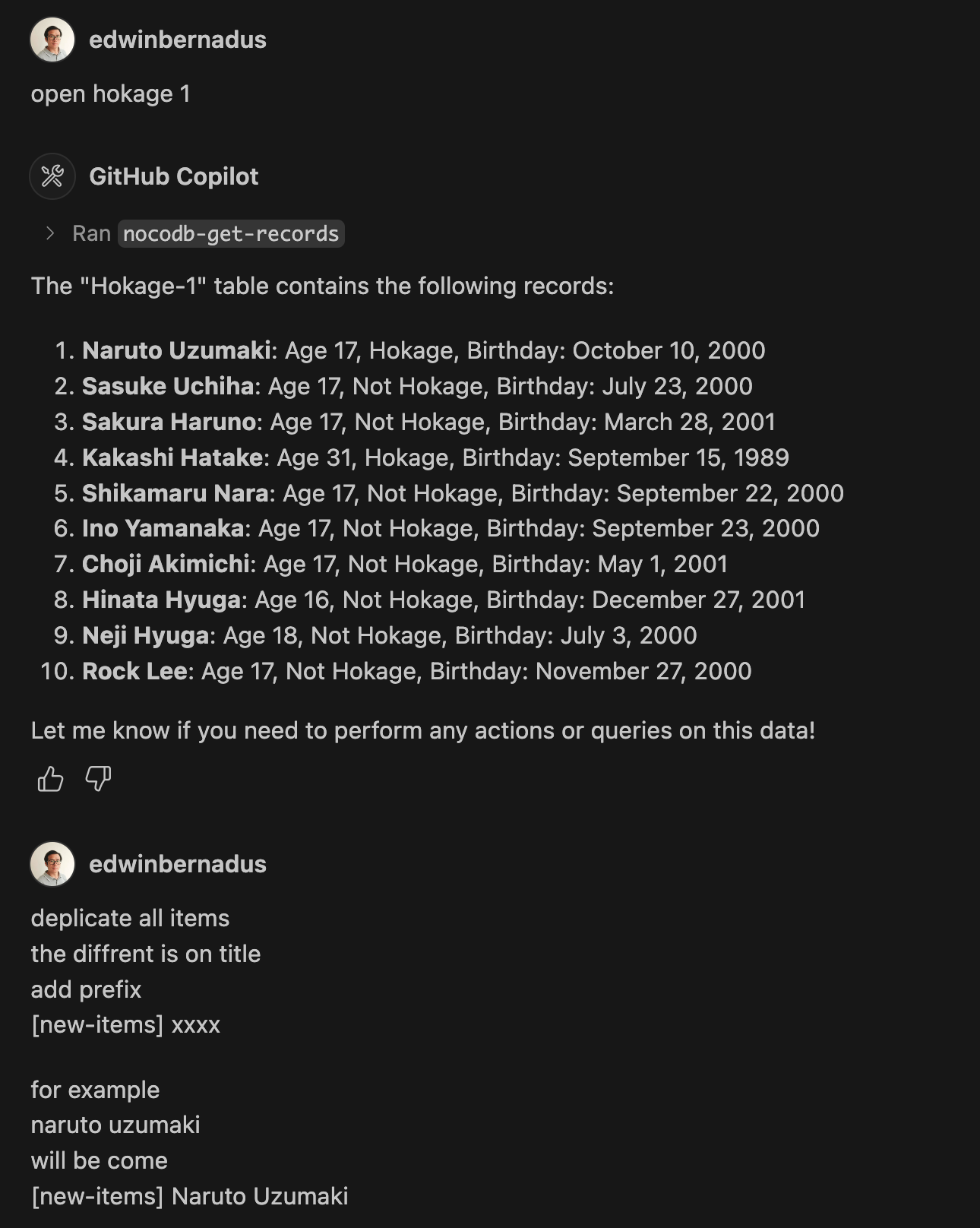
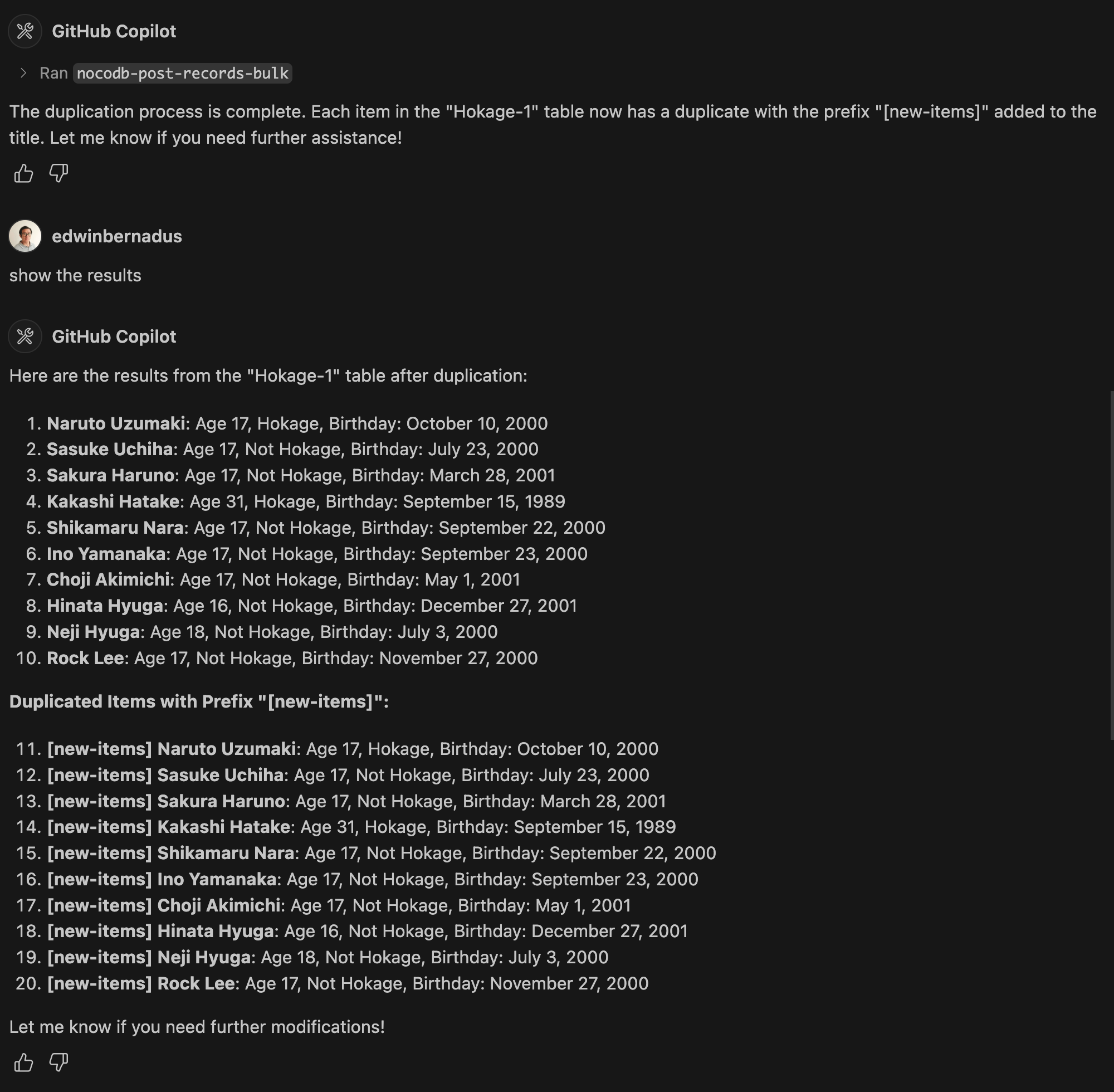
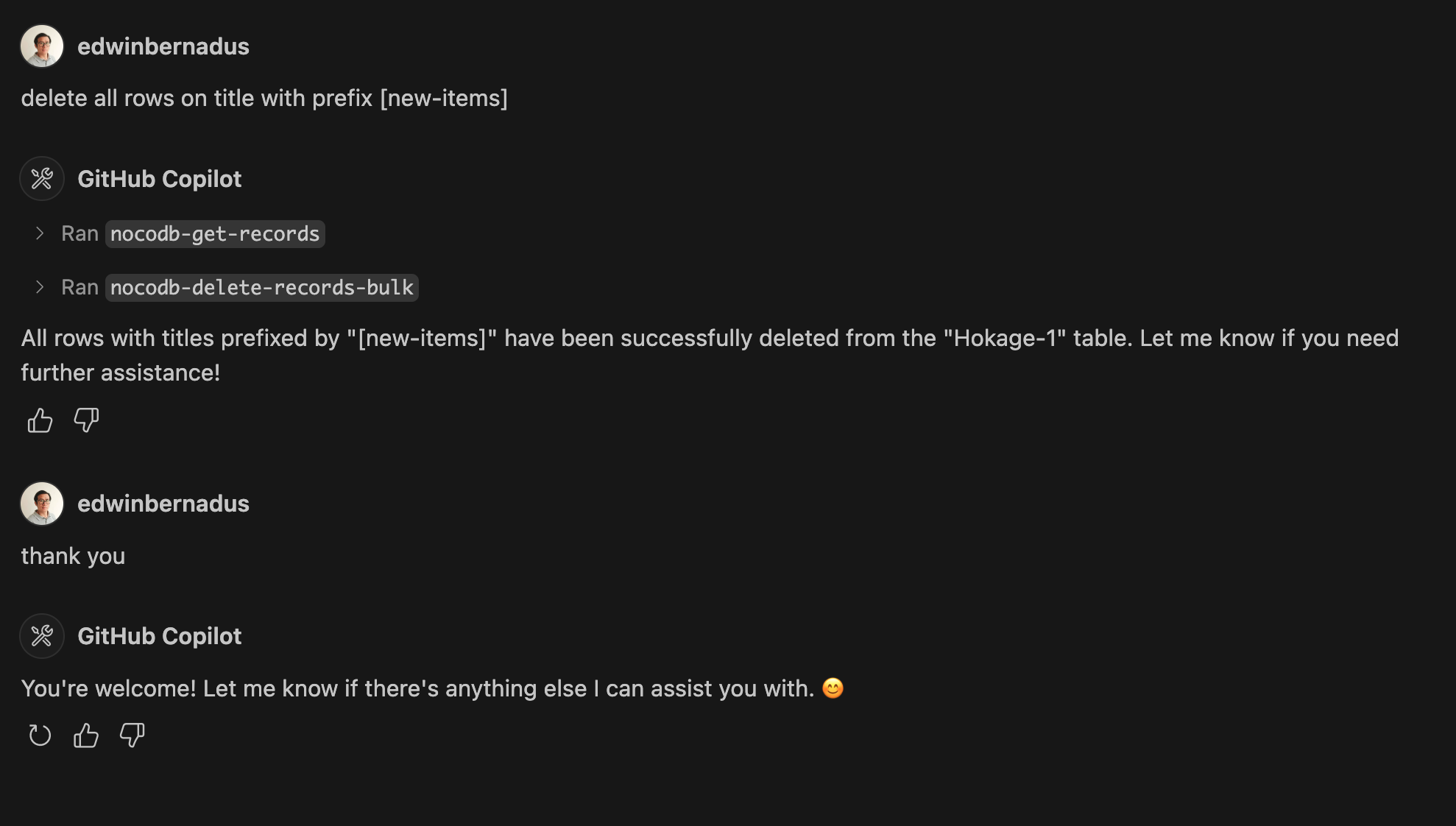
Example Prompt - Bulk Create Records and Bulk Delete Records
About This Fork
This repository is a TypeScript-based fork of NocoDB-MCP-Server. It retains the core functionality while improving maintainability and compatibility with modern TypeScript development practices.
Hosted deployment
A hosted deployment is available on Fronteir AI.
Setup
Ensure that Node.js and TypeScript are installed, then execute:
npm install
npm run build
Configuration
Define the required environment variables in a .env file:
NOCODB_URL=https://your-nocodb-instance.com
NOCODB_API_TOKEN=your_api_token_here
NOCODB_BASE_ID=your_base_id_here
Tip: You can copy the template from env.example and fill in your values.
How to Obtain NOCODB_BASE_ID
To find your NOCODB_BASE_ID, check the URL of your Nocodb instance.
For example:
https://app.nocodb.com/#/wi6evls6/pqmob3ammcknma5/maty9c5xkmf4012
In this URL format:
https://app.nocodb.com/#/{USERNAME}/{NOCODB_BASE_ID}/{TABLE_ID}
Integration with Claude Desktop
Modify claude_desktop_config.json to include:
{
  "mcpServers": {
    "nocodb": {
      "command": "node",
      "args": ["{working_folder}/dist/start.js"],
      "env": {
        "NOCODB_URL": "https://your-nocodb-instance.com",
        "NOCODB_BASE_ID": "your_base_id_here",
        "NOCODB_API_TOKEN": "your_api_token_here"
      }
    }
  }
}
Direct call from CLI
You can directly call the MCP server from the command line:
NOCODB_URL, NOCODB_API_TOKEN, and NOCODB_BASE_ID are required parameters.
NOCODB_URL=https://app.nocodb.com if you are using NocoDB cloud.
npx -y nocodb-mcp-server {NOCODB_URL} {NOCODB_BASE_ID} {NOCODB_API_TOKEN}
Testing CLI
To run the tests, execute:
npx -y @wong2/mcp-cli npx nocodb-mcp-server {NOCODB_URL} {NOCODB_BASE_ID} {NOCODB_API_TOKEN}
API Functions
For detailed information about available API functions, please refer to API_FUNCTION.md.
Project Structure
/project-root
  ├── src/            # TypeScript source files
  ├── dist/           # Compiled JavaScript output
  ├── .env            # Environment variable configurations
  ├── package.json    # Project dependencies and scripts
  ├── tsconfig.json   # TypeScript settings
Contribution Guidelines
Contributions are encouraged! Feel free to open issues or submit pull requests.
License
This project is distributed under MIT.
README fetched from the repository yesterday. The original is authoritative.