About OpenCode Everything You Need To Know
OpenCode Everything You Need To Know is an MCP server in the Documentation category: the ultimate all-in-one guide to mastering OpenCode. From installation, Zen model router setup, TUI mastery, commands, skills, agents, workflows, automation, and integrations, to MCP servers, plugins, packed with step-by-step tutorials, real-world examples, and expert strategies to make this the global go-to repo for OpenCode mastery.
Install
git clone https://github.com/wesammustafa/OpenCode-Everything-You-Need-to-KnowThis server has no ConduID identity, so agent calls to it are not receipted. Pin the version you install and review the source before granting it credentials.
Ask AI
Ask AI about OpenCode Everything You Need To Know
Powered by Claude · Grounded in docs
Security checks
- ✓README presentThe repository ships documentation.
5 checks have not been run yet.
README
OpenCode: The Ultimate AI Coding Assistant
The open-source, multi-provider AI coding tool that gives you freedom from vendor lock-in
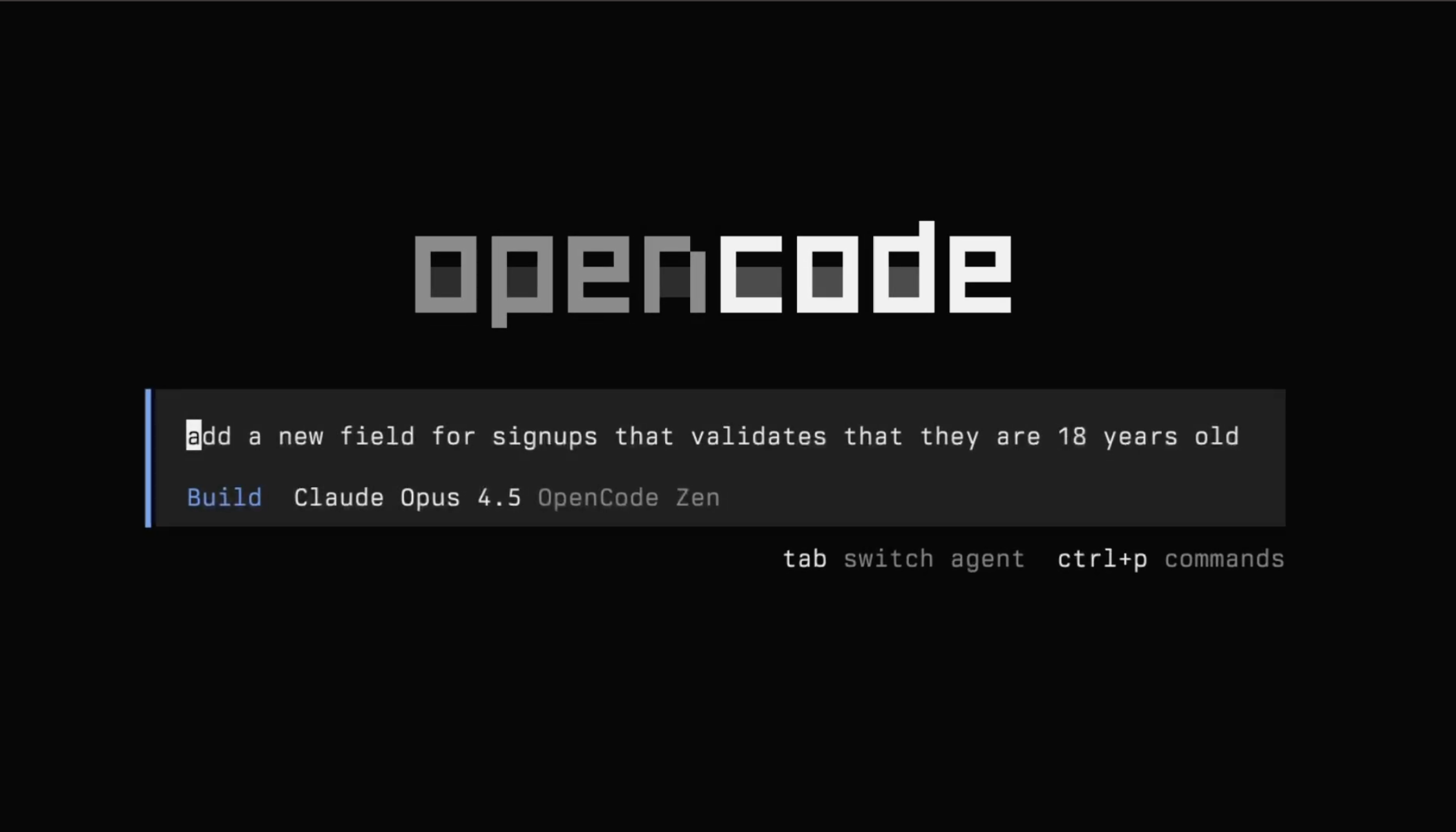
🎯 Why OpenCode?
If you're coming from Claude Code, Cursor, or GitHub Copilot, OpenCode offers something fundamentally different:
| Feature | OpenCode (CLI ecosystem) | Claude Code | Cursor | GitHub Copilot |
|---|---|---|---|---|
| Model Flexibility | Multi-provider (OpenAI, Anthropic, DeepSeek, etc.) | Primarily Anthropic (Claude models) | Multi-provider (plan dependent) | Multi-provider (GitHub-managed) |
| Pricing Model | Pay-as-you-go (API usage based) | Subscription (e.g., Claude Pro tier) | Subscription (Pro tiers) | Subscription (Individual / Business tiers) |
| Primary Interface | Terminal-native (CLI-first) | Web app + integrations | Desktop editor (VS Code fork) | IDE extension (VS Code, JetBrains, etc.) |
| Open Source | open-source | Proprietary | Proprietary | Proprietary |
| Customization | High (config files, agents, workflows) | Moderate (prompt & tool configs) | High (rules, modes, project context) | Low–Moderate (custom instructions, policies) |
| Target User | Power users / terminal-heavy devs | Claude-centric users | Full IDE AI workflow users | Mainstream IDE users |
The OpenCode Advantage:
- No vendor lock-in: Use OpenAI, Anthropic, Google, local models, or all of them
- Pay only for what you use: No monthly subscriptions, transparent per-token pricing
- Terminal-first workflow: Stays in your development environment
- Extensible architecture: Create custom skills, agents, and workflows
- Enterprise ready: SSO, team workspaces, centralized configuration
🚀 Quick Start (5 Minutes)
1. Install OpenCode
# Recommended method
curl -fsSL https://opencode.ai/install | bash

# Alternative: Homebrew
brew install anomalyco/tap/opencode

# Verify installation
opencode --version
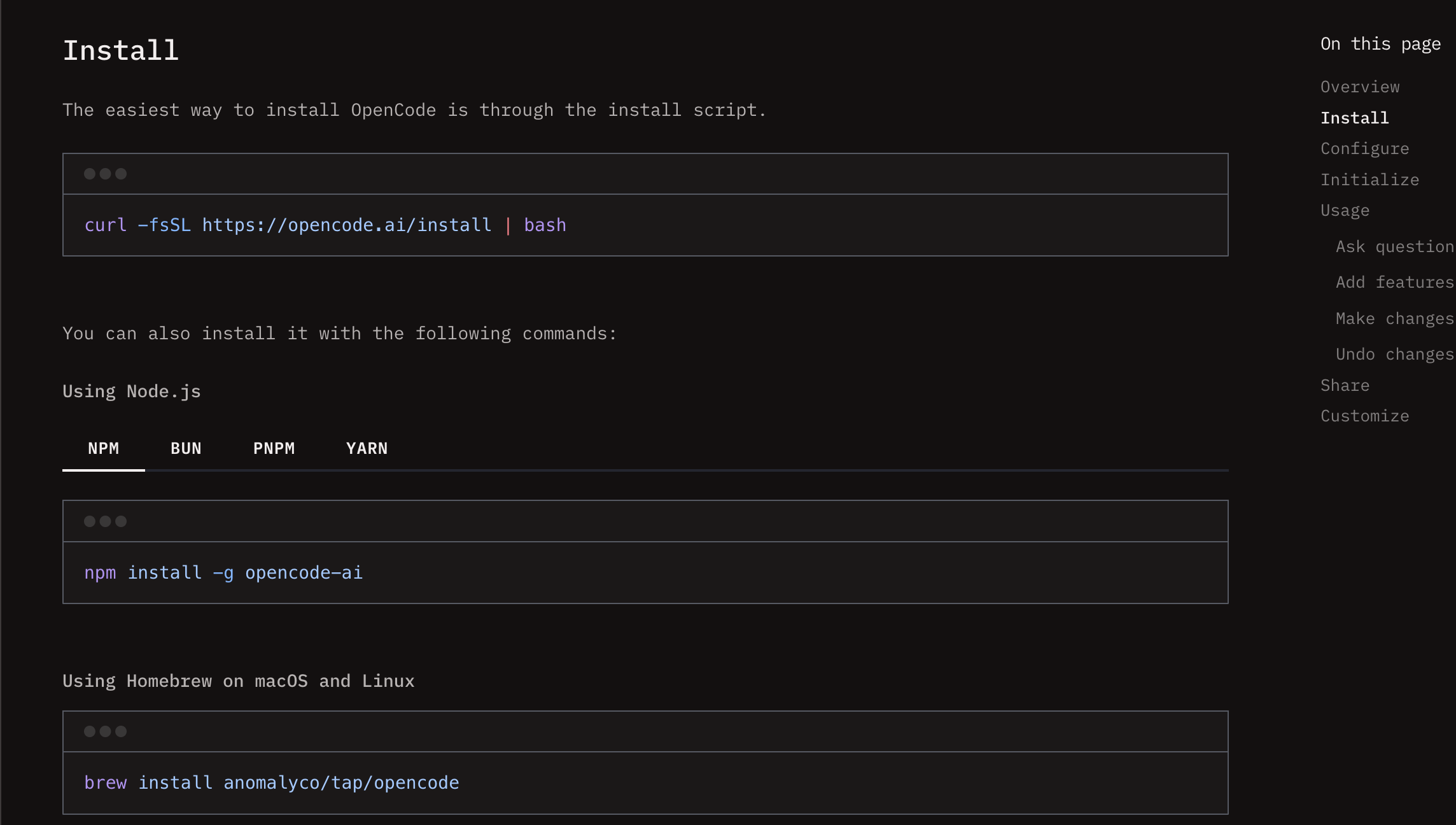
2. Set Up Zen (Recommended for Beginners)
# Start OpenCode
opencode

# In the TUI, run:
/connect

# Select "opencode" and follow the link to get your API key
# Zen provides curated models with pay-as-you-go pricing
3. Try Your First Commands
# Start in your project directory
cd /path/to/your/project
opencode .

# Ask OpenCode to analyze your code
What does this project do? @README.md

# Get help with a specific file
Help me understand the authentication in @src/auth/

# Switch between Plan and Build modes (Tab key)
[Plan] How would you implement this feature?
[Build] Go ahead and implement it
4. Essential Keyboard Shortcuts
- Tab: Switch between Plan (read-only) and Build (read-write) modes
- @: Reference files in your project
- !: Execute shell commands
- /: Access slash commands
- Ctrl+C: Exit OpenCode
📚 Core Concepts
OpenCode is built around four key pillars that work together:
1. Zen Model Router - Your AI Model Gateway
Zen provides curated, optimized models specifically for coding with pay-as-you-go pricing.
Key Benefits:
- Access to 75+ AI models with one API key
- Pay per token (no monthly subscriptions)
- Free models available for learning
- Team workspaces with centralized billing
Quick Setup:
# Get your Zen API key
1. Visit: https://opencode.ai/auth
2. Sign up and add billing
3. Copy your API key
4. In OpenCode: /connect → select "opencode"

# See available models
/models
Popular Models & Pricing:
| Model | Input | Output | Best For |
|---|---|---|---|
| GPT 5.2 Codex | $1.75/1M | $14/1M | General coding |
| Claude Sonnet 4.6 | $3-6/1M | $15-22.50/1M | Reasoning |
| Gemini 2.5 Pro | $2.50/1M | $10/1M | Multimodal |
| Qwen 2.5 Coder | $0.50/1M | $2/1M | Budget coding |
| MiniMax M2.5 Free | Free | Free | Learning |
💡 Pro Tip: Start with free models to learn, then upgrade as needed. Most developers spend $5-20/month.
📖 Full Zen Guide | 💰 Cost Calculator
2. TUI Mastery - Terminal-First Workflow
OpenCode's Terminal User Interface is where the magic happens. It's designed for developers who live in the terminal.
Essential Features:
- File References: Use
@to reference any file in your project - Shell Integration: Execute commands with
!prefix - Image Analysis: Drag and drop images for UI/design references
- Real-time Cost Display: See token usage as you work
Workflow Example:
# Reference files naturally
Can you fix the bug in @src/utils/validation.ts?

# Use shell commands in context
!git status
Based on the changes, write commit messages

# Analyze images
[Drag dashboard-mockup.png into terminal]
Create React components matching this design
Productivity Tips:
- Use
Tabto switch between Plan (analysis) and Build (implementation) - Chain commands:
!git diff | /analyze-changes - Search files:
@utilsfinds utils directory or utils.ts files - Multi-line input:
Shift+Enterfor complex queries
🎮 Full TUI Guide | ⌨️ Keyboard Shortcuts
3. AI Agents - Specialized AI Personalities
Agents are specialized AI personas with specific tools, permissions, and behaviors.
Built-in Agents:
- Plan Agent (Tab): Read-only analysis and planning
- Build Agent (Tab): Read-write implementation
- Explore Subagent: Codebase exploration
- General Subagent: Complex task execution
Create Custom Agents:
# ~/.config/opencode/agents/code-reviewer.md
name: Code Reviewer
model: claude-sonnet-4.6
temperature: 0.2

## Instructions
You are a senior code reviewer. Focus on:
1. Security vulnerabilities
2. Performance bottlenecks
3. Code style consistency
4. Maintainability issues

## Tools
- read: true
- ask: true
- write: false  # Reviewer doesn't make changes
Agent Workflow Patterns:
# Plan → Build cycle
[Plan] How would you implement user authentication?
[Build] Implement the authentication system

# Multi-agent collaboration
@explore Analyze security in @src/auth/
@code-reviewer Review the proposed implementation
[Build] Implement with the suggested improvements
🤖 Full Agents Guide | 🎭 Agent Templates
4. OpenCode Skills - Workflow Automation
Skills are reusable behavior definitions that transform complex workflows into simple commands.
Example Skills:
# Code review skill
/review @src/auth/ --focus security

# Pull request creation
/pr "Add user authentication"

# Test-driven development
/tdd "User registration with email validation"

# Documentation generation
/docs api --output markdown
Create Your Own Skill:
# .opencode/skills/deploy.md
---
name: "Deploy"
description: "Automated deployment workflow"
tools: ["read", "write", "bash"]
---

# Deploy
1. Run tests: !npm test
2. Build project: !npm run build
3. Deploy to production: !deploy.sh
🔧 Full Skills Guide | 💼 Skill Examples
🔄 Migration Guide for Experienced Developers
Coming from Claude Code
What's similar:
- AI-assisted coding in your editor
- File context awareness
- Conversation history
What's different:
- Model flexibility: Multi-provider vs Claude-only
- Pricing model: Pay-as-you-go vs subscription
- Primary interface: Terminal-native vs desktop app
- Customization depth: High vs limited features
Migration steps:
- Install OpenCode and set up Zen
- Try Claude models through Zen (often cheaper)
- Learn TUI keyboard shortcuts (Tab is your friend)
- Create custom agents for your workflow
Coming from Cursor
What's similar:
- AI-powered code generation
- Project context understanding
- Edit commands
What's different:
- Philosophy: Open-source vs proprietary
- Integration: Terminal vs IDE
- Extensibility: Skills system vs limited plugins
- Pricing: Transparent vs subscription
Migration steps:
- Install OpenCode and connect providers
- Practice file referencing with
@syntax - Set up project-specific skills
- Explore agent system for complex tasks
Coming from GitHub Copilot
What's similar:
- AI code completion
- Multi-language support
- IDE integration
What's different:
- Scope: Full AI assistant vs autocomplete
- Context: Entire project vs current file
- Interaction: Conversational vs predictive
- Pricing: Usage-based vs subscription
Migration steps:
- Think of OpenCode as Copilot++ (full conversations)
- Use for complex tasks beyond autocomplete
- Leverage project-wide context
- Create skills for repetitive tasks
🗺️ Learning Path
Week 1: Foundation
- Install OpenCode and set up Zen
- Learn basic TUI navigation (Tab, @, !, /)
- Try free models for experimentation
- Complete the Quick Start Guide
Week 2: Core Workflow
- Master file referencing and shell integration
- Practice Plan → Build cycle
- Set up your first custom agent
- Explore the TUI Mastery Guide
Week 3: Advanced Features
- Create project-specific skills
- Set up team workspace (if applicable)
- Implement CI/CD integration
- Study the Agents Guide
Week 4: Mastery
- Build custom MCP servers
- Create skill templates for your team
- Optimize model usage and costs
- Explore Workflow Examples
📖 Detailed Documentation
| Guide | Description | Time |
|---|---|---|
| Quick Start | Installation and first steps | 5 min |
| Zen Model Router | Model gateway and pricing | 15 min |
| TUI Mastery | Terminal interface deep dive | 20 min |
| Agents Guide | AI personas and workflows | 25 min |
| Skills Guide | Workflow automation | 20 min |
| Commands Reference | All slash commands | 10 min |
| MCP Guide | Model Context Protocol | 30 min |
| Workflows | Real-world examples | 45 min |
| FAQ & Troubleshooting | Common issues and solutions | 10 min |
🛠️ Command Reference
Essential Slash Commands
/help                    # Show all commands
/connect                 # Add/configure providers
/models                  # List available models
/agents                  # Manage AI agents
/skills                  # List available skills
/init                    # Initialize project analysis
/undo, /redo             # Git-based undo/redo
/share                   # Create shareable conversation link
/export                  # Export to markdown
CLI Commands
# Start interactive TUI
opencode

# Run single command
opencode run "Fix bug in @src/utils/validation.ts"

# Start HTTP server
opencode serve --port 3000

# Check usage stats
opencode stats
🔧 Project Configuration
AGENTS.md Template
Each project can have an AGENTS.md file to guide OpenCode:
# Project Guidelines
**Project Type**: React/TypeScript web app
**Purpose**: E-commerce platform
**Key Technologies**: React, TypeScript, Node.js, PostgreSQL

## Code Conventions
- Files: kebab-case
- Components: PascalCase
- Functions: camelCase
- 2-space indentation
- Single quotes

## Development Guidelines
- Write tests for all utilities
- Validate all external inputs
- Never commit secrets
- Use environment variables
.opencode/ Directory Structure
.opencode/
├── agents/
│   ├── code-reviewer.md
│   └── test-writer.md
├── skills/
│   ├── review.md
│   └── pr.md
└── config.json
❓ FAQ & Troubleshooting
Common Issues
Q: OpenCode command not found
# Check installation
which opencode

# Add to PATH
echo 'export PATH="$HOME/.local/bin:$PATH"' >> ~/.bashrc
source ~/.bashrc
Q: Zen API key not working
# Regenerate key at: https://opencode.ai/auth
# Then reconnect:
/connect
# Select "opencode" and paste new key
Q: File references not working
# Check current directory
!pwd

# Use absolute path if needed
@/full/path/to/file.ts
Q: High token usage
# Switch to lighter model
/models
# Select Qwen 2.5 Coder or MiniMax Free

# Use /compact to summarize long conversations
/compact
Q: Images not displaying in OpenCode's TUI OpenCode's TUI is text-based and doesn't display images inline. Image links appear as markdown text.
- For local markdown preview tools (VS Code, Obsidian, etc.), use relative paths:
[](https://opencode.ai) - If that doesn't work, try absolute path from repo root:
[](https://opencode.ai) - For public repositories, use full GitHub URLs:
[](https://opencode.ai)
🌐 Community & Resources
Official Resources
- Website: opencode.ai
- Documentation: docs.opencode.ai
- GitHub: github.com/anomalyco/opencode
- Discord: Join Community
📈 What's Next?
Immediate Actions
- Install OpenCode and try the free models
- Practice the Plan → Build cycle (Tab key)
- Create your first custom agent or skill
- Join the community for support and inspiration
Long-term Goals
- Master all four pillars (Zen, TUI, Agents, Skills)
- Build a library of reusable skills for your workflow
- Contribute to the OpenCode ecosystem
- Optimize your AI-assisted development workflow
📄 License
OpenCode is open-source software licensed under the MIT License.
Last updated: February 2026
For the best reading experience, install Obsidian to view these documents.
💡 Remember: OpenCode is a tool to augment your skills, not replace them. The best developers use AI as a powerful assistant, not a crutch.
README copy captured when this server was indexed; it may lag the repository. The original is authoritative.