About PFC - ITASCA Discrete Element Simulation
PFC - ITASCA Discrete Element Simulation is an MCP server in the Documentation category: give AI agents full access to ITASCA PFC - documentation, simulation, and plot capture.
Install
uvx pfc-mcppip install pfc-mcpThis server has no ConduID identity, so agent calls to it are not receipted. Pin the version you install and review the source before granting it credentials.
Ask AI
Ask AI about PFC - ITASCA Discrete Element Simulation
Powered by Claude · Grounded in docs
Security checks
- ✓README presentThe repository ships documentation.
5 checks have not been run yet.
README
pfc-mcp




pfc3d>model new ;now, with LLM.
pfc-mcp connects AI agents to ITASCA PFC through the Model Context Protocol — browse documentation, run simulations, and execute code, all through natural conversation.
pfc3d>model solve ;LLM solves.
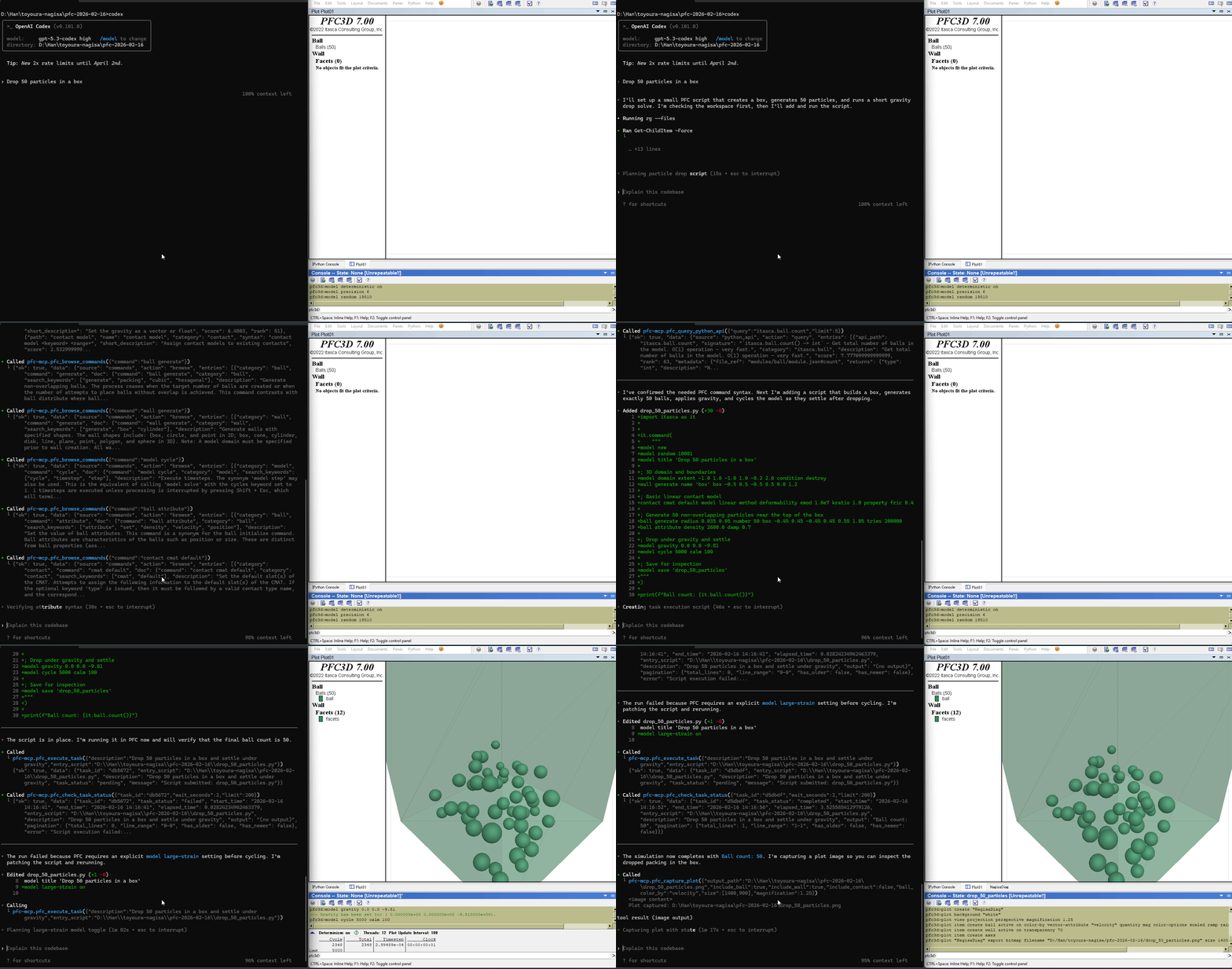
Tools (10)
5 documentation tools — browse and search PFC commands, Python API, and reference docs. No bridge required.
5 execution tools — interactive REPL, task submission, progress monitoring, interruption, and history. Requires bridge.
Quick Start
Prerequisites
- ITASCA PFC 6.0, 7.0, or 9.0 installed
- uv installed (for
uvx)
Agentic Setup (Recommended)
Copy this to your AI agent and let it self-configure:
Fetch and follow this bootstrap guide end-to-end:
https://raw.githubusercontent.com/yusong652/pfc-mcp/main/docs/agentic/pfc-mcp-bootstrap.md
Manual Setup
1. Register the MCP server in your client config:
{
  "mcpServers": {
    "pfc-mcp": {
      "command": "uvx",
      "args": ["pfc-mcp"]
    }
  }
}
2. Start the bridge from inside PFC:
Download addon.py, then use either of these two flows inside PFC:
- Copy the file contents into the PFC IPython console and run them
- Or download the file and execute it in PFC GUI
Verify
Restart your AI agent (Claude Code, Codex CLI, Gemini CLI, etc.) and ask it to call pfc_execute_code to verify the connection.
Features
- Multi-version PFC support - command docs for PFC 6.0, 7.0, and 9.0 via the
versionparameter - Hierarchical documentation browsing - agents navigate the PFC command tree to discover capabilities and boundaries, reducing hallucinated commands
- Enhanced plot documentation - plot items reference docs supplementing the official documentation
- Interactive REPL - rapid iteration before committing to full scripts; agents can quickly test and refine code
- Task lifecycle management - submit long-running simulations, monitor progress, interrupt running tasks, and browse task history
- Multi-client compatible - works with Claude Code, Codex CLI, Gemini CLI, OpenCode, toyoura-nagisa, and other MCP clients
Troubleshooting
Development
See Developer Guide: Install and Run from Source.
Contributing
PRs and issues are welcome! See the Developer Guide to get started.
License
MIT - see LICENSE.
README copy captured when this server was indexed; it may lag the repository. The original is authoritative.