About Revornix
Revornix is an MCP server published by Qingyon-AI in the AI category: revornix is an open-source, local-first AI information/markdown workspace. It helps you collect fragmented inputs, turn them into structured knowledge, generate reports with images and podcast audio, and deliver the output through automated notifications.
The repository has 291 stars and 37 forks, with the last commit 26 days ago. Recent commit activity is the strongest signal that reported issues will get attention.
Install
git clone https://github.com/Qingyon-AI/RevornixThis server has no ConduID identity, so agent calls to it are not receipted. Pin the version you install and review the source before granting it credentials.
Ask AI
Ask AI about Revornix
Powered by Claude · Grounded in docs
Security checks
Static checks derived from the repository 12 hours ago. Heuristics on the source, not an audit.
- ✓README presentThe repository ships documentation.
- ✓License declaredUsable under a stated license.
- ✓Tests presentA test suite exists in the repository.
- ✓Dependencies pinnedA lockfile pins dependency versions.
- !No dynamic code executionSource scan found eval or shell execution. Review how tool inputs reach it before granting credentials.
- !Scoped permissionsDoesn't declare a permission scope. Assume it can do anything its process can.
Releases
README








Reject FOMO! When facing the information stream, be lazy, leave the rest to AI!
Revornix is an open-source, local-first AI information workspace. Save the noisy stream of links, papers, audio and screenshots you can't keep up with, and let the platform turn them into structured knowledge, generate reports and podcasts you can actually consume, and deliver the result through notifications when you're ready.
The whole stack — web client, gateway, API, async workers, trending feed, docs site — is open and self-hostable.
Links
- Official site: https://revornix.com
- Live workspace: https://app.revornix.com (users in mainland China should prefer the local mirror https://app.revornix.cn for a more reliable connection)
- Documentation: https://revornix.com/docs
- Environment variables: https://revornix.com/docs/environment
- Roadmap: Notion roadmap
- Community: Discord · WeChat · QQ
Why Revornix
- One pipeline for noisy information — ingestion → conversion → summary → graph → podcast → notification, all in one place.
- Built for AI retrieval quality — chunked vector storage in Milvus paired with a personalized GraphRAG layer on Neo4j.
- Open and controllable — runs entirely on your own infrastructure. Your documents, your database, your keys.
- Model-flexible — any OpenAI-compatible provider can be wired in, and engines for parsing, embedding, summarising, podcasting and illustration can be swapped independently.
- Collaboration-ready — share knowledge sections privately with a team or publish them to the open web.
- Public discovery — published documents, sections, creators, labels and trending topics get SEO-friendly pages out of the box.
How it works
- Collect — drop in web pages, PDFs, Word, Excel, PPT, plain text, audio, or automate ingestion through the public API, Python SDK / CLI, or OpenClaw skill.
- Understand — pluggable converters (MinerU, Jina, custom engines) clean and normalise the content into Markdown.
- Organise — chunks are embedded into Milvus; entities and relations are written to a per-user Neo4j graph; tags are auto-assigned.
- Deliver — AI-generated summaries, illustrated reports, two-voice podcasts and notifications reach you on your schedule.
Project structure
Revornix/
├── app/                       # The application itself: models / crud / schemas / engine / notification … one copy
├── api/                       # FastAPI entrypoint: router, mcp_router — see api/README.md
├── agent-sidecar/             # Agent runtime: Node process embedding pi-agent-core, driven by the API over stdio
├── worker/                    # Celery entrypoint: workflow — see worker/README.md
├── web/                       # Next.js client (workspace + SEO pages) — see web/README.md
├── gateway/                   # Go public-entry gateway (routing, anti-scraping, upstream failover)
├── hot-news/                  # Trending aggregation service (based on DailyHotApi)
├── docs/                      # Public docs site (revornix.com/docs) — separate Next.js + Nextra
├── desktop/                   # Electron desktop shell (macOS + Windows) — see desktop/README.md
├── assets/                    # Repo-level images and brand assets
├── deploy/                    # systemd units and deployment steps — see deploy/README.md
└── docker-compose-local.yaml  # Local dependency bootstrap (Postgres, Redis, Neo4j, MinIO, Milvus)
api/andworker/are two entrypoints onto one codebase: the business code is inapp/, each service keeps only its own entry layer, and both install it with-e ../app. They used to keep separate copies policed by a byte-equality check — that arrangement produced six defects, including a worker that could not start at all, so the copies were merged. Seedocs-internal/plan-one-codebase.md.
Each subdirectory has its own README with the details specific to that service.
Core capabilities
A short tour of what the platform actually does today. For step-by-step walkthroughs and screenshots, see the docs site.
- Multi-format ingestion — web pages, PDF, Word, Excel, PPT, plain text, audio, and structured data through the public API.
- Pluggable converters — pick a default engine (MinerU, Jina, custom) per workspace; mix engines per document type if needed.
- Audio transcription — turn audio documents into searchable Markdown, with a meeting mode for speaker separation.
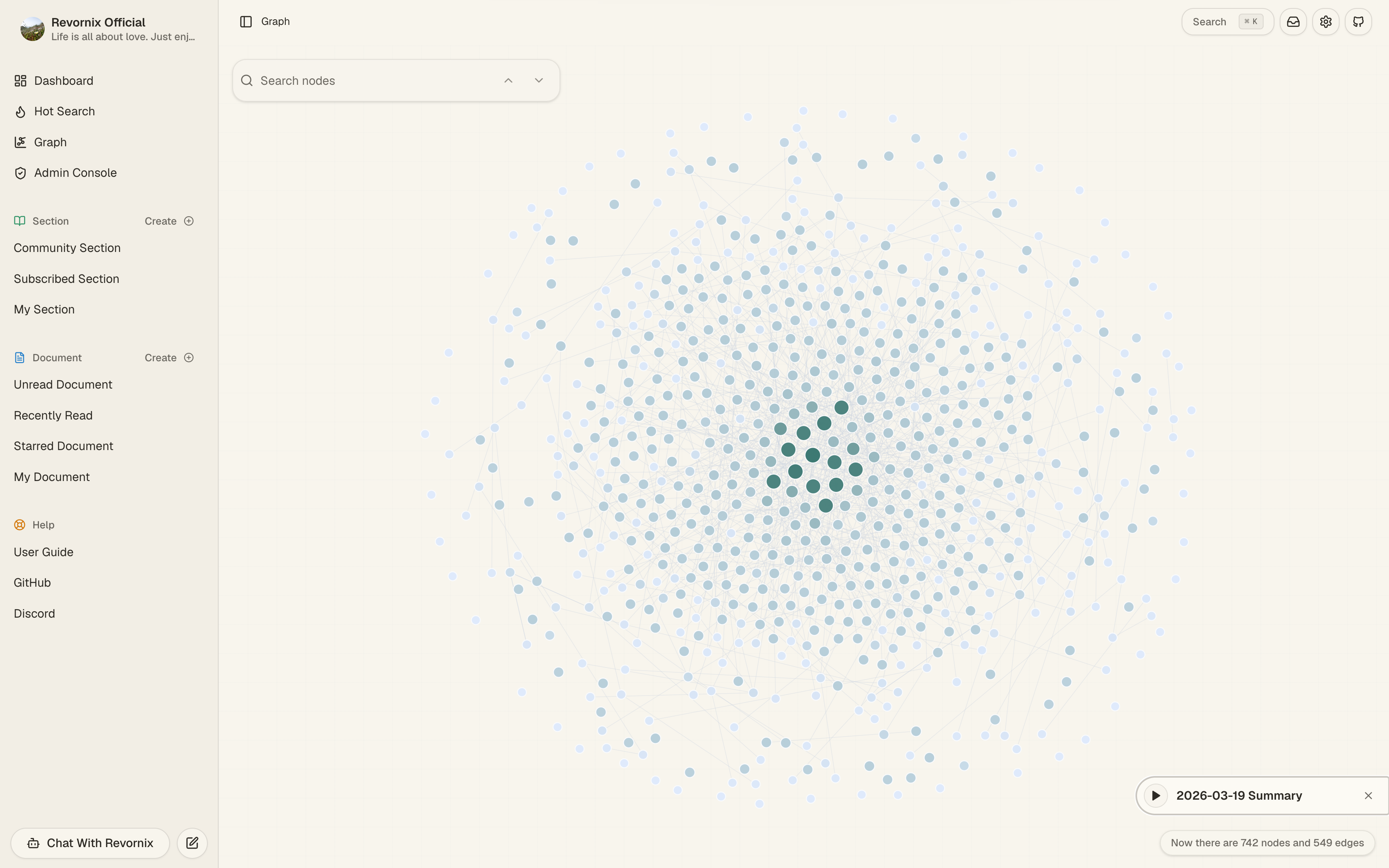
- Vector retrieval + GraphRAG — every document is chunked into Milvus and projected onto a personal knowledge graph in Neo4j for context-aware AI answers.
- Global search — vector or text mode over your private library, plus a separate public surface for published documents, sections, creators and labels.
- Sections — curated collections that can stay private, be shared with collaborators, or be published to the community feed.
- Day sections — automatic daily digests that gather what you saved into a single readable section.
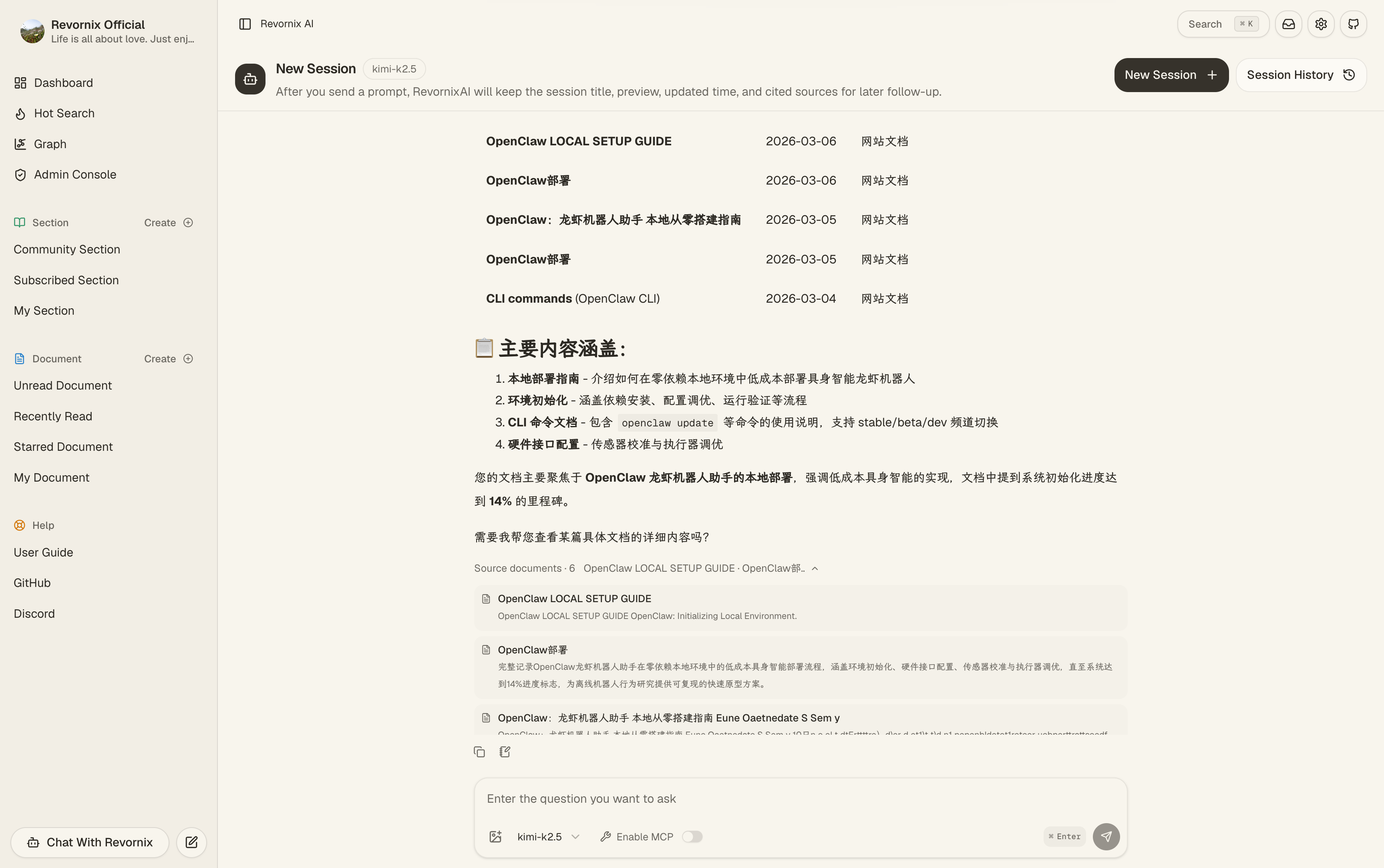
- AI assistant (Revornix AI) — chat that grounds on your documents and the personal graph.
- MCP — both MCP client (the workspace can drive external MCP servers) and MCP server (your library is exposed to MCP-aware tools).
- Auto podcast — two-voice podcast versions of documents and sections, regeneratable when content changes.
- AI illustrations — inline figures generated and embedded into long-form content.
- Trending feed — aggregated hot-search across mainstream platforms via the bundled
hot-news/. - Rich Markdown reading & editing — Tiptap-based editor with tables, Mermaid, math, images, and a floating table of contents on long public pages.
- Notifications — pick channels (email, in-app, push) and get notified on events such as processing completed, comments, subscriptions and collaboration requests.
- Account security (MFA) — protect accounts with TOTP authenticator apps and passkeys, plus protection against deleting your last login method.
- Multilingual & responsive — English / Chinese product UI, plus English / Chinese / Japanese repository docs; mobile and desktop layouts.
- Layered protection —
gateway/blocks obvious scraping at the edge,api/rate-limits sensitive public endpoints.
A few screens
A glimpse of the workspace and the public surfaces. The full walkthrough lives in the docs.
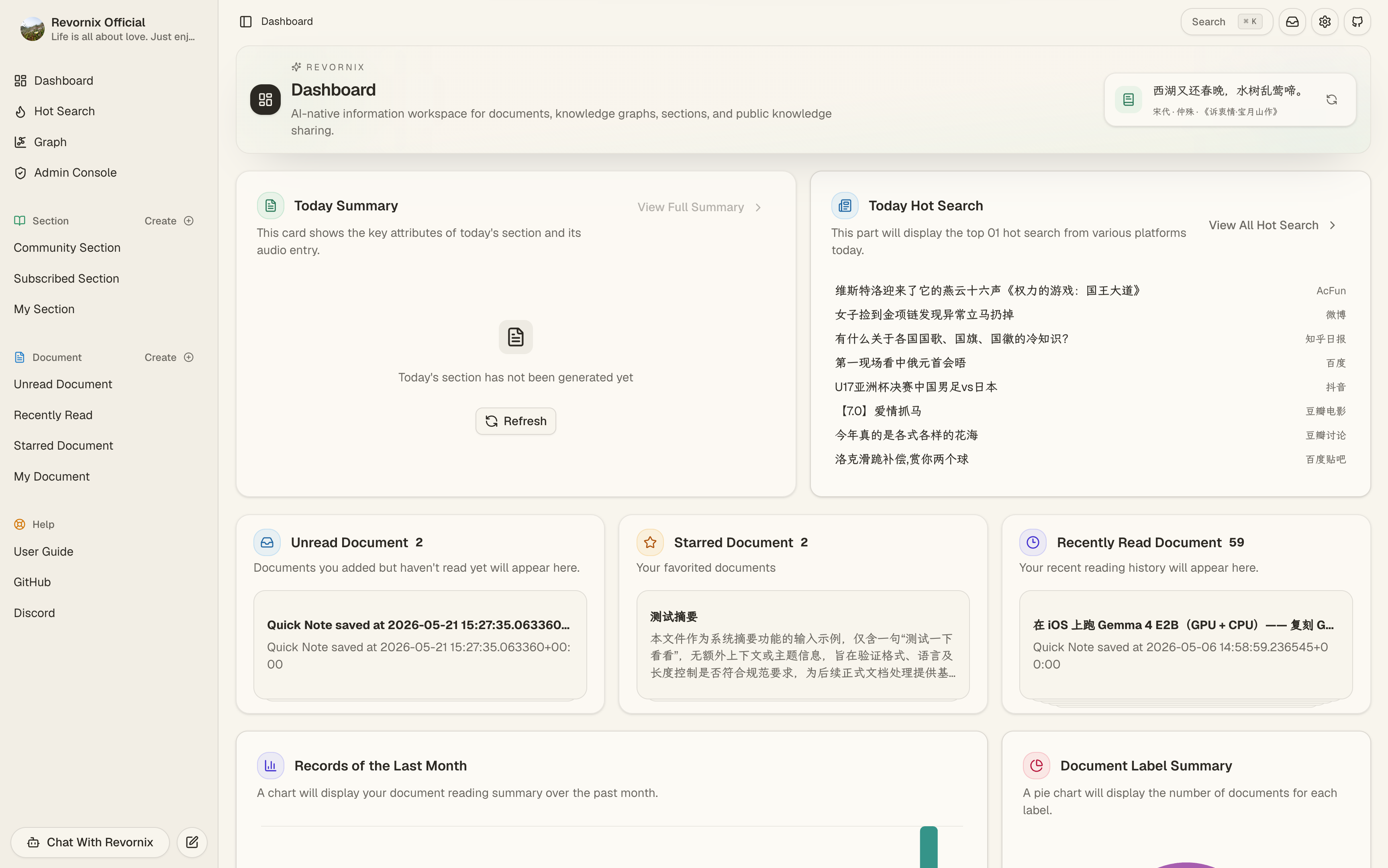
Dashboard — daily overview, AI suggestions, freshness signals.
Revornix AI — chat grounded on your documents and personal graph.
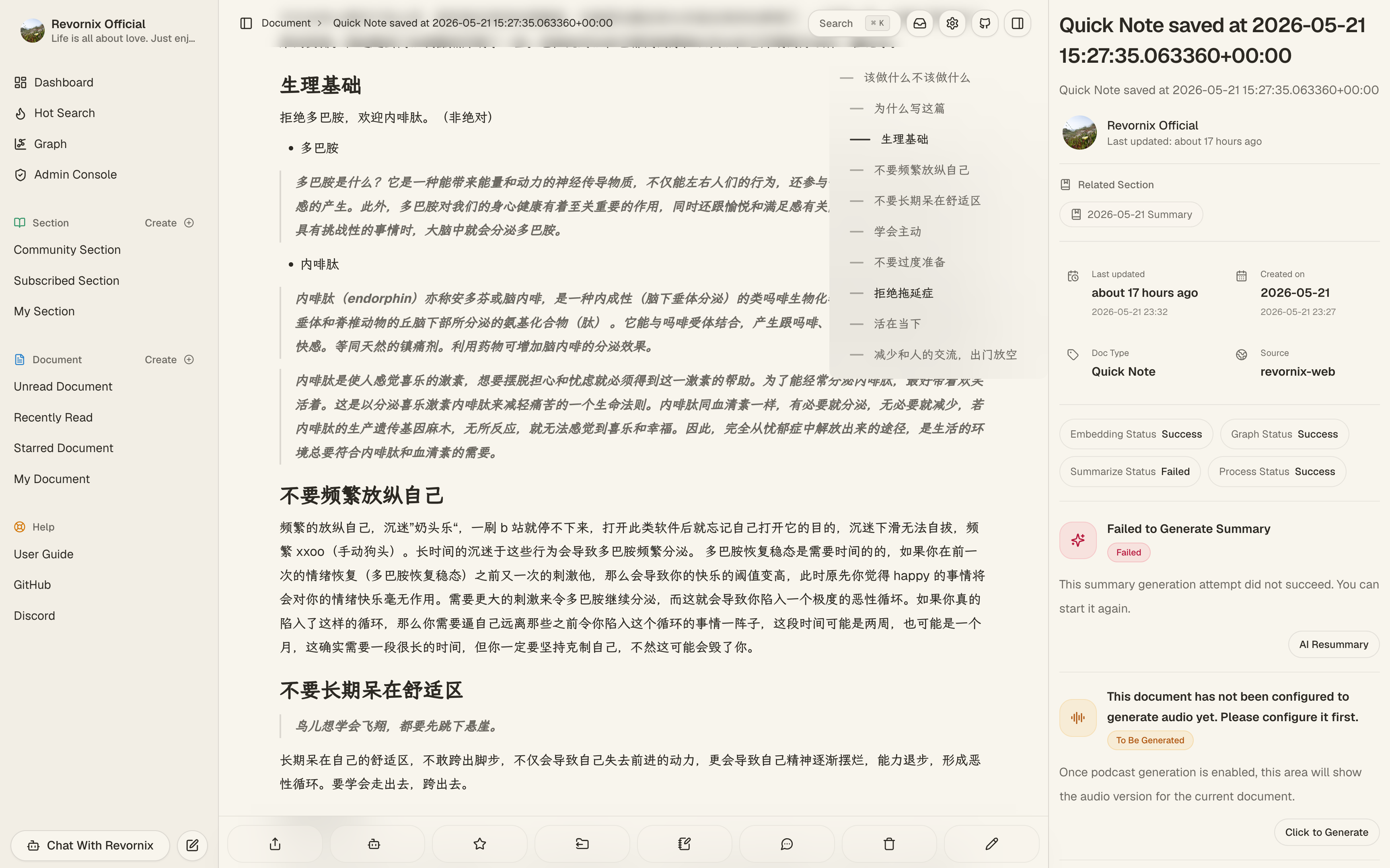
Document detail — Markdown reader, AI summary, podcast, knowledge graph and actions on one page.
Personal knowledge graph — entities and relations extracted from everything you've saved.
Section — curate a private or public collection of documents around a topic.
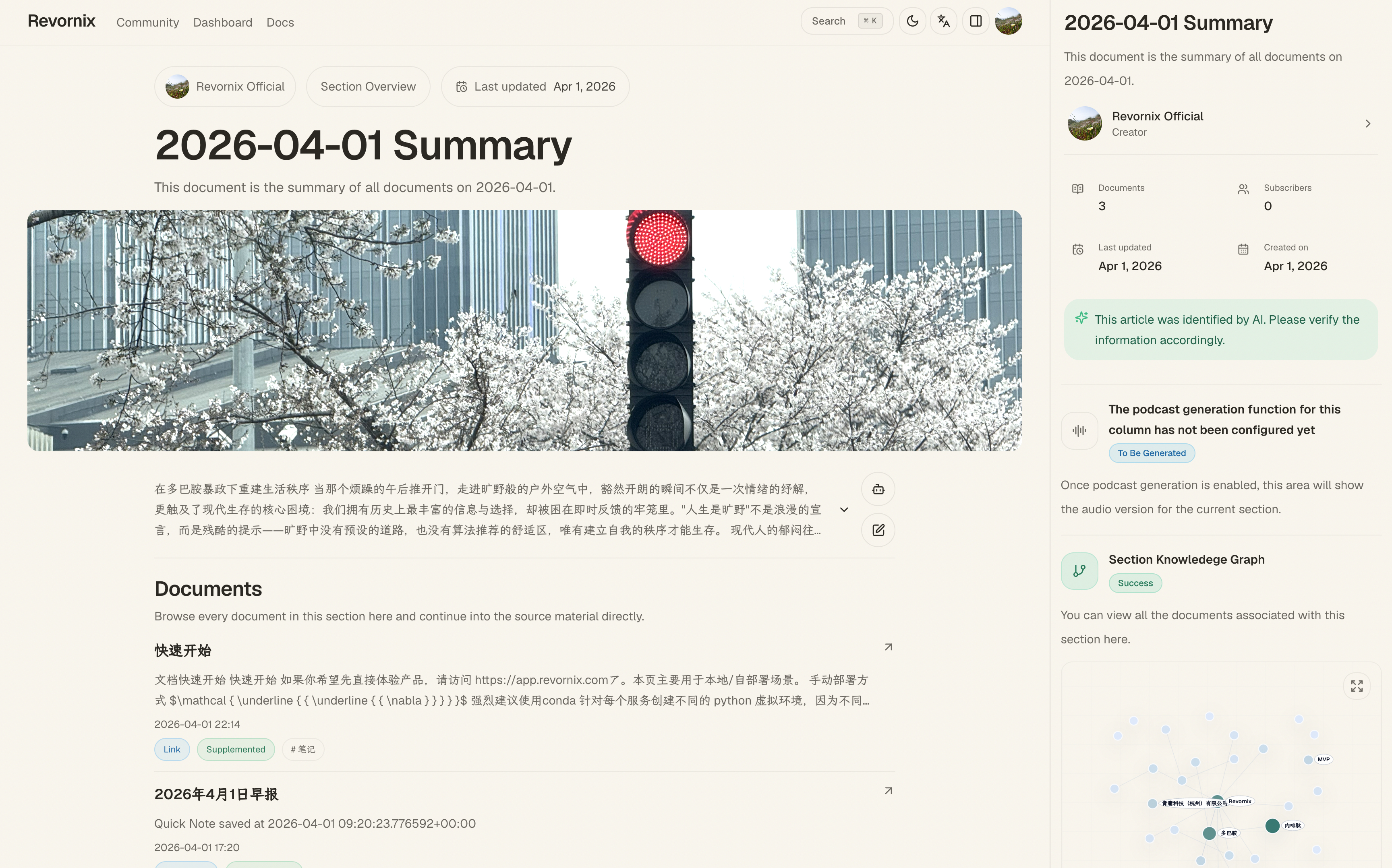
Podcast — turn a document or section into a two-voice audio episode.
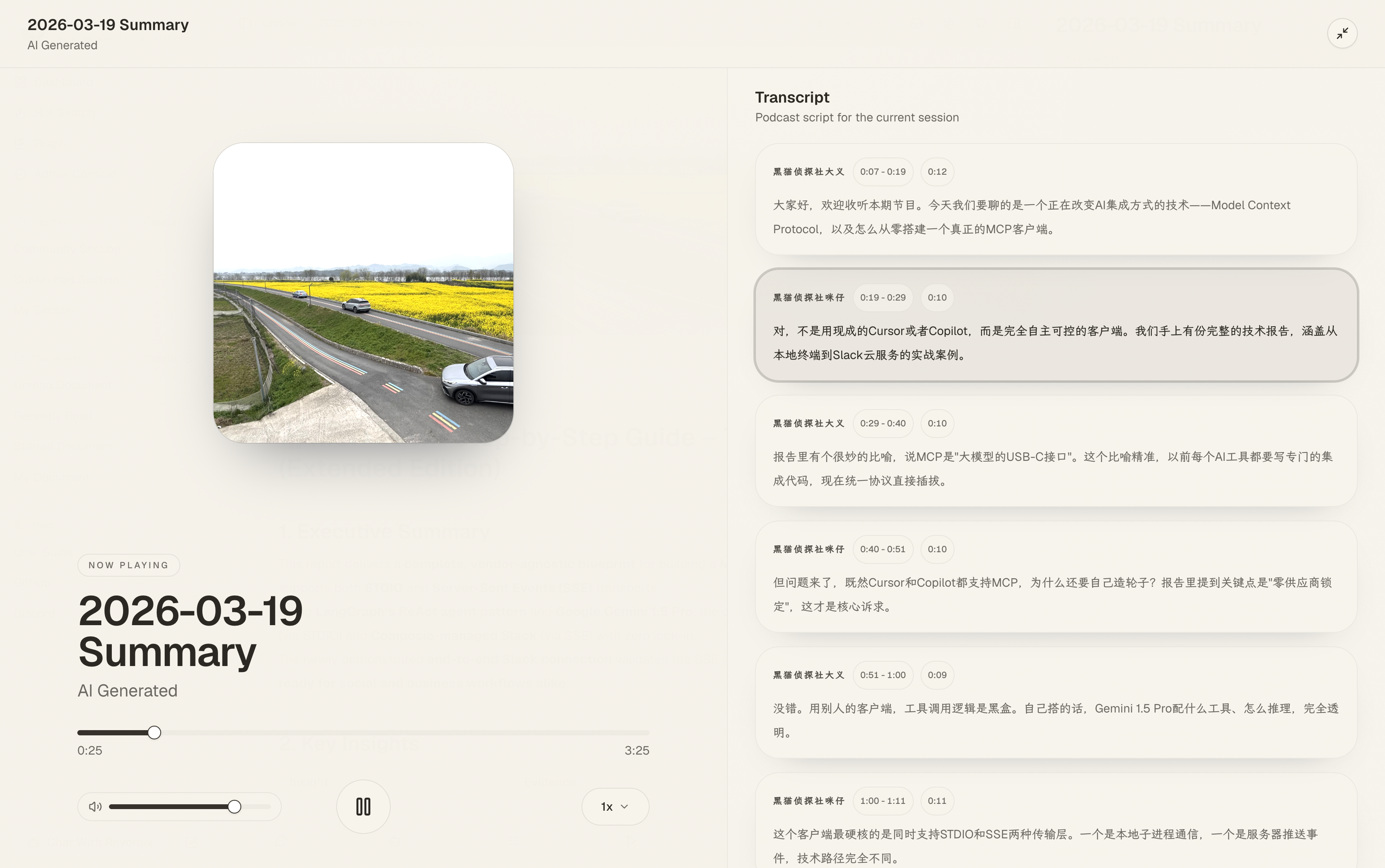
Public creator page — SEO-friendly profile for your published work.
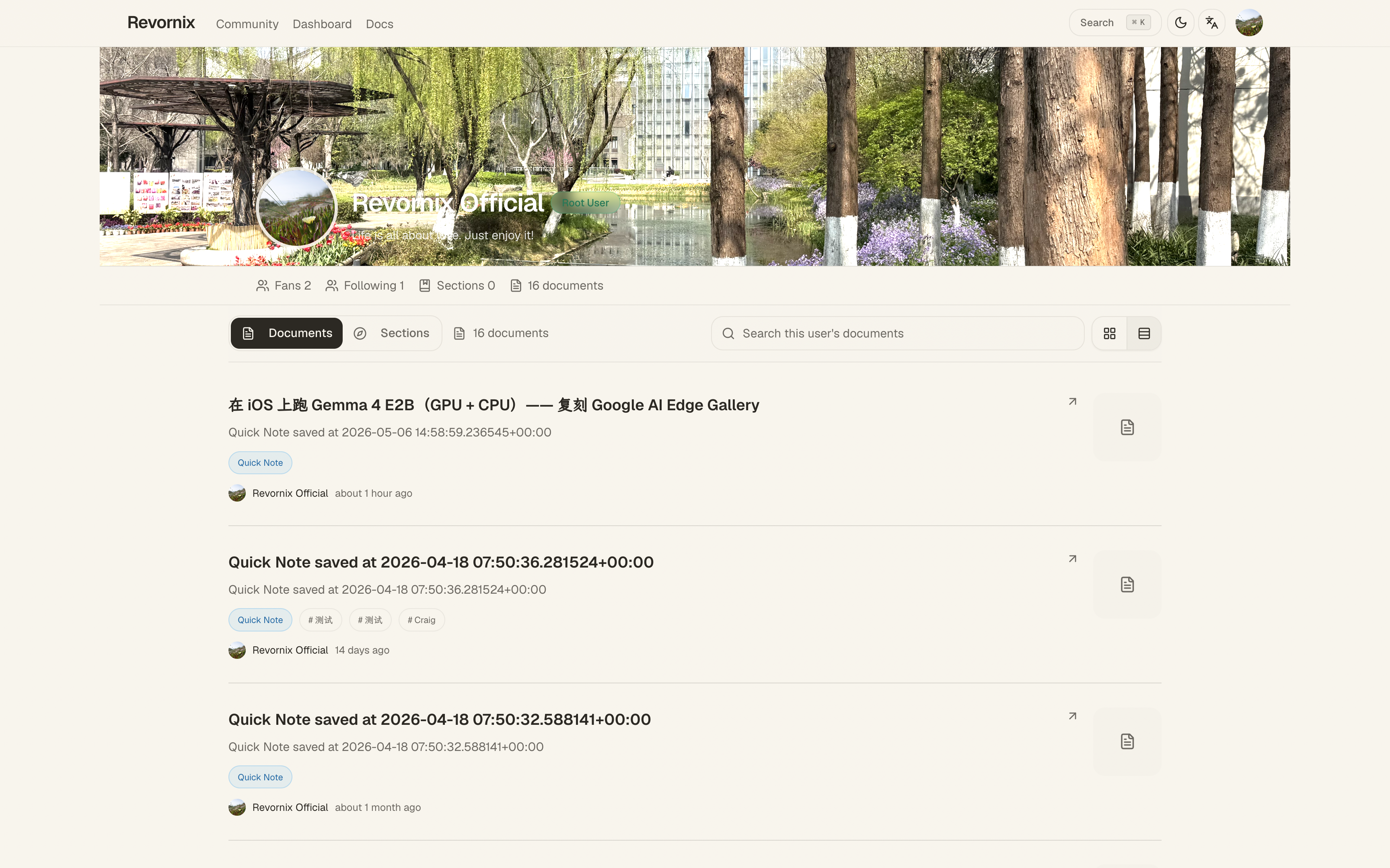
Community — browse what others have published.
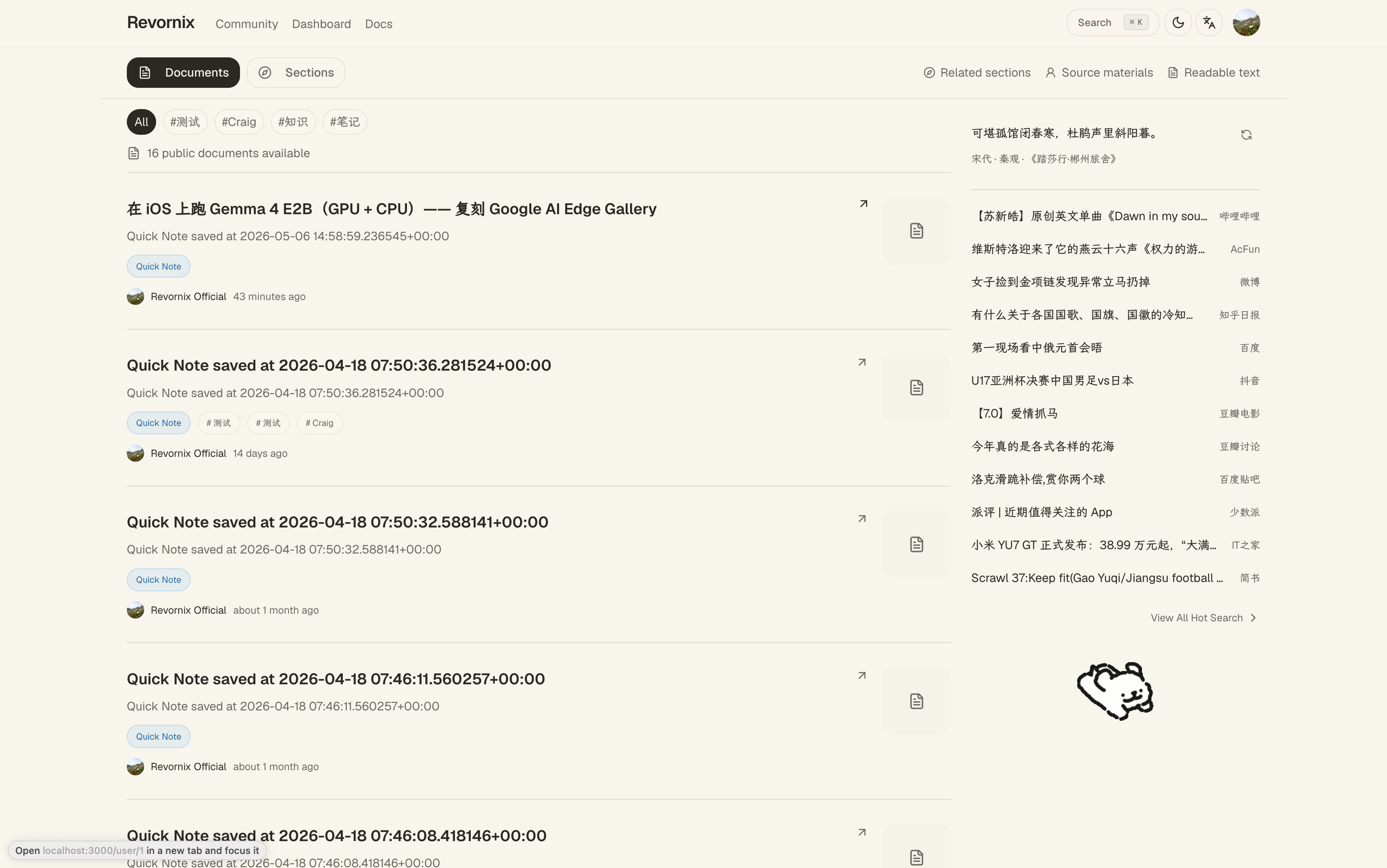
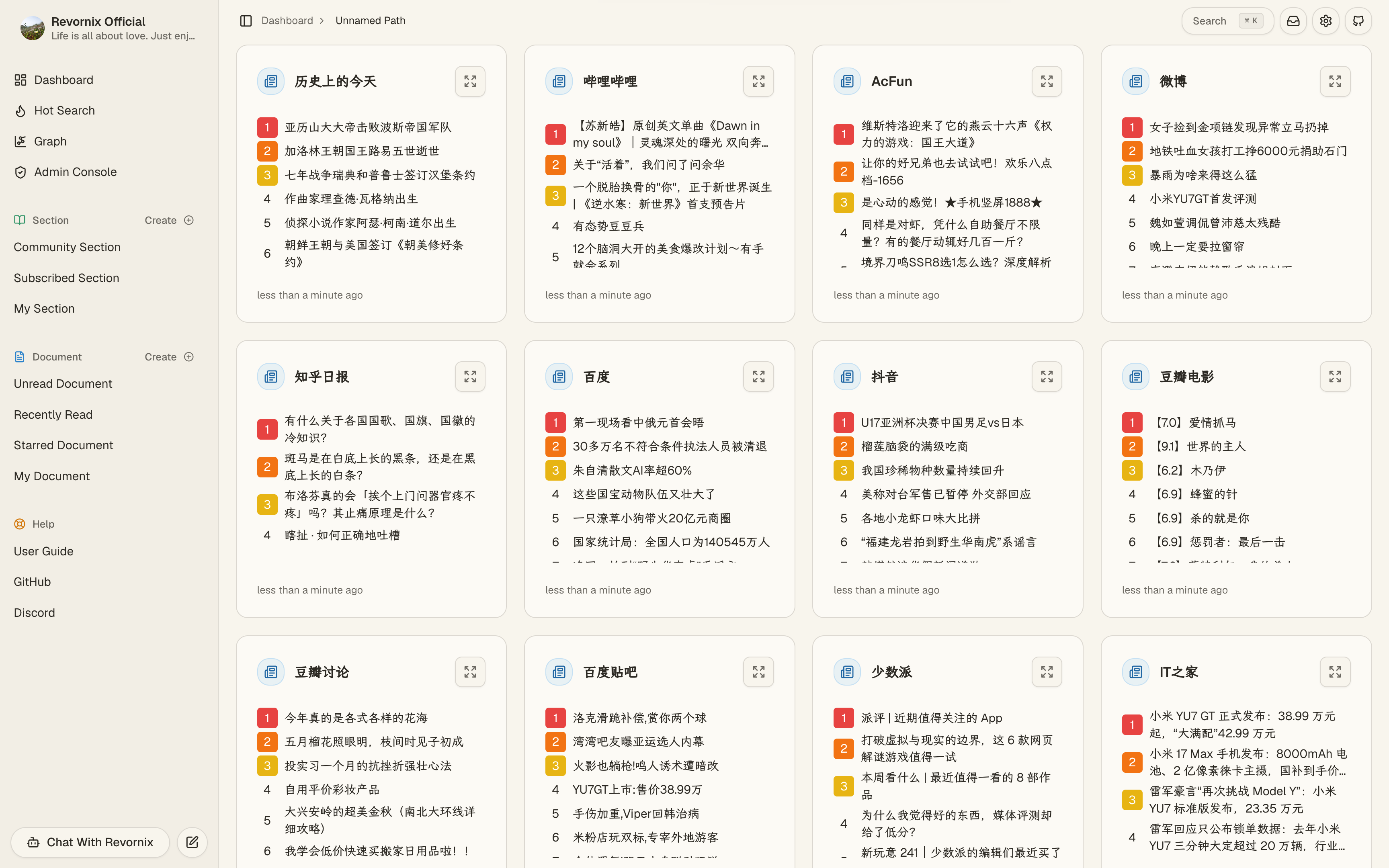
Trending headlines — aggregated from major platforms via the bundled hot-news/ service (based on DailyHotApi).
Quick Start
[!NOTE]
app/,api/andworker/form one uv workspace: a singleuv.lockand one shared.venvat the repo root. Install once from the repo root — not per service.
1) Clone repository
git clone git@github.com:Qingyon-AI/Revornix.git
cd Revornix
2) Start base dependencies
[!NOTE] If you already have postgres, redis, neo4j, minio, and milvus installed, you can reuse them. Otherwise use
docker-compose-local.yamlwith.env.local.example.
[!WARNING] If some dependencies are already running on your machine, disable the corresponding services in
docker-compose-local.yamlto avoid conflicts.
cp .env.local.example .env.local
docker compose -f ./docker-compose-local.yaml --env-file .env.local up -d
[!IMPORTANT] This file is deliberately not named
.env, and--env-fileis not optional. docker compose implicitly reads a.envat the project root (its default behaviour, no declaration needed), andload_dotenv(find_dotenv(usecwd=True))picks up the same file when a service is started from the repo root — two different things sharing one filename, wanting entirely different configuration. Naming it.env.localleaves no.envat the root, and the ambiguity is gone.
3) Configure env files for microservices
cp ./web/.env.example ./web/.env
cp ./gateway/.env.example ./gateway/.env
cp ./api/.env.example ./api/.env
cp ./worker/.env.example ./worker/.env
Configure env values based on environment docs.
[!WARNING] For manual deployment, keep
OAUTH_SECRET_KEYconsistent across services, or cross-service authentication will fail.
Nothing to initialize. On every startup the API creates tables, applies column migrations, seeds built-in data and ensures the Milvus collection exists, so a fresh install and an upgrade both need nothing but starting the service. A manual step written down in a README is a step somebody eventually skips.
Container images. Every service has a Dockerfile. Build from the repo root, not the service directory — both
apiandworkerdepend on the siblingapp/package:docker build -f api/Dockerfile -t revornix/api .
5) Run API service
The agent (Revornix AI) runs each turn in a Node sidecar that embeds pi-agent-core and talks to the API over stdio; its tools call back into the API over HTTP (
/agent/tools/*), and mutating tools wait for a confirmation card. Build the bundle once (and after any change underagent-sidecar/):cd agent-sidecar && pnpm install && pnpm build
./scripts/dev.sh apibuilds it automatically when missing.
uv rather than conda: conda earns its keep managing non-Python dependencies (CUDA, MKL and friends), and torch is now optional here — the default configuration uses cloud embedding — so that advantage no longer applies. Measured on a cold cache installing the same dependency set: uv 32s, pip 242s. uv also downloads the matching Python itself, so the host needs no pyenv.
Production finished migrating off conda in 2026-08. Measured there: the Python environment went from 17.7 GB (two conda envs) to 1.5 GB (one shared venv), api resident memory 895 MB → 416 MB, worker 1092 MB → 372 MB. Steps in
deploy/README.md.
app/, api/ and worker/ form a uv workspace: one uv.lock, one .venv at the
repo root, shared by both services. Install once — from the repo root, not from api/:
uv sync --all-packages
# Local embedding (optional, torch ≈1.3 GB). The default path is cloud embedding,
# so you almost certainly don't need this:
# uv sync --all-packages --extra local-embedding

uv run --directory api fastapi run main.py --port 8001
--directory matters: BASE_DIR (where logs go) and load_dotenv(usecwd=True)
(which .env gets read) are both resolved from the working directory. Run it from
the repo root and you get the root .env, which is a different config — no error,
just the wrong values.
6) Run gateway service
cd gateway
go run ./cmd/gateway
Do not skip this. It used to say "optional", which was wrong:
NEXT_PUBLIC_API_PREFIX in web/.env.example points at
http://localhost:8787/api — the gateway, not api's 8001. Skip it and every
request from the frontend goes to a port nobody is listening on: the UI fills
with "Load failed" while the api log stays completely clean, showing no sign
that anything is wrong.
The gateway handles public routing, failover, and the first layer of
anti-scraping protection before traffic reaches api/. Hot search is proxied
through it too (8787/hot → hot-news on 6688).
7) Run trending aggregation service
cd hot-news
pnpm build
pnpm start
8) Run Celery worker
# Chromium for web-page conversion. headless-shell only — every launch in the
# codebase is headless=True, and the full browser is another 641 MB.
uv run --directory worker playwright install chromium-headless-shell
uv run --directory worker celery -A common.celery.app worker --pool=threads --concurrency=20 --loglevel=info -E
Or let ./scripts/dev.sh api / ./scripts/dev.sh worker do it — same commands, plus a
check that Postgres and Redis are actually up.
9) Run frontend
cd web
pnpm build
pnpm start
After all services are running, open http://localhost:3000.
Where to look next
- Want to use the product? Start at https://revornix.com/docs/start, then jump into the workspace at https://app.revornix.com.
- Want to extend it? Deployment lives in
deploy/. Each service has its own README:web/,api/,worker/,gateway/,docs/. - Want to contribute docs? Add an MDX file under
docs/src/content/. - Curious about the desktop app? An Electron thin-shell for macOS and Windows lives in
desktop/; docs at Developer → Desktop App. - Architecture deep dive? https://revornix.com/docs/developer/structure.
Contributors
README fetched from the repository 12 hours ago. The original is authoritative.