About Secbot
Secbot is an MCP server in the Agents category: ⚠️ 本工具仅用于授权的安全测试。未经授权使用本工具进行网络攻击是违法的。一个智能化的自动化渗透测试机器人,具备AI驱动的安全测试能力。.
Install
git clone https://github.com/iammm0/secbotThis server has no ConduID identity, so agent calls to it are not receipted. Pin the version you install and review the source before granting it credentials.
Ask AI
Ask AI about Secbot
Powered by Claude · Grounded in docs
Security checks
- ✓README presentThe repository ships documentation.
5 checks have not been run yet.
README
@opensec/secbot (TypeScript) - v2.0.0-b1




Secbot is an AI-powered TypeScript security automation workspace with a NestJS backend and an Ink-based terminal UI.
Security notice: this package is for authorized security testing, research, and education only. Do not run scans or exploitation tasks against targets without explicit permission.
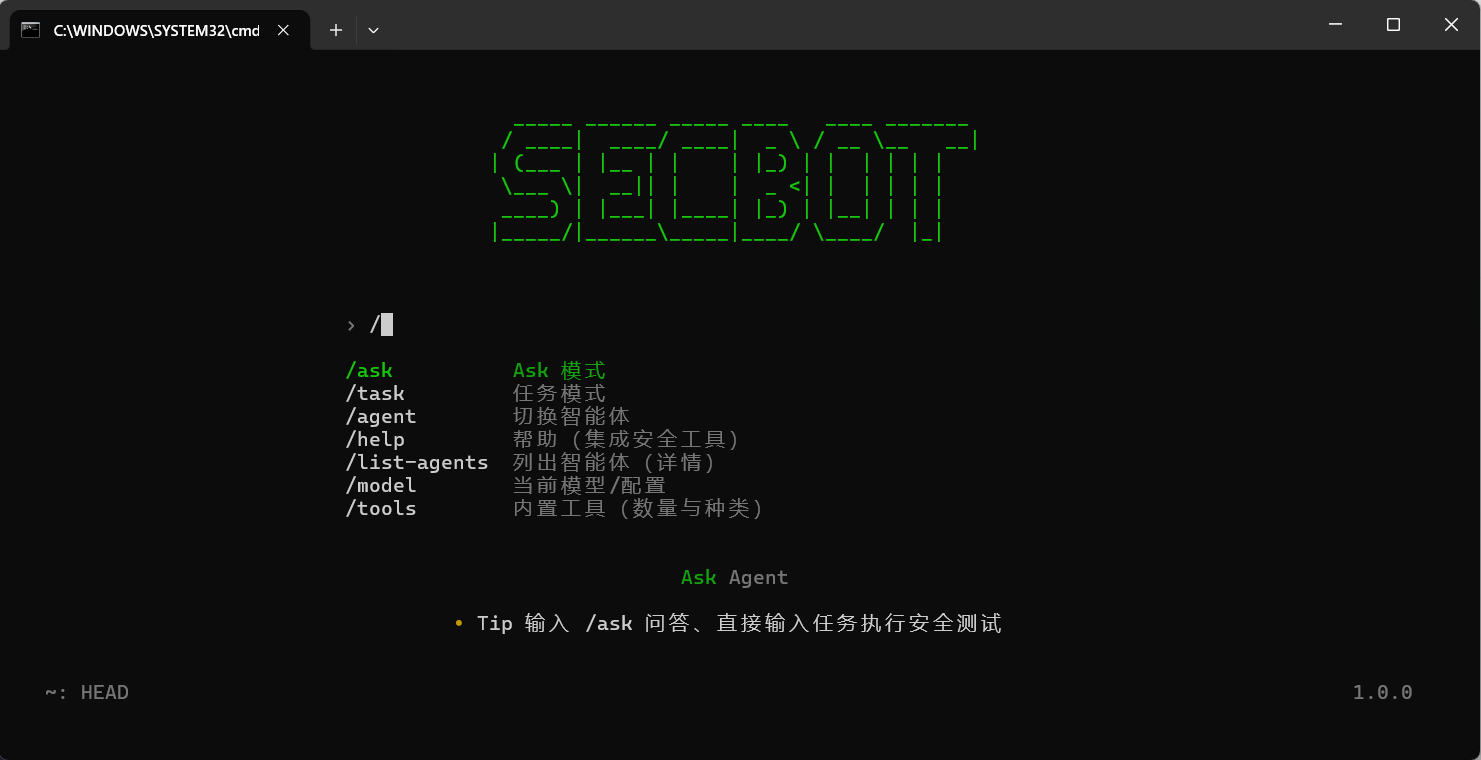
Why This Package
- End-to-end TypeScript architecture (
NestJS + Ink + SQLite). secbotbinary that starts terminal UI with local spawned backend by default.secbot-serverbinary for backend-only API scenarios.- Multi-agent orchestration with planning, tool execution, and summarization.
- Built-in security tool modules for web, network, OSINT, defense, and reporting workflows.
Requirements
- Node.js
>= 24 - npm
>= 10(recommended) - Optional: Ollama for local model serving
Install
Global install (recommended)
npm install -g @opensec/secbot
One-off run with npx
npx @opensec/secbot
Quick Start
1. Configure environment variables
Create a .env file in your working directory:
# Cloud model backend (recommended)
LLM_PROVIDER=deepseek
DEEPSEEK_API_KEY=sk-your-api-key
DEEPSEEK_MODEL=deepseek-chat

# Optional local backend (Ollama)
# LLM_PROVIDER=ollama
# OLLAMA_BASE_URL=http://localhost:11434
# OLLAMA_MODEL=llama3.2
2. Start full product mode (backend + TUI)
secbot
3. Start backend only (optional)
secbot-server
4. Attach to an existing backend (optional)
# Recommended explicit service mode
SECBOT_TUI_BACKEND=service SECBOT_API_URL=http://127.0.0.1:8000 secbot

# Backward-compatible alias
SECBOT_TUI_BACKEND=remote SECBOT_API_URL=http://127.0.0.1:8000 secbot
Package Binaries
| Binary | Description |
|---|---|
secbot |
Start terminal UI (default: spawn local backend; optional service mode) |
secbot-server |
Start NestJS backend only |
Source Development
git clone https://github.com/iammm0/secbot.git
cd secbot
npm ci

# Backend dev (watch mode)
npm run dev

# TUI (in another terminal, default: spawn local backend)
npm run start:tui

# TUI service mode (connect existing backend only)
SECBOT_TUI_BACKEND=service SECBOT_API_URL=http://127.0.0.1:8000 npm run start:tui
Common npm scripts
| Script | Description |
|---|---|
npm run build |
Build the NestJS backend |
npm run typecheck |
Type-check server code |
npm run lint |
Run ESLint |
npm run format:check |
Check Prettier formatting |
npm test |
Run tests |
npm run release:pack |
Build and create npm package tarball |
Documentation
- Quickstart
- API Reference
- LLM Providers
- Ollama Setup
- UI Interaction Design
- Tool Extension
- Release Guide
- Security Warning
Registry Links
- npm: https://www.npmjs.com/package/@opensec/secbot
- GitHub Packages: https://github.com/iammm0/secbot/packages
- Repository: https://github.com/iammm0/secbot
- Issues: https://github.com/iammm0/secbot/issues
License
This project is licensed under MIT. See LICENSE for details.
README copy captured when this server was indexed; it may lag the repository. The original is authoritative.