About Verity
Verity is an MCP server in the RAG category: cited product-compliance ground truth for AI agents. Never generates; always cites.
Install
git clone https://github.com/rupeshs/verityThis server has no ConduID identity, so agent calls to it are not receipted. Pin the version you install and review the source before granting it credentials.
Ask AI
Ask AI about Verity
Powered by Claude · Grounded in docs
Security checks
- ✓README presentThe repository ships documentation.
5 checks have not been run yet.
README
🔍Verity
Verity is a Perplexity-style AI search and answer engine that runs fully locally on AI PCs.
It combines SearXNG-powered search, retrieval, and local LLM reasoning to generate grounded, verifiable answers — without relying on cloud-based LLM providers.
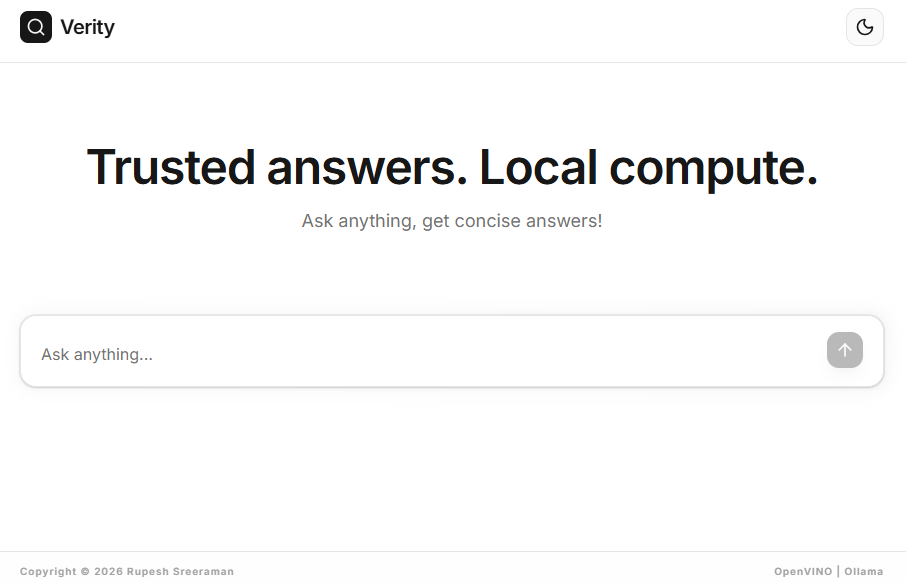
✨ Key Features
- Fully Local, AI PC Ready - Optimized for Intel AI PCs using OpenVINO (CPU / iGPU / NPU), Ollama (CPU / CUDA / Metal)
- No need of any paid APIs
- Privacy by Design - Search and inference can be fully self-hosted
- SearXNG-Powered Search - Self-hosted, privacy-friendly meta search engine
- Designed for fact-grounded, concise answers
- OpenVINO,Ollama models,llama.cpp server or any OpenAI compatible LLM servers supported
- Modular architecture
- CLI and WebUI support
- API server support
- Powered by Jan-nano 4B model,or configure any model
Supported LLM runtimes:
- OpenVINO - CPU / iGPU / NPU
- Ollama - CPU / CUDA / Apple Metal
- llama.cpp server or any OpenAI compatible LLM server
Dependencies
- Python 3.10 or higher
- uv - fast Python package and project manager
- Node.js
How to Install and Run
Follow the steps to install and run on Windows(Automated).
- Step 1: Install SearXNG by following this guide
- Step 2: Clone/Download verity repo
- Step 3: Double click
install.batto install
To run CLI interactive app double click start.bat.
To run WebUI start the webserver by double clicking start-webserver.bat and start frontend by double clicking start-webui.bat.
OpenVINO models will be downloaded in the first run.
Manual installation
Ensure that you have Python 3.x and Node.js installed.
- Install SearXNG by following this guide
- Clone Verity repo, enter into verity dirctory
- Create a virtual environment and activate it
- Run the below commands :
pip install -r requirements.txt
playwright install
cd src/frontend
npm install
For backend configurations create a .env file refer the .env.sample file.
To run interactive CLI app run the below
python src/app.py
Run WebUI
First run the API server
python src/api_server.py
Start the WebUI
cd src/frontend
npm run dev
Models
We have tested the following models.
| LLM Provider | Recommended Model | Processor |
|---|---|---|
| OpenVINO | rupeshs/jan-nano-int4-ov | CPU/GPU |
| OpenVINO | rupeshs/jan-nano-int4-npu-ov | NPU (Intel) |
| Ollama | mannix/jan-nano:latest | CPU/CUDA |
| llama.cpp server | Jan-nano-Q4_K_M.gguf | CPU/CUDA/Metal |
Tested using Intel AI PC with Intel Core Ultra Series 1 processor with CPU/GPU/NPU.
How to use LLama.cpp server with Verity
Run the llama.cpp server:
llama-server.exe -m Jan-nano-Q4_K_M.gguf -c 4096 --port 9000
If you are changing port configure in the .env file
OPENAI_LLM_BASE_URL=http://localhost:8000
:exclamation: You can use any OpenAI compatible LLM servers with Verity.
How to use Ollama models with Verity
Use the below config in .env file. update LLM provider(LLM_PROVIDER) as ollama and use model(LLM_MODEL_PATH) as mannix/jan-nano:latest.
Run the below command to pull the model.
ollama pull mannix/jan-nano:latest
Docker (Without OpenVINO Support)
To build and start the services:
Configurations in .env_docker file
docker compose up --build
To open verity webui http://localhost:5000/
You can use llama.cpp server, ollama or any OpenAI compatible LLM server.
API server - Streaming API (SSE)
Verity API server exposes one API endpoint,it streams model responses using Server-Sent Events (SSE).
http://localhost:8000/
Endpoint
GET /ask?question=<query>
Response Type
text/event-stream
Events
| Event Name | Description |
|---|---|
search |
Search phase started |
read |
Reading and processing search results |
think |
Generating final answer |
token |
Partial answer token |
done |
Stream completed |
error |
Eroor message |
CLI (go)
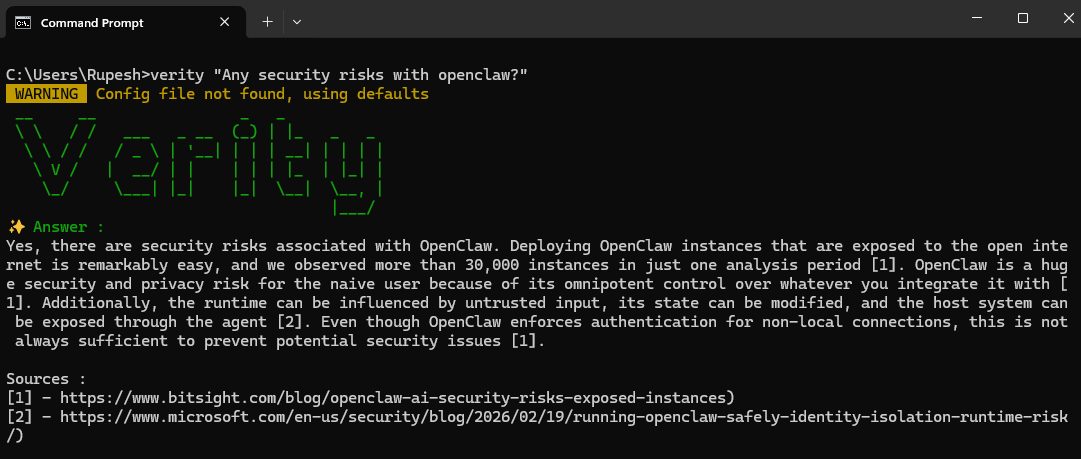
Follow the steps to run Verity CLI
-
Step 1: Install SearXNG by following this guide
-
Step 2: Build and run verity CLI tool,in the terminal enter into
verity/src/clifolder and run the below command :go build -
Step 3:Install and run the Verity Web server by double clicking
install.bat& followed bystart-webserver.bat. -
Step 4: Verity CLI tool can be used as :
verity.exe "your question"
Verity MCP server
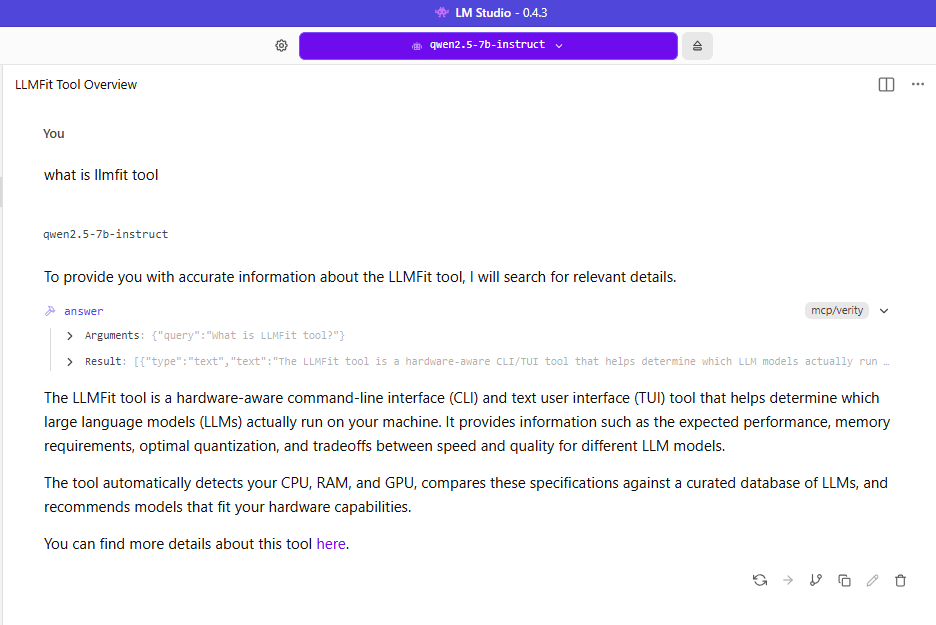
To use MCP server
- Install and run
start-mcpserver.bat
Add the following configuration :
{
  "mcpServers": {
    "verity": {
      "command": "npx",
      "args": [
        "mcp-remote",
        "http://127.0.0.1:8000/mcp"
      ],
      "timeout": 120000
    }
  }
}
README copy captured when this server was indexed; it may lag the repository. The original is authoritative.